
Callback channel in Genesys Workspace Desktop integrated with customer web-portal
O2 Slovakia has launched a new communication channel in their contact center – callbacks. Callback enhances voice communication channel, so customers need not to wait in queues during peak, but they will be called back by contact center later. The introduction of the new channel required implementation on the contact center side - Genesys, on the client side, in Genesys Workspace Desktop Edition, and on the O2 customer portal side.
Genesys Workspace Desktop Edition (WDE) - https://docs.genesys.com/Documentation/IW enables contact center agents to handle all types of interactions. Thanks to its capabilities of integration provides possibilities to embed any web-portal into WDE and trigger URL calls in webpage based on CTI events in WDE application. In this case WDE embeds the O4 customer portal which provides 360-degree view of the customer
Callbacks in a contact center are usually of two types, predictive and preview. In the case of preview callback, agent first receives a notification about the call that he can accept or decline. When agent accepts, the system dials out the call to the customer. The prompt appears as a pop-up window at the bottom right of the Windows taskbar.
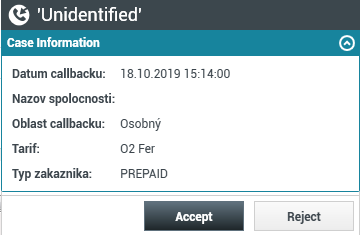
In the case of predictive callback, the system dials out the customer and delivers the call to the operator. This is more effective way, because system automatically predicts and evaluates when is the best time to dial out the customer.
The introduction of each new communication channel requires the integration of the communication channel into the customer portal, as is the case for callbacks. For the callback channel, we have implemented the process of identifying and logging in the customer into the agent's portal as well as navigating to customer card, as shown the example in the following image. Embedded browser window shows customer profile, agent can easily then browse on behalf the customer.
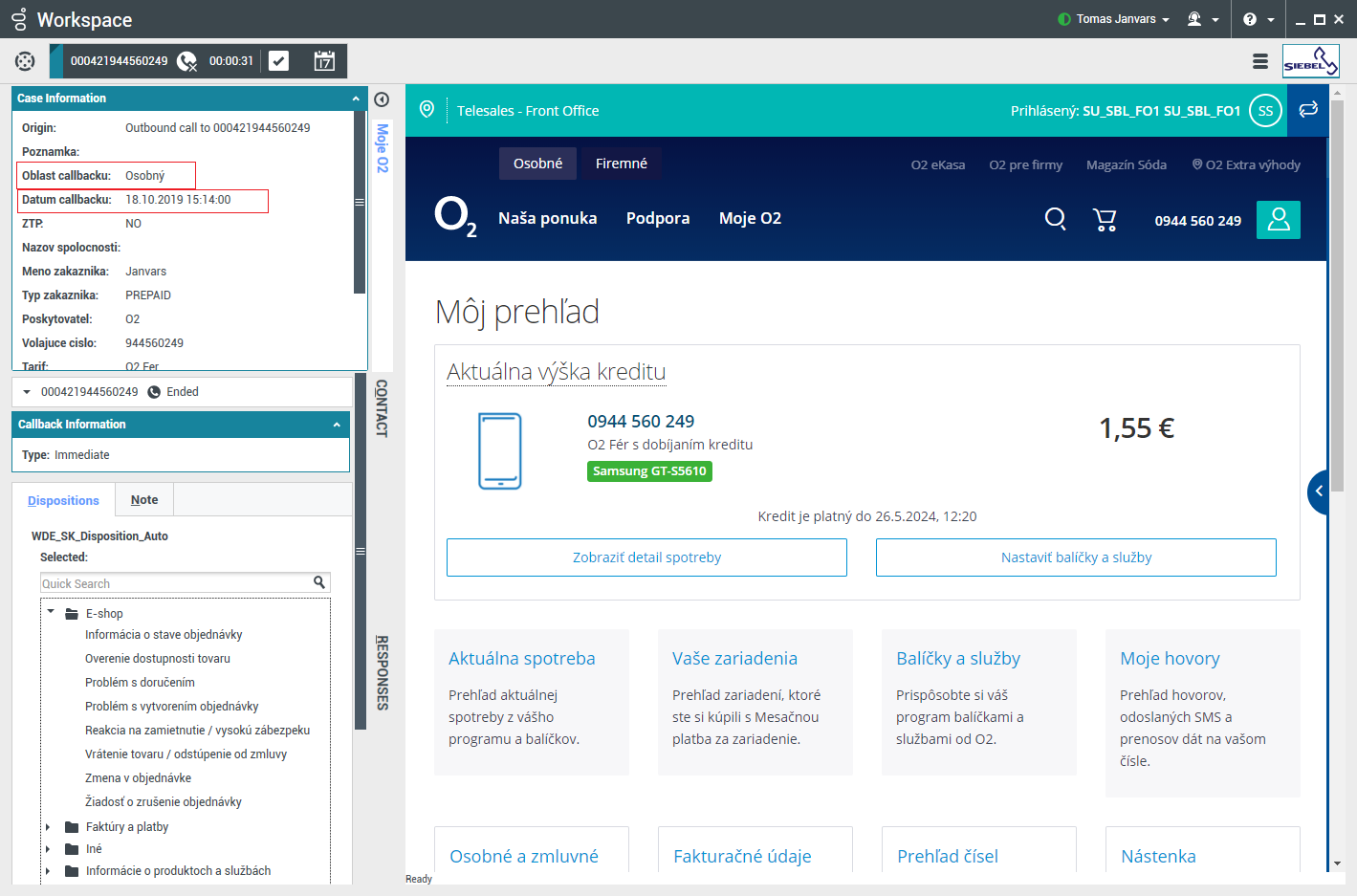 In addition to this basic functionality, the WDE side has also implemented switching to the Call Ready state after receiving a callback interaction, as well as supporting the creation of personal callbacks by agents directly from WDE.
CCW's consultants have been continuously implementing the CTI integration of the Genesys Workspace Desktop Edition agent application and the mobile operator's customer systems since 2016. You can contact us for more information how to integrate Genesys WDE with your applications.





