
Siebel CRM greenfield deployment to the Oracle Cloud Infrastructure
In this blog we will describe the greenfield deployment of the Siebel CRM into Oracle Cloud Infrastructure using Siebel Cloud Manager tool. We will discuss also architecture and other possible scenarios such as lift and shift with SCM, lift and shift into VM and upgrade process. I also want to state, that if you have any question or issue executing greenfield Siebel CRM deployment to OCI, or with OCI or migration Siebel CRM to OCI , contact me martin.piekov@ccw.sk or call : +421908036873.
Some words about Oracle Cloud Infrastructure (OCI)
The next-generation cloud designed to run any application, faster and more securely, for less.
Oracle Cloud is the first public cloud built from the ground up to be a better cloud for every application. By rethinking core engineering and systems design for cloud computing, we created innovations that solve problems that customers have with existing public clouds. We accelerate migrations of existing enterprise workloads, deliver better reliability and performance for all applications, and offer the complete services customers need to build innovative cloud applications. There are six key reasons customers are choosing Oracle Cloud Infrastructure (OCI) for all their cloud workloads.
Oracle Cloud Infrastructure is the best option for the deployment of the Siebel CRM solution. In combination with the Autonomous Oracle DB and Oracle Kubernetes Engines or with Compute instances it is the best option from performance, security, costs perspective.
Oracle has developed new tool called Siebel Cloud Manager.
Siebel Cloud Manager is a new REST-based continuous deployment tool that is used for:
- Automating the deployment of Siebel CRM on Oracle Cloud Infrastructure, whether you start from an existing on-premise deployment of Siebel CRM or create a new greenfield deployment of Siebel CRM on OCI.
- Ongoing maintenance of the Siebel Enterprise on OCI.
- Deploying Siebel CRM Upgrade Factory that simplifies Siebel CRM application upgrade process by allowing you to upload your customized, pre-IP2017 repository to run an upgrade and IRM process on OCI.
The Siebel Lift utility is available from Siebel Cloud Manager and has the following functions:
- Creates deployment kits consisting of artifacts derived from an existing on-premise deployment of Siebel CRM. The deployment kits are created in a staging location.
- Reads the stored artifacts you created and uploads them to OCI Object Storage to populate the migration pipeline for your Siebel CRM deployment on OCI.
- Siebel Gateway (CGW), sometimes called Cloud Gateway
- Siebel Application Interface (SAI)
- Siebel Server (SES), sometimes called Siebel Enterprise Server
- The Siebel database is migrated into OCI as an Autonomous Database for Transaction Processing in shared mode or Database Service for Oracle Database in virtual machine mode.
High level steps for greenfield deployment of Siebel CRM into OCI
- Have an OCI account
- Install Gitlab server and generate a private key and access token
- Siebel Cloud Manager setup
- Siebel Deployment in OCI
During the deployment following OCI parts services are used :
- Compartments
- VCN
- Compute Instances
- Vault – Identity and Secutiry -> Secrets
- Resource Manager – Stacks
- Oracle Kubernetes Engine
- Oracle Autonomous DB
- Cloud Shell
Oracle original documentation is here. In this blog we describe cookbook steps to achieve the goal quickly. We strongly recommend to read the whole documentation.
1. Have an OCI account
Get your 300USD OCI free credit for 30 days here or contact us, we will organize it gladly for you ! Configure compartment where do you want to deploy Gitlab server and Siebel CRM.
2. Install and configure Gitlab server
- Open this link and go to chapter Deploy and click : <<Deploy to Oracle Cloud>>
 2. Configure the Resource-Stack Job , select 1_standalone Working directory, choose previously created Compartment, Avaliability Zone, instance name, DNS Hostname, Compute Shape, Memory, Compute Image (I take always the last one ) and Click <<Create>>
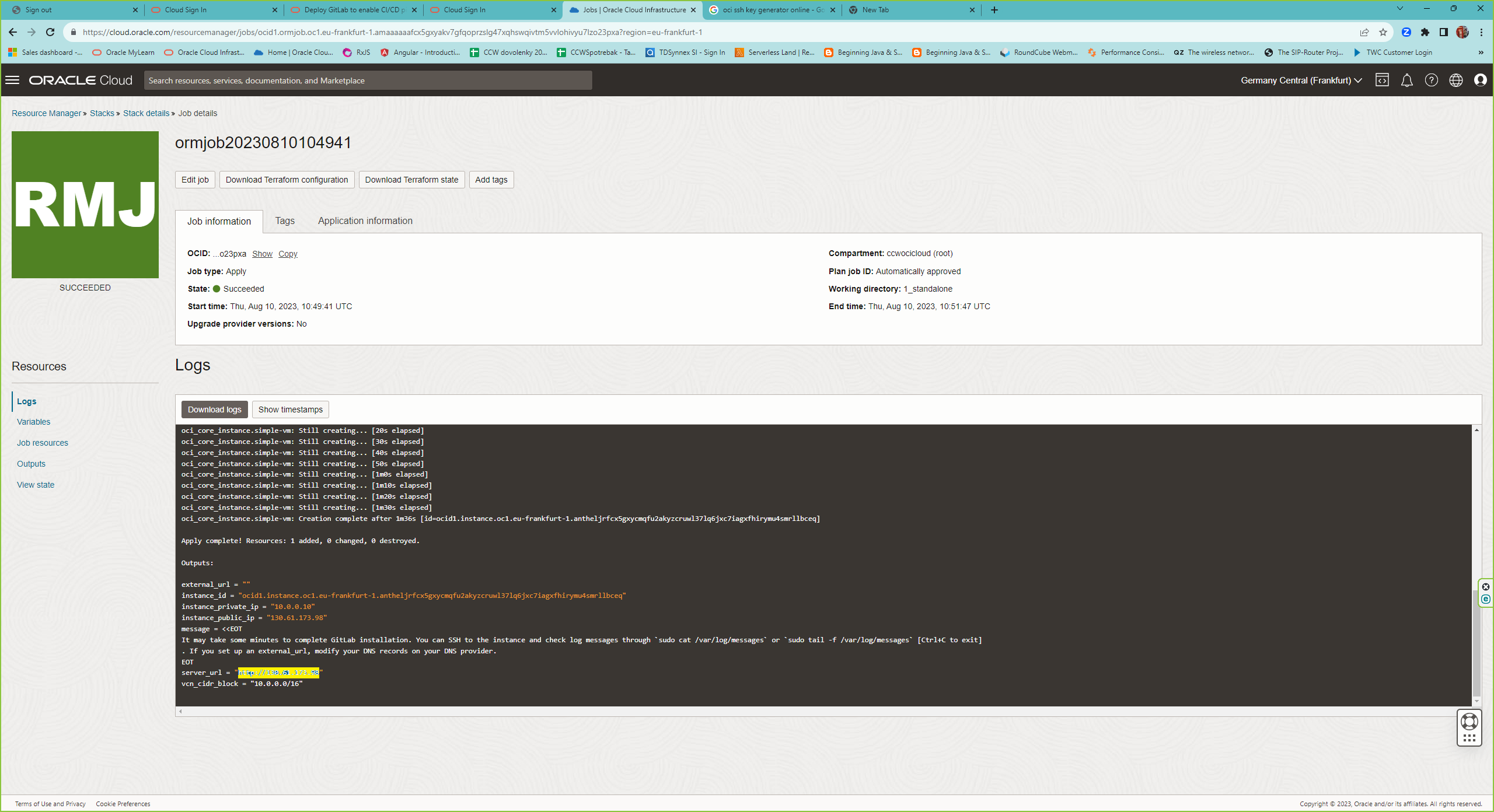
3. After the Resource Stack job is finished, login to the web page and set the password for root. The url is logged at the end of the job log or the public IP address of the instance.
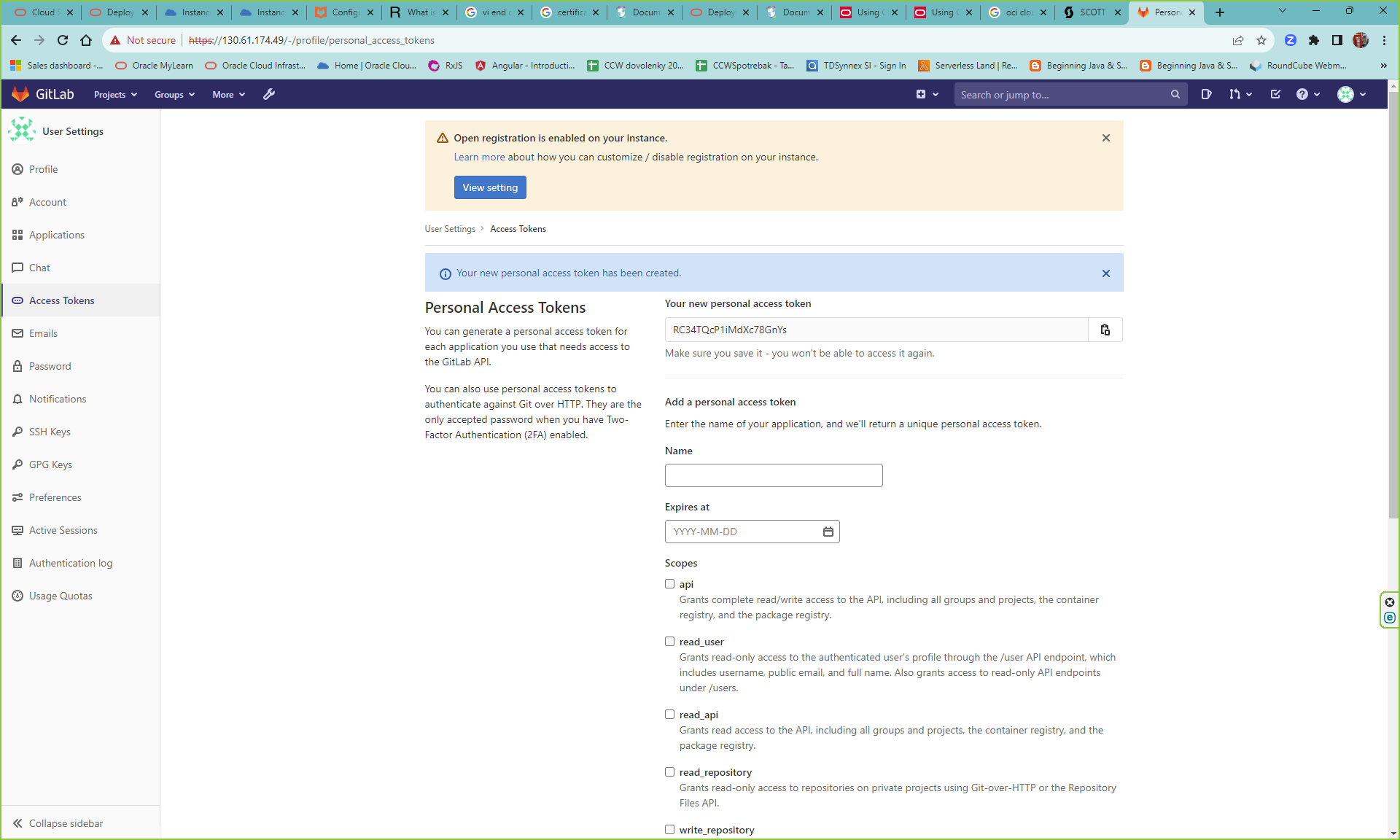
 4. Create Personal Access Token for the Siebel Cloud Manager API. Go to Settings -> Access Tokens and select Scopes for api, read_api, write_repository and read_repository.
 5. Generate generate a private key and access token
Connect via SSH to your gitlab compute instance . Go to /etc/gitlab/. Edit gitlab.rb and modify external_url „https://<Public IP of your instance>“. Disable letsencrypt[‘enable‘] = false. Create /etc/gitlab/ssl/ and copy the key and certificates to this location.
sudo mkdir -p /etc/gitlab/ssl
sudo chmod 755 /etc/gitlab/ssl
In this directory generate key and certificates as follows :
openssl genrsa -out rootCA.key 2048
openssl req -x509 -new -nodes -key rootCA.key -sha256 -days 365 -out rootCA.crt -subj "/C=US/ST=CA/L=Redwood Shores/O=Oracle/OU=Support/CN=localhost"
openssl genrsa -out <Public IP of your instance>.key 2048
openssl req -new -key <Public IP of your instance>.key -out <Public IP of your instance>.csr -subj "/CN=localhost"
Create device-csr.conf with the following content:
 [req]
distinguished_name = req_distinguished_name
req_extensions = v3_req
prompt = no
[req_distinguished_name]
C = US
ST = CA
L = Redwood Shores
O = Oracle
OU = Support
CN = localhost
[v3_req]
keyUsage = nonRepudiation, digitalSignature, keyEncipherment
extendedKeyUsage = serverAuth
subjectAltName = @alt_names
[alt_names]
IP.1 = <Public IP of your instance>
openssl x509 -req -in <Public IP of your instance>.csr -CA rootCA.crt -CAkey rootCA.key -CAcreateserial -out <Public IP of your instance>.crt -extfile device-csr.conf -extensions v3_req -days 365
Reconfigure gitlab server with the command :
sudo gitlab-ctl reconfigure
It takes a while and after check your url https://<your public ip> and download the the rootCA.crt to use it later with Siebel Cloud Manager workflows.
3. Siebel Cloud Manager (SCM) Setup
Go to OCI Marketplace and search for Siebel Cloud Manager
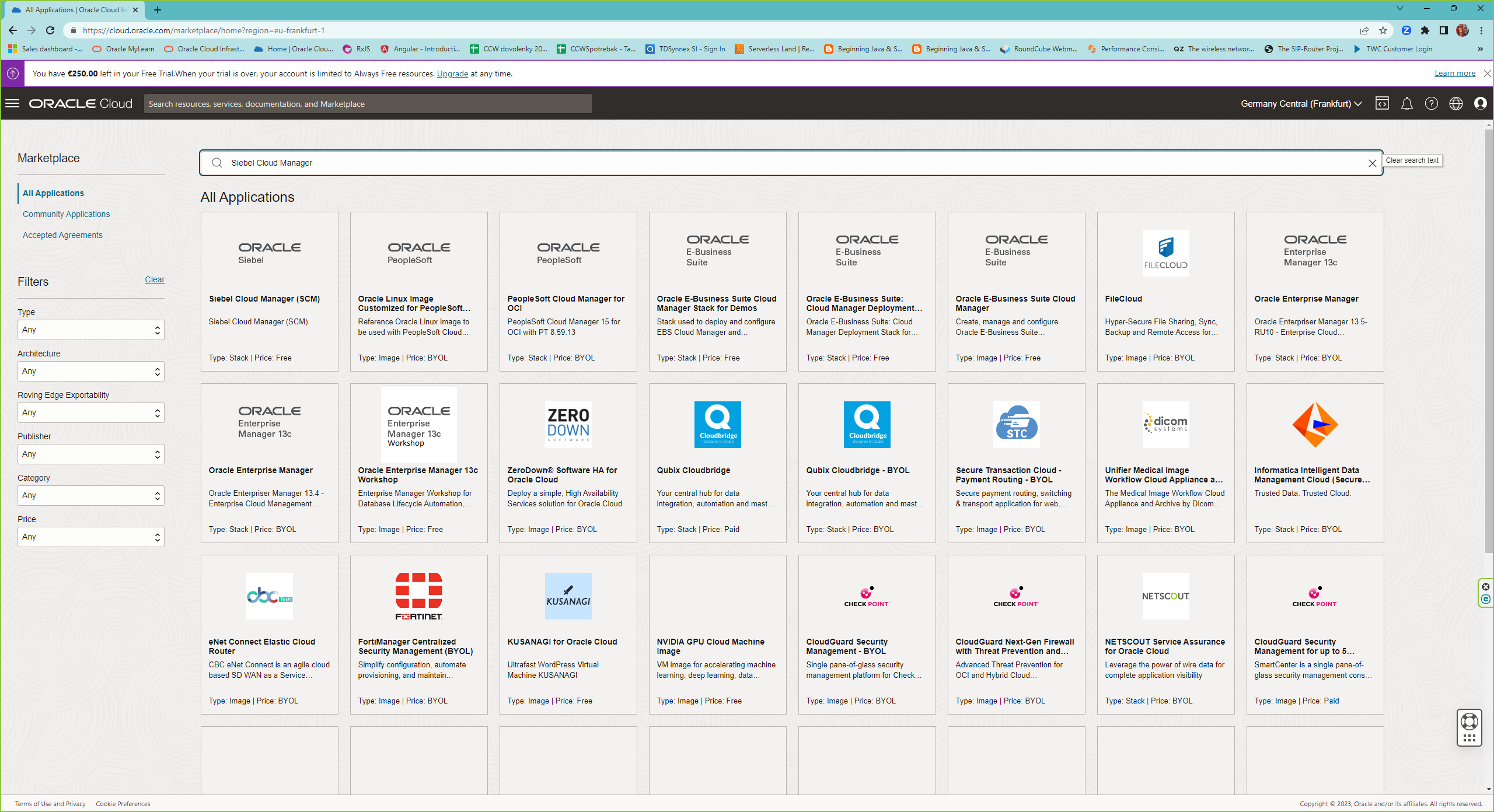
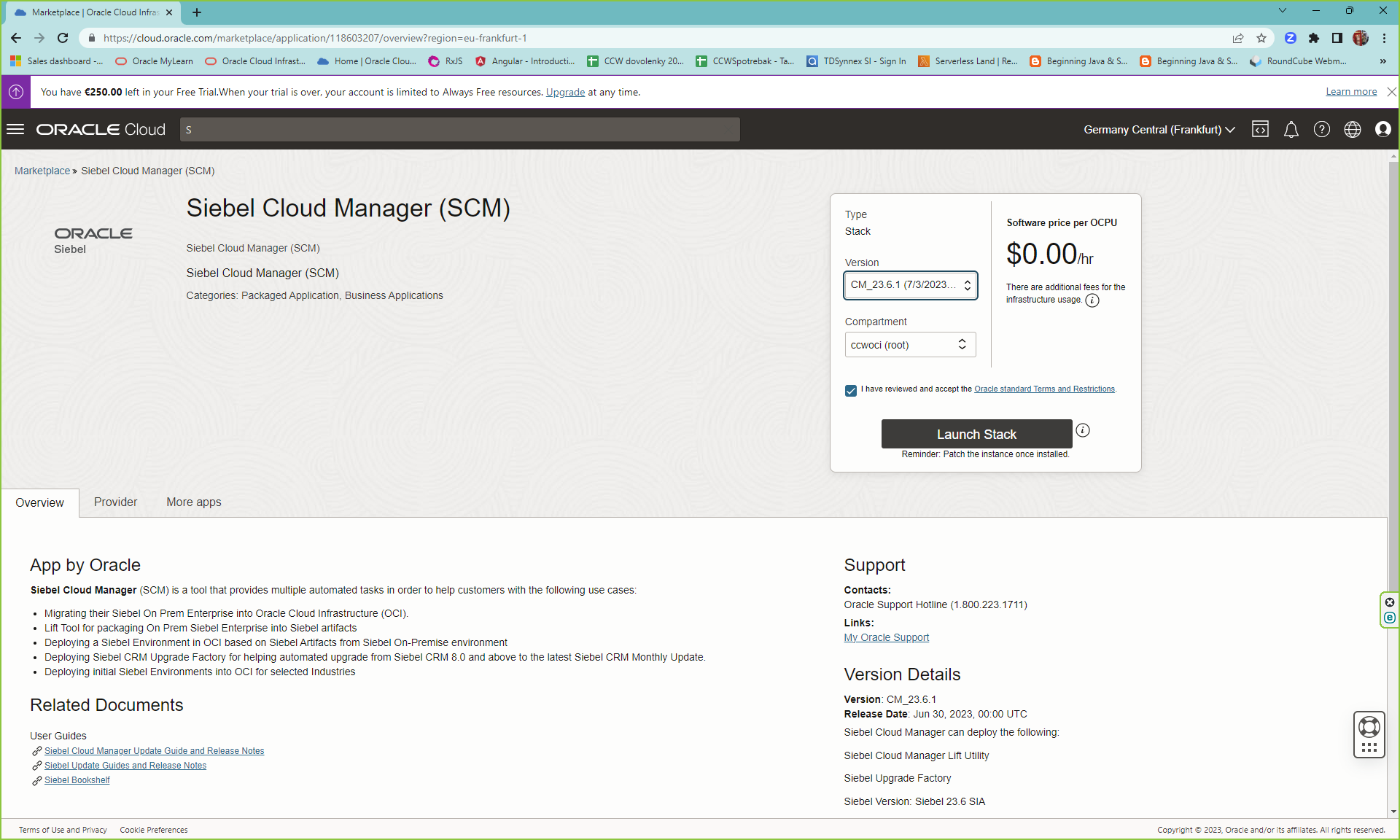
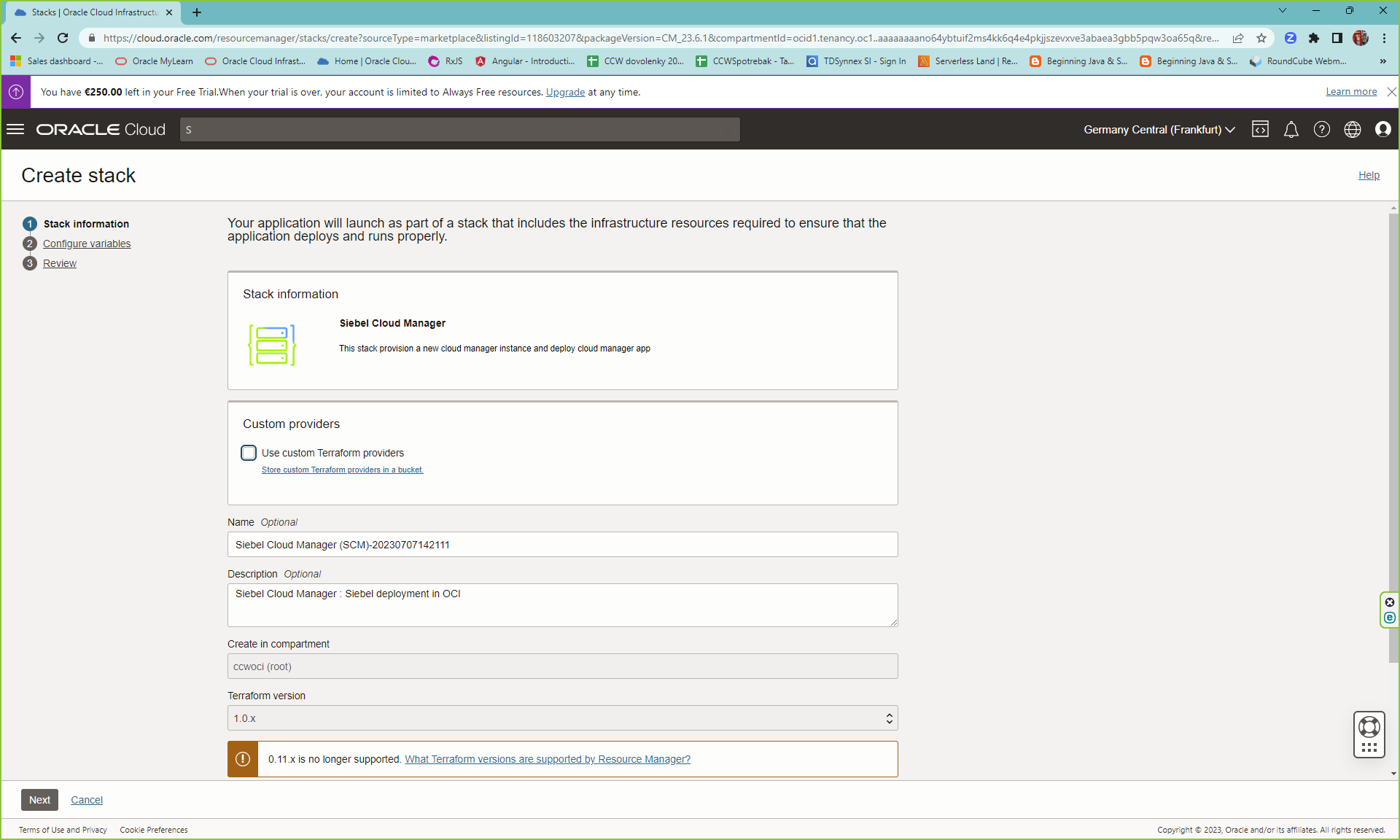
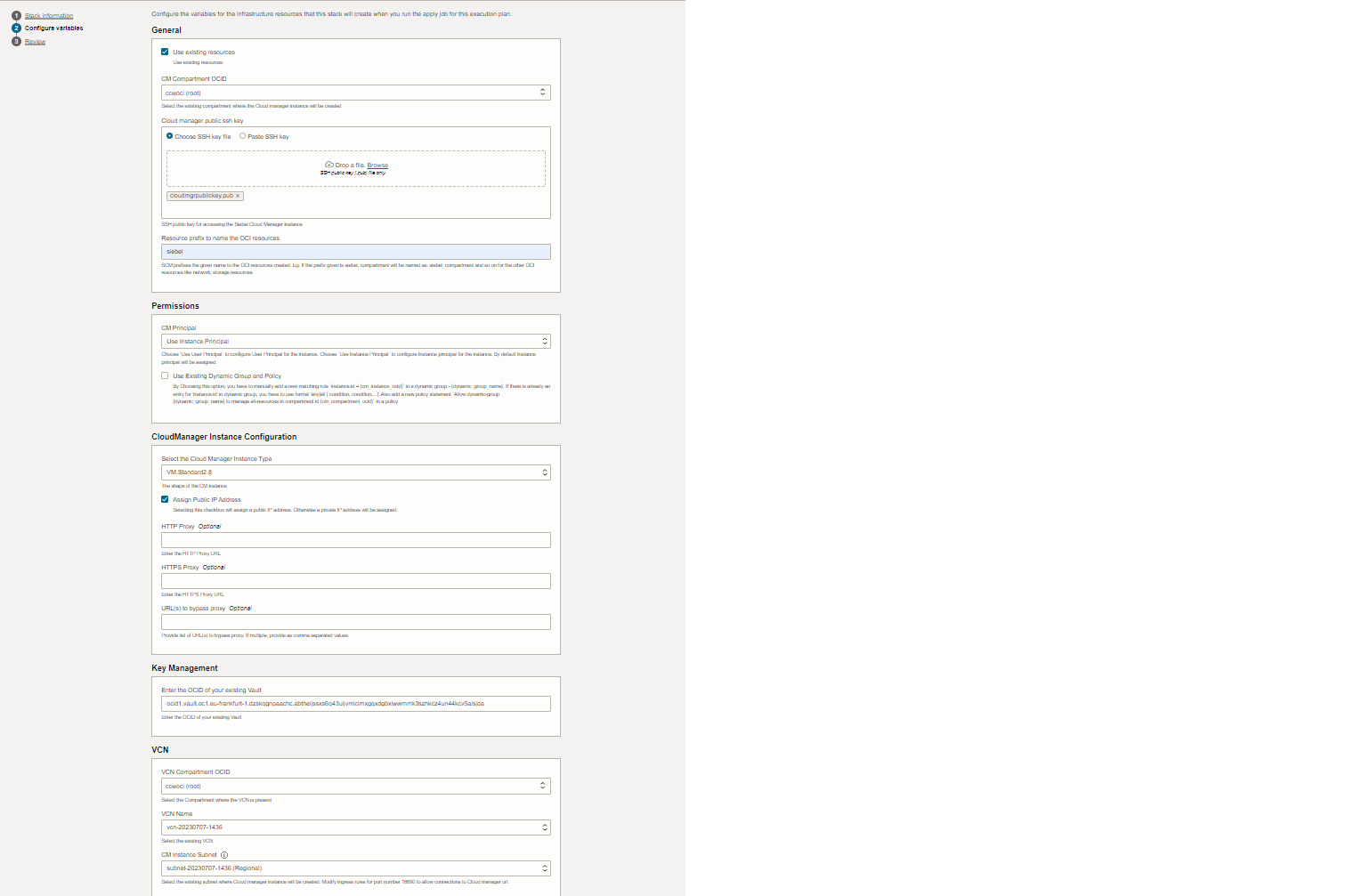
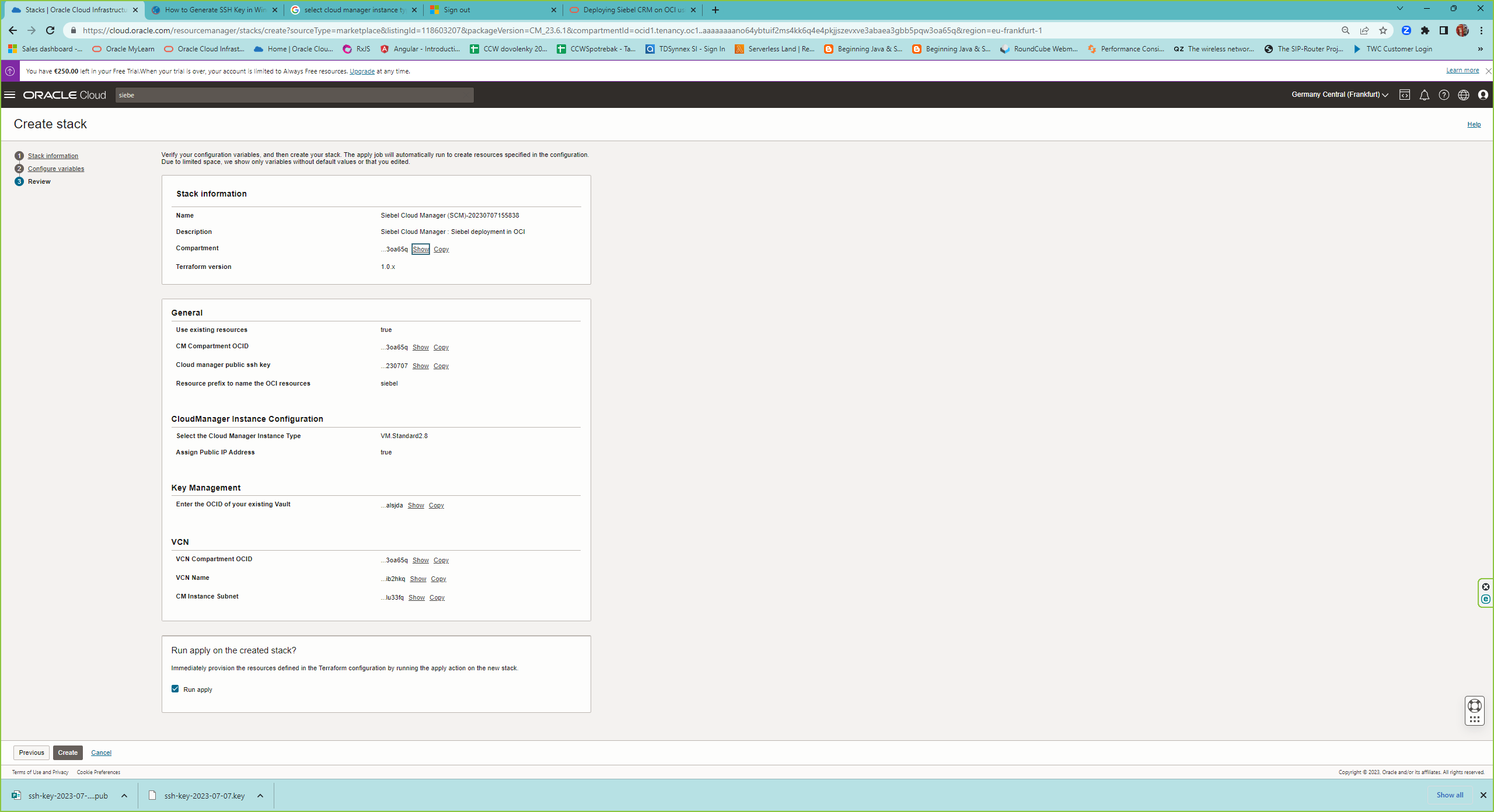
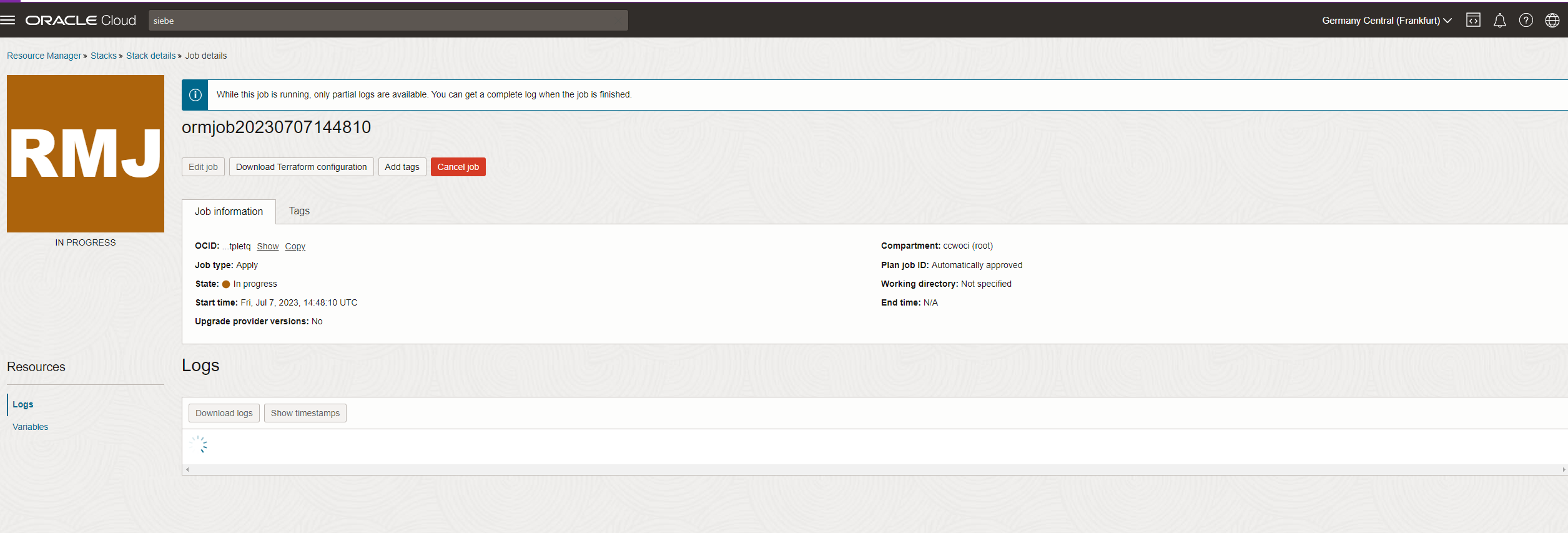
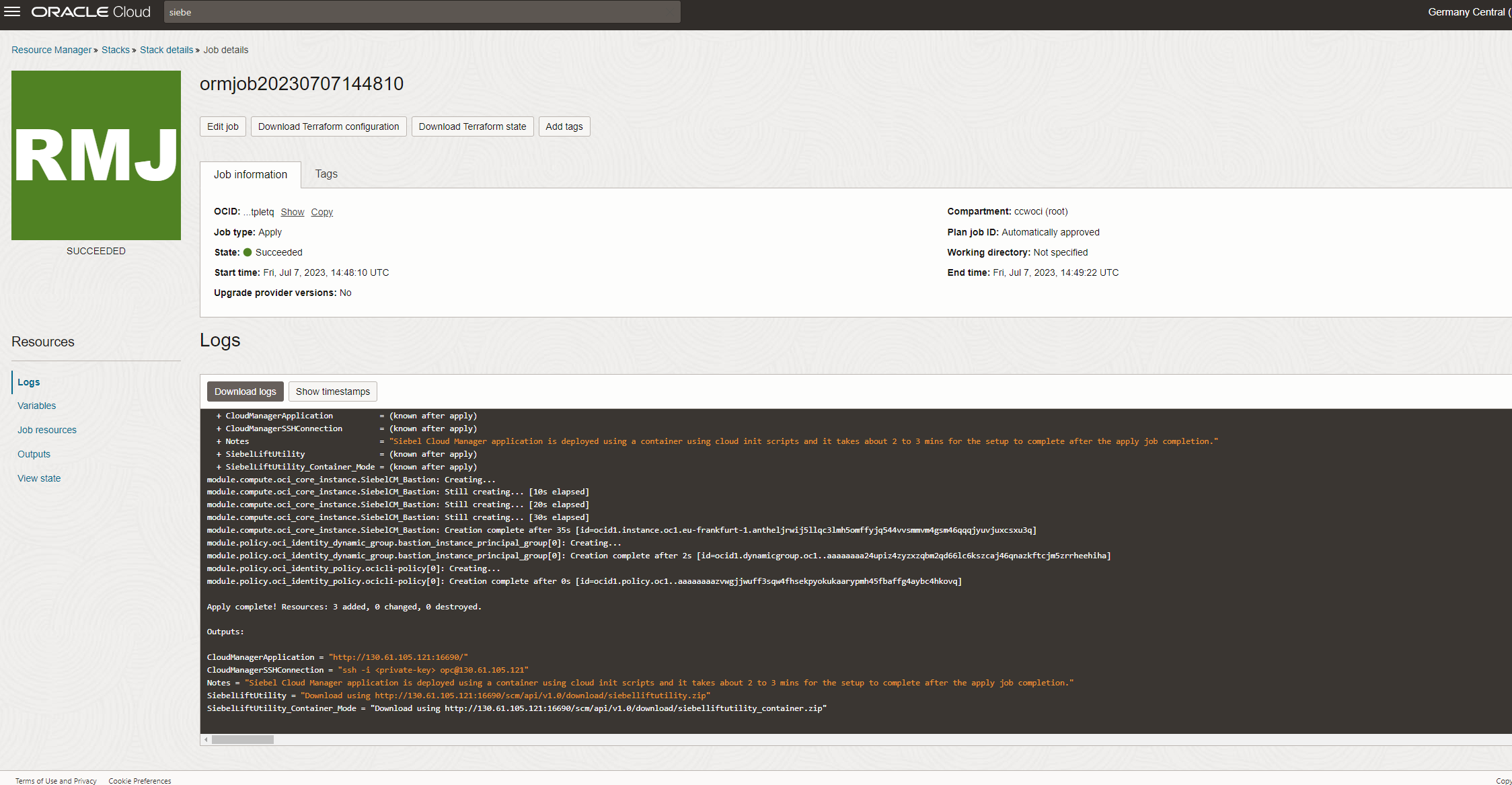
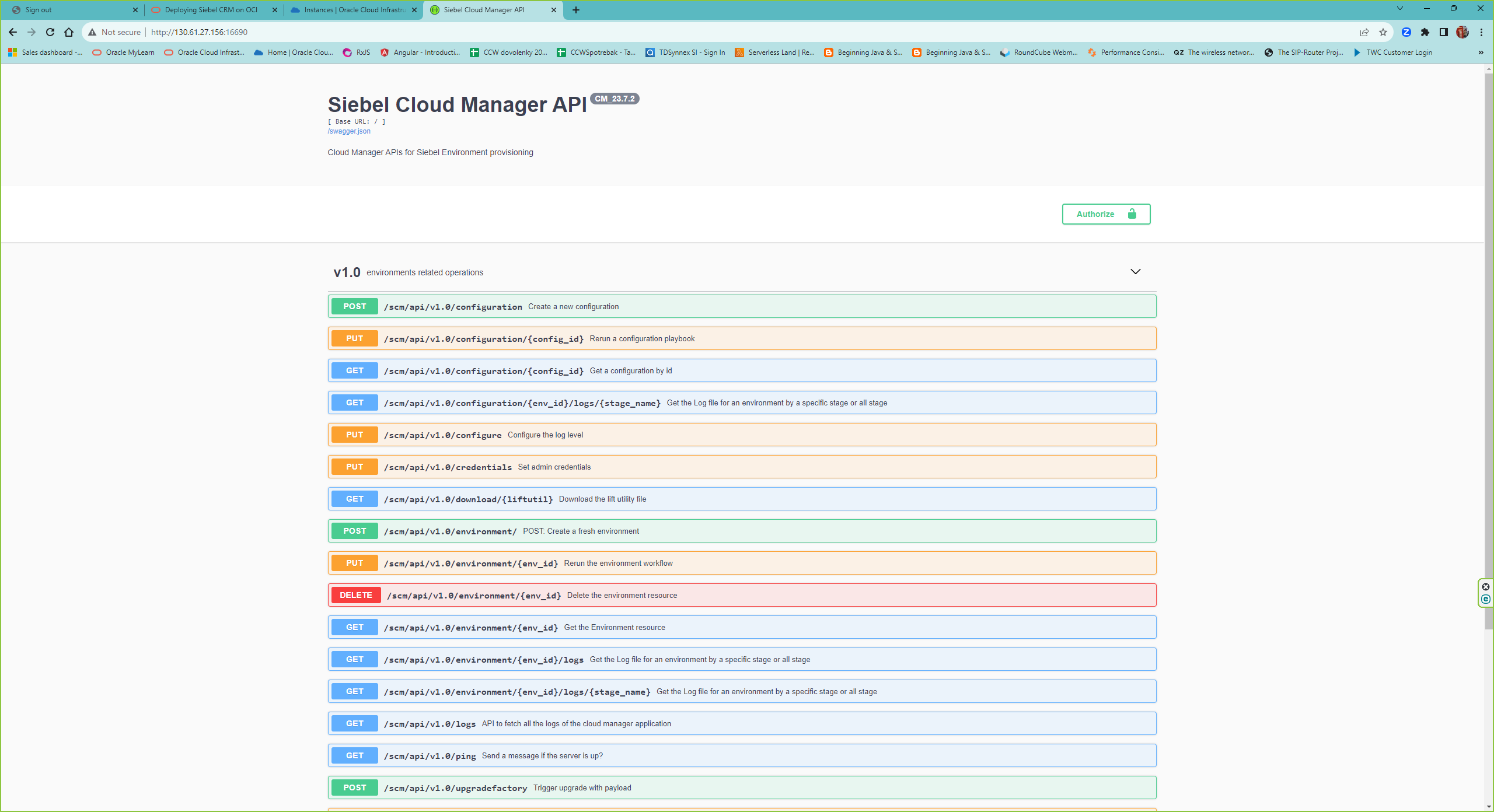
Once the scm is installed, you can access it via http://<public ip of the scm instance>:16690
It is also good to open OCI CloudShell and access the instance with
ssh -i key opc@<your public ip address>
As a preparation for the Greenfield deployment once you are logged, upload the created certificate in the Chapter 2 Step 5. rootCA.crt. Create first directory
sudo mkdir /home/opc/certs/sudo chmod 755 /home/opc/certs/
4. Siebel Deployment in OCI
The Siebel Deployment into OCI with Siebel Cloud Manager consist in current stage of 2 REST Calls. First call is creating the configuration and save it into gitlab. Second call triggers provisioning of the enviroment and created the Siebel CRM infrastructure in OCI based on payload in the first call. In our scenario we create greenfield Siebel CRM 23.7 installation for the Financial Services industry with 3 kubernetes nodes , one for Siebel Cloud Gateway, one for Siebel Application Interface and one for Siebel Enterprise Server. We use Vanilla OCI Autonomous DB and we import there the Sample DB. We are executing it in the OCI Frankfurt region , fra.ocir.io.
As a preparation create passwords in the OCI Vault for following users :
- siebel_admin_password
- default_user_password
- table_owner_password
- anonymous_user_password
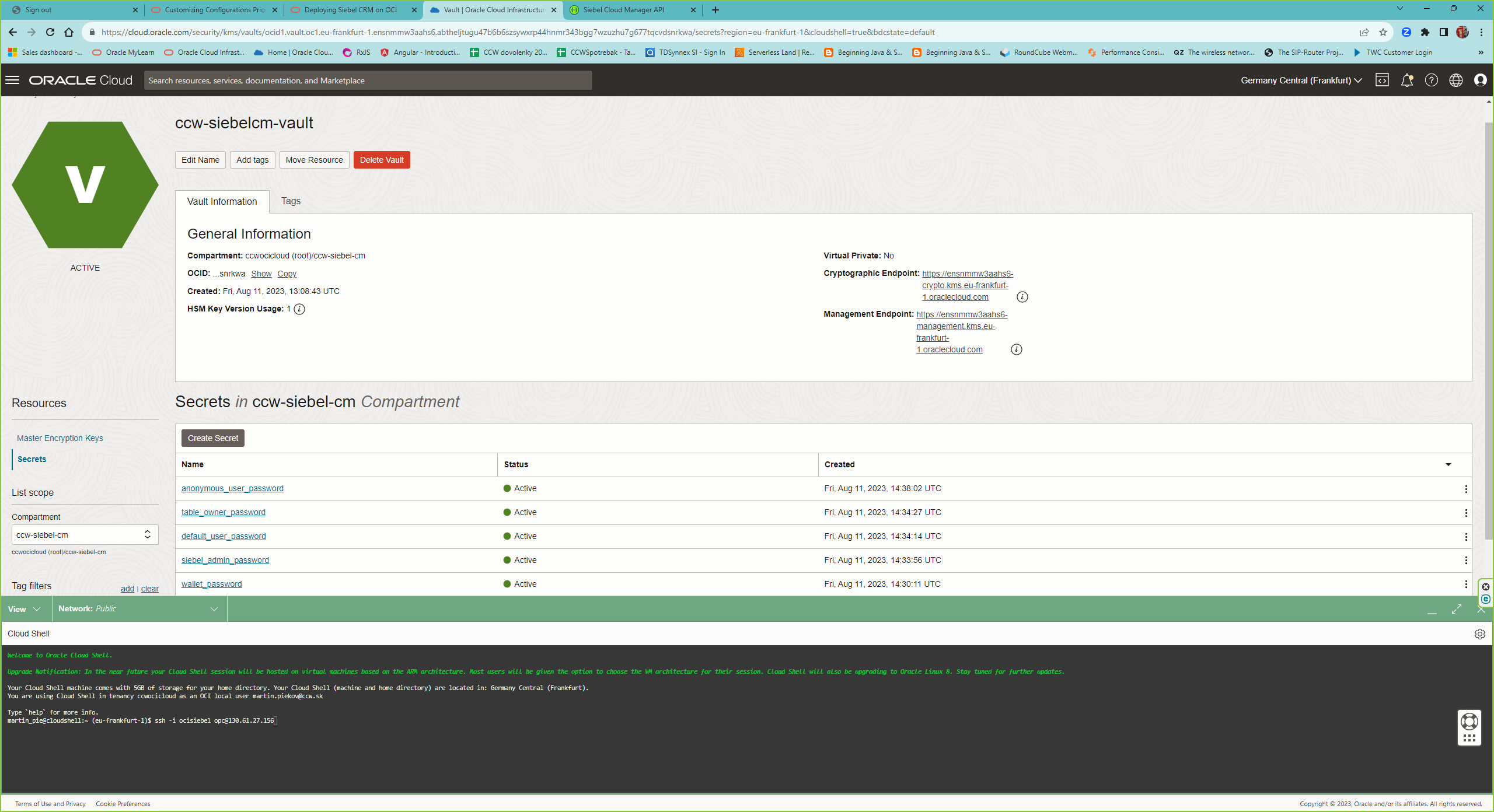
As a second preparation study the payload documentation here.
For the execution of the config and enviroment REST call you can use either the url api of SCM http://<public ip of the scm instance>:16690, I have chosen Postman. Here I will only paste the working configuration which resulted from our Proof of concept.
1. REST Call to SCM to create the Siebel CRM greenfield configuration in the OCI as described above :
POST http://<your scm public ip>:16690/scm/api/v1.0/configuration
{
    "name": "ccwsiebel",
    "siebel": {
        "registry_url": "fra.ocir.io",
        "siebel_architecture": "CRM",
        "registry_user": "frwtw2oxehic/yourname@youremaildomain",
        "registry_password": "GENERATEDPSSWDyoushouldreplace",
         "database_type": "Vanilla",
        "industry": "Financial Services"
        },
    "infrastructure": {
        "gitlab_url": "https://<public ip of your gitlab server installed here>",
        "gitlab_accesstoken": "XXXXXXXX",
        "gitlab_user": "root",
        "gitlab_selfsigned_cacert": "/home/opc/certs/rootCA.crt"
    },
    "database": {
        "db_type": "ATP",
        "atp": {
            "admin_password": "ocid1.vaultsecret.oc1.eu-frankfurt-1.somethingyoushouldreplace",
            "storage_in_tbs": 1,
            "cpu_cores": 3,
            "wallet_password": "ocid1.vaultsecret.oc1.eu-frankfurt-1.somethingyoushouldreplace"
        },
        "auth_info": {
            "siebel_admin_username": "sadmin",
            "siebel_admin_password": "ocid1.vaultsecret.oc1.eu-frankfurt-1.somethingyoushouldreplace",
            "default_user_password": "ocid1.vaultsecret.oc1.eu-frankfurt-1.somethingyoushouldreplace",
            "table_owner_password": "ocid1.vaultsecret.oc1.eu-frankfurt-1.somethingyoushouldreplace",
            "table_owner_user": "siebel",
            "anonymous_user_password": "ocid1.vaultsecret.oc1.eu-frankfurt-1.somethingyoushouldreplace"
        }
    },
    "size": {
        "kubernetes_node_shape": "VM.Standard.E4.Flex",
        "kubernetes_node_count": 3,
        "node_shape_config": {
            "memory_in_gbs": 60,
            "ocpus": 4
        },
        "ses_resource_limits": {
            "cpu": "2",
            "memory": "4Gi"
        },
        "ses_resource_requests": {
            "cpu": "1.0",
            "memory": "4Gi"
        },
        "cgw_resource_limits": {
            "cpu": "2",
            "memory": "4Gi"
        },
        "cgw_resource_requests": {
            "cpu": "1000m",
            "memory": "4Gi"
        },
        "sai_resource_limits": {
            "cpu": "1",
            "memory": "4Gi"
        },
        "sai_resource_requests": {
            "cpu": "1",
            "memory": "4Gi"
        }
    }
}
The response looks like :
 {
    "data": {
        "config_details": {
            "attempts": 1,
            "byo_infra_creation_details": {
                "is_db_byod": false
            },
            "cm_build_version": "CM_23.7.2",
            "config_id": "SWCFBS",
            "custom_scripts": [],
            "database": {
                "atp": {
                    "admin_password": "ocid1.vaultsecret.oc1.eu-frankfurt-1.something",
                    "cpu_cores": 3,
                    "storage_in_tbs": 1,
                    "wallet_password": "ocid1.vaultsecret.oc1.eu-frankfurt-1.something"
                },
                "auth_info": {
                    "anonymous_user_password": "ocid1.vaultsecret.oc1.eu-frankfurt-1.something",
                    "default_user_password": "ocid1.vaultsecret.oc1.eu-frankfurt-1.something",
                    "siebel_admin_password": "ocid1.vaultsecret.oc1.eu-frankfurt-1.something",
                    "siebel_admin_username": "sadmin",
                    "table_owner_password": "ocid1.vaultsecret.oc1.eu-frankfurt-1.something",
                    "table_owner_user": "siebel",
                    "tns_connect_string": "config-ccwsiebel-swcfbs_tp"
                },
                "db_type": "ATP"
            },
            "env_status": "Creation-In-Progress",
            "infrastructure": {
                "git_cm_repo": "config-ccwsiebel-swcfbs-cloud-manager",
                "git_cm_repo_id": 6,
                "git_cm_repo_ssh_url": "git@gitlab.example.com:root/config-ccwsiebel-swcfbs-cloud-manager.git",
                "git_helmcharts_repo": "config-ccwsiebel-swcfbs-helmcharts",
                "git_helmcharts_repo_id": 7,
                "git_helmcharts_repo_ssh_url": "git@gitlab.example.com:root/config-ccwsiebel-swcfbs-helmcharts.git",
                "gitlab_accesstoken": "somethingtoken",
                "gitlab_selfsigned_cacert": "/home/opc/certs/rootCA.crt",
                "gitlab_url": "http://yourip",
                "gitlab_user": "root",
                "instance_metadata": {
                    "ad_for_storage": "1",
                    "advanced_network_configuration": false,
                    "bastion_public_key": "ssh-rsa bastionkey opc@ccw-siebel-cm",
                    "cm_prefix": "ccw",
                    "compartment_ocid": "ocid1.compartment.oc1..something",
                    "home_region_key": "FRA",
                    "hostname": "ccw-siebel-cm",
                    "mount_target_ocid": "ocid1.mounttarget.oc1.eu_frankfurt_1.something",
                    "mount_target_private_ip_ocid": "ocid1.privateip.oc1.eu-frankfurt-1.something",
                    "prisub_cm_cidr": "10.0.255.0/24",
                    "private_subnet_ocid": "ocid1.subnet.oc1.eu-frankfurt-1.something",
                    "pubsub_cm_cidr": "10.0.0.0/24",
                    "region": "eu-frankfurt-1",
                    "region_identifier": "eu-frankfurt-1",
                    "root_compartment_ocid": "ocid1.compartment.oc1..something",
                    "tenancy": "ccwocicloud",
                    "tenancy_namespace": "frwtw2oxehic",
                    "tenancy_ocid": "ocid1.tenancy.oc1..something",
                    "use_existing_resources": "false",
                    "use_existing_vcn": false,
                    "vcn_default_security": "ocid1.securitylist.oc1.eu-frankfurt-1.something",
                    "vcn_nat_gateway": "ocid1.natgateway.oc1.eu-frankfurt-1.something",
                    "vcn_ocid": "ocid1.vcn.oc1.eu-frankfurt-1.something",
                    "vcn_range_cidr": "10.0.0.0/16",
                    "vcn_service_gateway": "ocid1.servicegateway.oc1.eu-frankfurt-1.something"
                },
                "load_balancer_type": "public",
                "namespace": "config-ccwsiebel-swcfbs",
                "oci_fss_siebel_host": "siebelmount.cmpri.siebelcm.oraclevcn.com",
                "oci_fss_siebel_path": "siebfs",
                "resource_prefix": "config-ccwsiebel-swcfbs",
                "siebel_cluster_subnet_cidr": "10.0.4.0/24",
                "siebel_db_subnet_cidr": "10.0.3.0/24",
                "siebel_file_system_count": "1",
                "siebel_lb_subnet_cidr": "10.0.1.0/24",
                "siebel_private_subnet_cidr": "10.0.2.0/24"
            },
            "name": "config-ccwsiebel-swcfbs",
            "selfLink": "http://yourip:16690/scm/api/v1.0/configuration/SWCFBS",
            "siebel": {
                "database_type": "Vanilla",
                "industry": "Financial Services",
                "registry_password": "registrypsswd",
                "registry_url": "fra.ocir.io",
                "registry_user": "sdsds/emailname@domain",
                "security_adapter_type": "DB",
                "siebel_architecture": "CRM",
                "siebel_image": "phx.ocir.io/siebeldev/cm/siebel:23.7-full",
                "siebel_version": "23.7"
            },
            "size": {
                "cgw_resource_limits": {
                    "cpu": "2",
                    "memory": "4Gi"
                },
                "cgw_resource_requests": {
                    "cpu": "1000m",
                    "memory": "4Gi"
                },
                "kubernetes_node_count": 3,
                "kubernetes_node_shape": "VM.Standard.E4.Flex",
                "node_shape_config": {
                    "memory_in_gbs": 60,
                    "ocpus": 4
                },
                "sai_resource_limits": {
                    "cpu": "1",
                    "memory": "4Gi"
                },
                "sai_resource_requests": {
                    "cpu": "1",
                    "memory": "4Gi"
                },
                "ses_resource_limits": {
                    "cpu": 4,
                    "memory": "24Gi"
                },
                "ses_resource_requests": {
                    "cpu": 1,
                    "memory": "8Gi"
                }
            },
            "stages": [
                {
                    "end_time": "",
                    "log_api_link": "http://130.61.27.156:16690/scm/api/v1.0/configuration/Q7DEX9/logs/greenfield-bucket-prep",
                    "log_location": "/home/opc/siebel/configuration/Q7DEX9/logs/greenfield.log"",
                    "name": "Build template for Greenfield environment",
                    "previous_status": "",
                    "stage_description": "Build template for Greenfield environment",
                    "stage_name": "greenfield-bucket-prep",
                    "start_time": "",
                    "status": ""
                },
                {
                    "end_time": "",
                    "log_api_link": "",
                    "log_location": "",
                    "name": "CIDR Validation",
                    "previous_status": "",
                    "stage_description": "CIDR Validation",
                    "stage_name": "cidr_validation",
                    "start_time": "",
                    "status": ""
                },
                {
                    "end_time": "",
                    "log_api_link": "",
                    "log_location": "",
                    "name": "Process CG artifacts and push to Git Repo",
                    "previous_status": "",
                    "stage_description": "Process CG artifacts and push to Git Repo",
                    "stage_name": "process-cg-artifacts",
                    "start_time": "",
                    "status": ""
                }
            ]
        }
    },
    "message": "Configuration Created Successfully.",
    "status": "success"
}
There are several stages during the creation of configuration :
- Build template for Greenfield environment
- CIDR Validation
- Process CG artifacts and push to Git Repo
Important values for the stages are status, log_location. Based on status you see whether it is In Progress, or the stage passed or failed. If failed you should check the logs. The provisioning can and should be checked by REST Call
http://130.61.27.156:16690/scm/api/v1.0/configuration/Q7DEX9
where you receive identical json structure as during creation request byt with updates such as status, start_time, end_time , log_location etc of the stages.When the provisioning is finished, all stages have status passed.
2. REST call to provision the enviroment based on the created configuration
In the response of provisioned configuration take the value from config_id to execute the REST call for the provisioning of the enviroment. THe REST call is :
 POST http://130.61.27.156:16690/scm/api/v1.0/environment
 {
    "config_id": "<your_config_id>",
    "name": "<name_your_enviroment>"
}
The response after successful provisioning of the enviroment :
{
    "data": {
        "env_details": {
            "app_url_status": [
                {
                    "status": "validated",
                    "url": "https://<yournewsiebelenvip>/siebel/app/webtools/enu",
  &nb





