Seamless repository upgrade with new utility starting with Siebel IP2020 PS3+
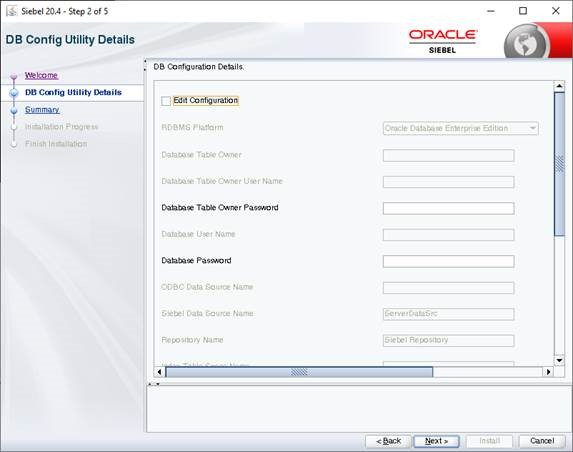
Starting with Siebel CRM 18.7 Oracle provides repository updates for application. There is a new repository upgrade utility. This utility is avalaible also for UNIX/Linux operating systems and also for windows. During standard patch installation process there is a form where you enter informations such as DB User, Scheme User, ODBC Name, see attached screenshot :
This blog is not to in detail describe new of Siebel CRM IP2020 Patchset 4 and higher. We want to share one trick, which can help you to install it successfully. If you are more interested find out about the details read :
https://blogs.oracle.com/siebelcrm/siebel-crm-204-update
As mentioned last step of the patchset installation includes seamless repository upgrade with the new utility RepositoryUpgrade. The only requirement is not only filled in form in the installation guided process. Be ready to enter ODBC Data Source Name, Index Table Space Name, Table Space Name etc.
- Please execute the steps described in Doc ID 2662248.1. Modify siebel.cfg.
- You need to add your tnsname for DB connection into your .odbc.ini file. Typically ODBC Data Source Name is not the same as TNS Names. The tnsnames can be found under oracle client, for example in your linux server for example /app/oracle/product/oraclient/network/admin/tnsname.ora. Copy the part used for Siebel CRM DB connection and paste it to your .odbc.ini. The .odbc.ini file can be typically found : /app/siebel/sieb/siebsrvr/sys/.odbc.ini.
The new .odbc.ini has new part , which is marked green. Altough you enter correct ODBC Data Source Name this steps is need for successful patchset installation.
[ODBC]
TraceDll=/app/siebel/sieb/siebsrvr/lib/SEtrc27.so
TraceFile=odbctrace.out
Trace=0
InstallDir=/app/siebel/sieb/siebsrvr
[ODBC Data Sources]
ENT_EXAMPL_0X1_DSN 7.1 Oracle 12 Driver
[ENT_EXAMPL_0X1_DSN]
Driver=/app/siebel/sieb/siebsrvr/lib/SEor827.so
ColumnSizeAsCharacter=1
ColumnsAsChar=1
ArraySize=160000
#ServerName=xxxcrm1
ServerName=xxxcrm1
[xxxcrm1]
Driver=/app/siebel/sieb/siebsrvr/lib/SEor827.so
ColumnSizeAsCharacter=1
ColumnsAsChar=1
ArraySize=160000
ServerName=xxcrm1
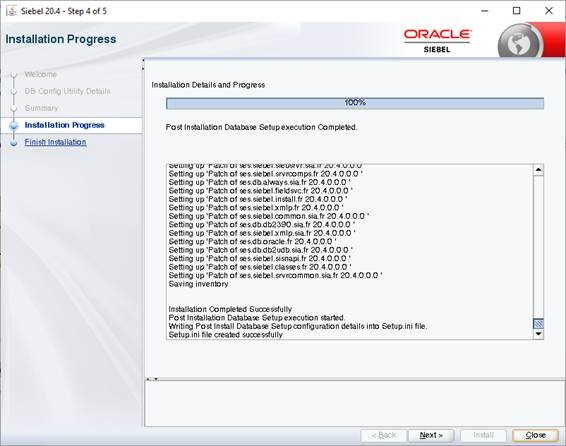
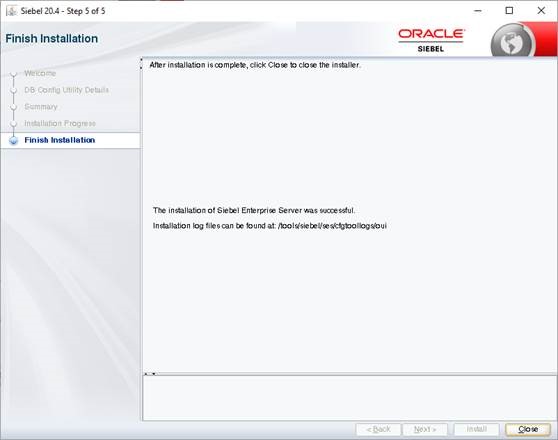
After you execute the hints 1) and 2) you will see following success screens. Important is that Post Install Database setup is finished with success.