
Managing autocomplete function for Siebel Open UI in Chrome browser
We want to share with the Oracle Siebel CRM community our experience to control chrome autocomplete functionality in Siebel Open UI IP15. While switching browser from IE11 to Chrome for Siebel Open UI application autocomplete functionality was observed.
In IE11 it was by default inactivated by company group policy. For chrome the customer doesn`t want to disable autocomplete. For some browser applications it is appreciated for some not.
Specifically the customer didn`t want to have autocomplete functionality for transactional fields and decided to inactivate it across whole Siebel Open UI Application.
Here are relevant Oracle documents which we used to find accurate solution :
Option For Keeping Autocomplete Off For Sensitive Fields Or Forms In Siebel (Doc ID 2296413.1)
OPEN UI: How to Manipulate the Autocomplete Feature (Doc ID 2009807.1)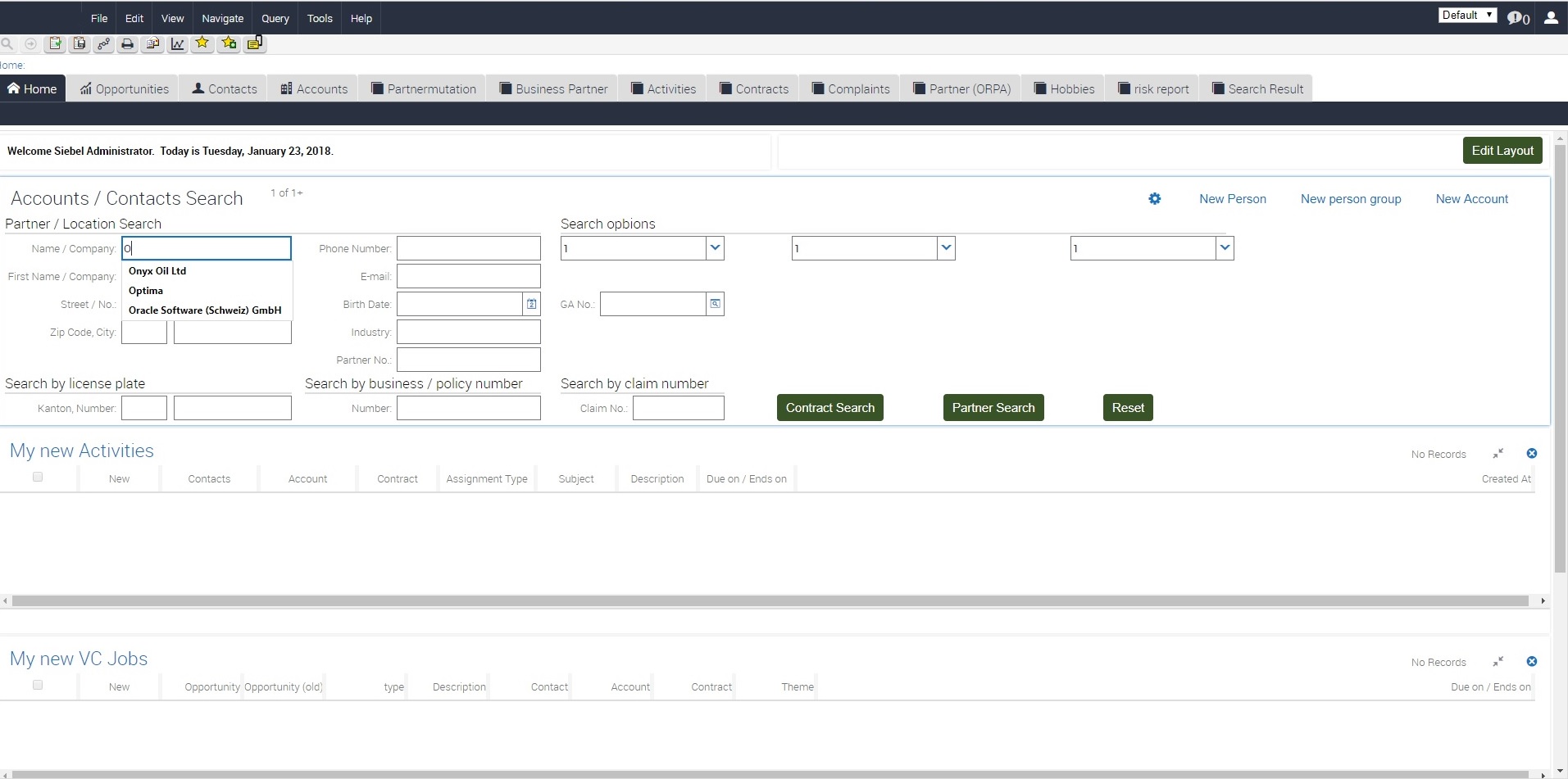
The hard override approach is to add in each webtemplate
<form name="SWEEntryForm" method="post" action="/callcenter_enu/start.swe" autocomplete="off">.
The final solution we propose is to inactivate autocomplete in postload.js script, which can be found under ../lang/23048/scripts/
if (typeof (SiebelAppFacade.Postload) == "undefined") {
    Namespace('SiebelAppFacade.Postload');
(function(){
SiebelApp.EventManager.addListner( "postload", OnPostload, this );
function OnPostload( ){
try{console.log("autocomplete off");
$('form').attr('autocomplete','off');
console.log("Loaded")
;}
catch(error){//No-Op}}}());}
This works fine with exception for the toggle applets. Once applet is toggled after postload.js was executed, the autocomplete is in this applet active.
For those toggle applets we propose use Open UI Physical Renderer and in the BindData use the same $('form').attr('autocomplete','off'); expression to switch the autocomplete for the toggle applet off.
We hope this can help you tailor Siebel Open UI exactly to customer needs.
Enjoy and stay tunned with us !





