
Get global web application with AWS Cloud
Amazon Web Services (AWS) is the world’s most comprehensive and broadly adopted cloud platform. AWS offers over 175 fully featured services from many data centers - regions and edge locations. The number of services grows every year. Millions of customers including enterprises, government agencies, education institutions and also start-ups are using AWS to provide their service to their customers, to lower costs for the infrastructure and development to become more agile and bring innovation faster.
In this blog we will demonstrate how fast can company thanks to AWS Services create global web application, which will route based on user geographical location the nearest server based on latency. We will use following AWS Services :
- EC2 instances with security groups allowing HTTP traffic
- Route 53
We have created EC2 instance (Linux Server) in 3 Regions :
- Europe (Frankfurt)
- Asia Pacific (Seoul)
- USA West (N.California)
We have registered domain in Route 53 : http://www.cloud-ccw.net .
At the end we have created routing records for these 3 servers to route from any geographical location in the world based on latency to the best server.
First assumption is to have an AWS account.
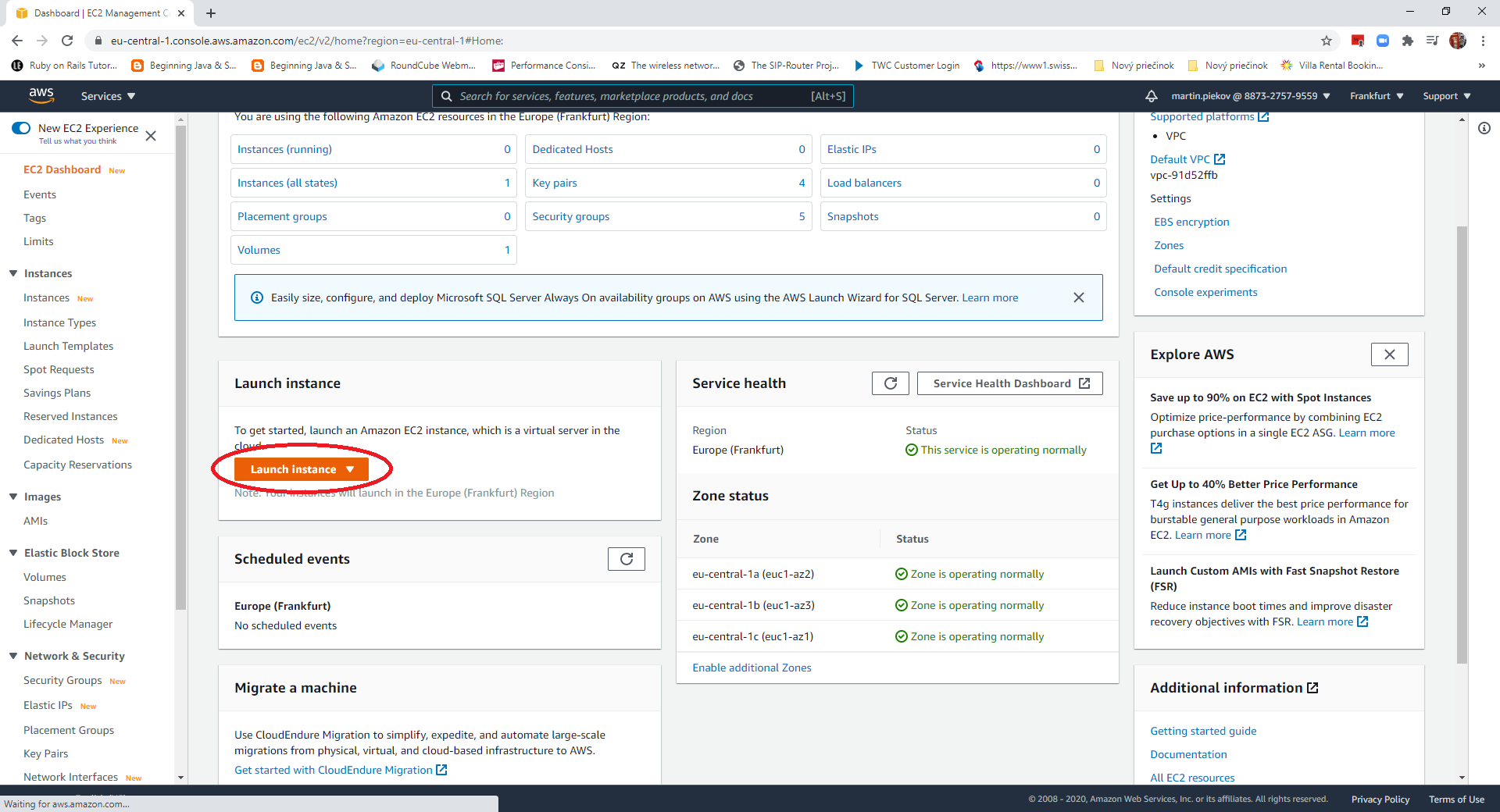
1. Create EC2 instance in each of listed regions as follows : select region in the up right corner pick list, click Launch instance >
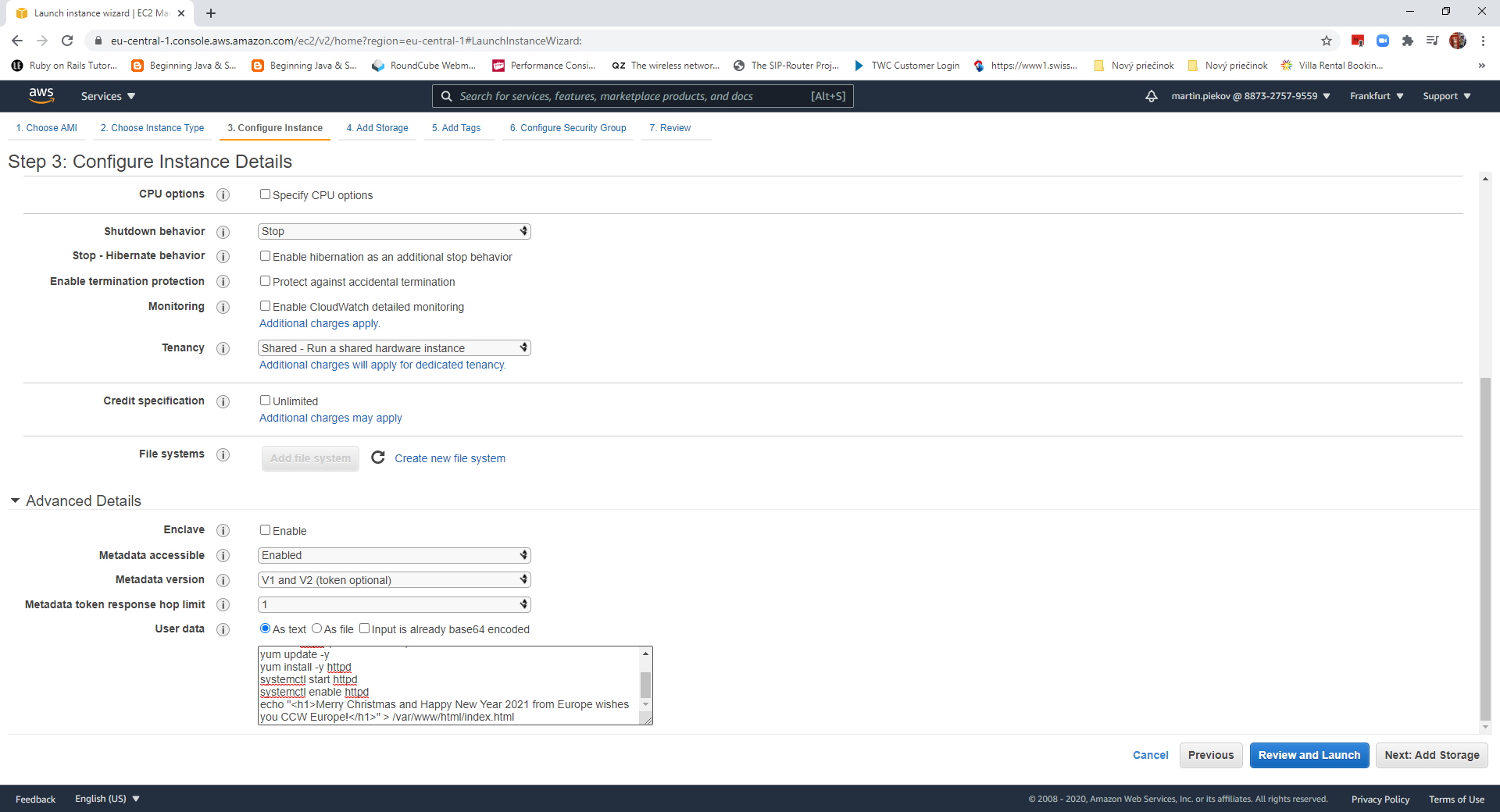
 2. In the <<Configure Instance>> section place under <<User data>> following script to launch webserver :
#!/bin/bash
# Use this for your user data (script from top to bottom)
# install httpd (Linux 2 version)
yum update -y
yum install -y httpd
systemctl start httpd
systemctl enable httpd
echo "<h1>Merry Christmas and Happy New Year 2021 from Europe wishes you CCW Europe</h1>" > /var/www/html/index.html
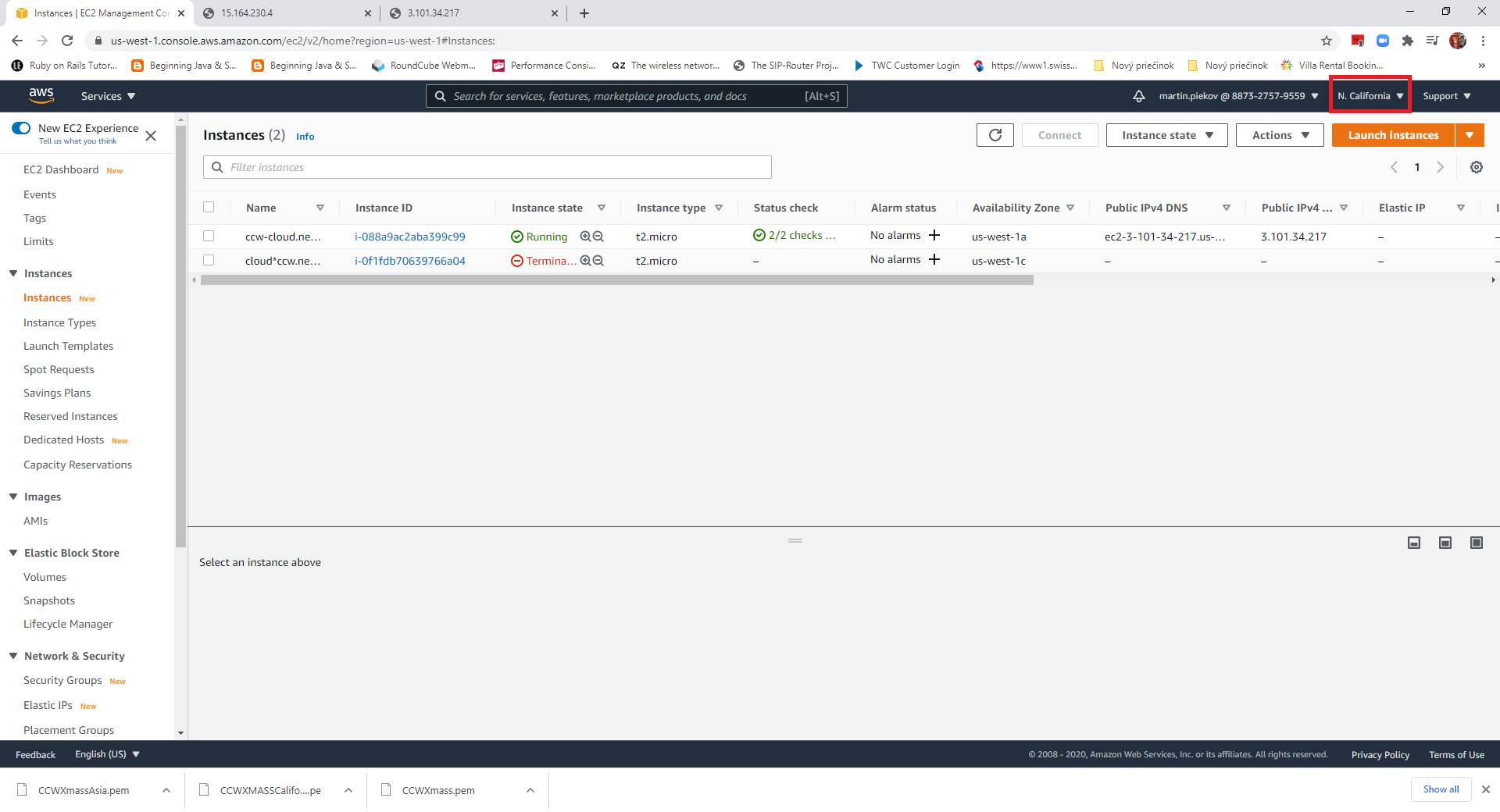
3. Do the same for Northern California and Asia (Seoul), but replace Europe in the welcome statement for USA or Asia.
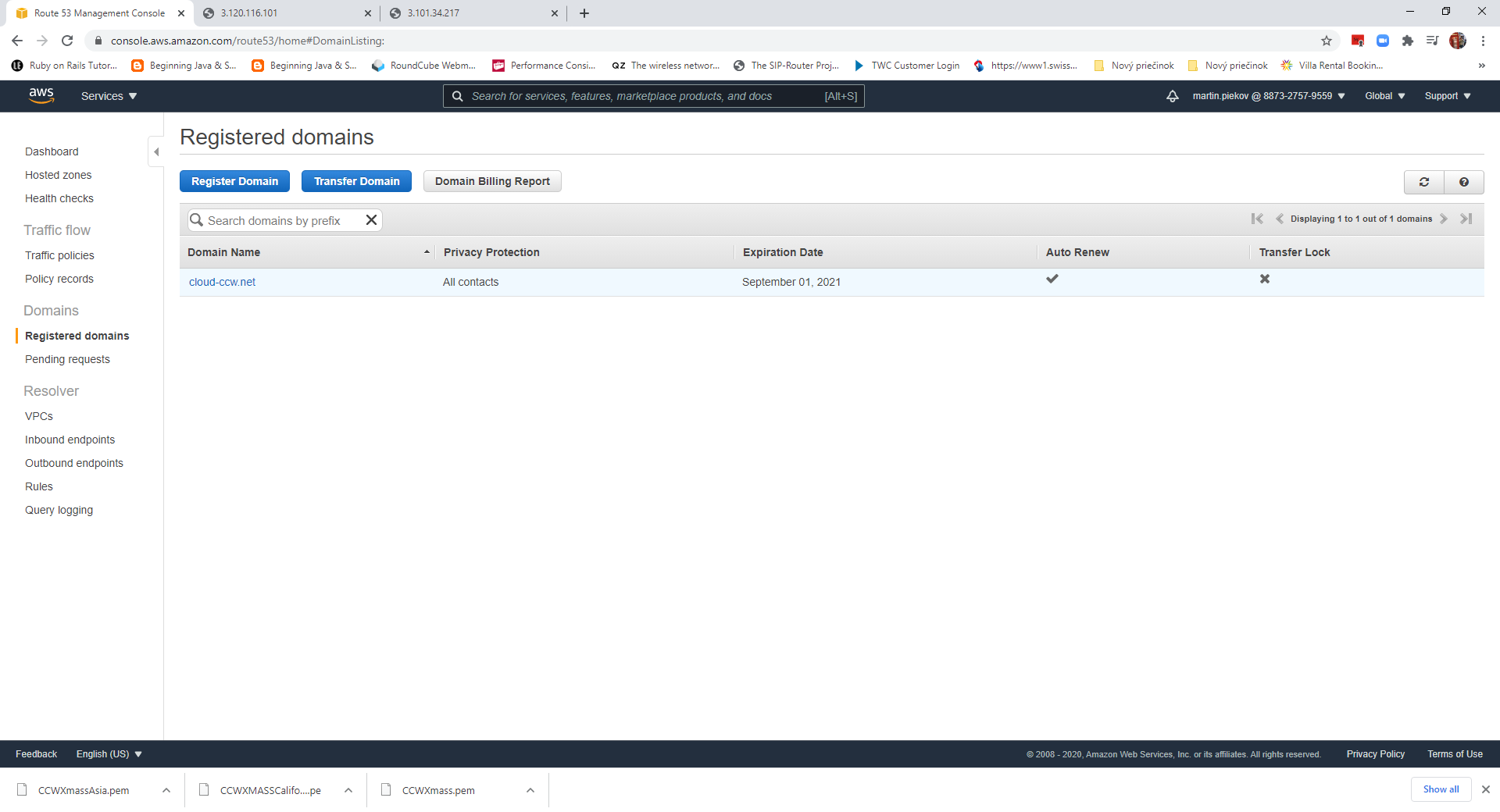
4. Go to AWS Route 53 Service. It is a Global service so your region will be replaced with Global. Register your desired domain, we use ours cloud-ccw.net
 5. Created under <<Hosted zones>> routing record <Type A> for the www.cloud-ccw.net and enter the ip address from the ec4 instances created in each of selected regions. The domain regitration and update of the routing records takes a while until it is active, but for me up to 30 minutes it was active.
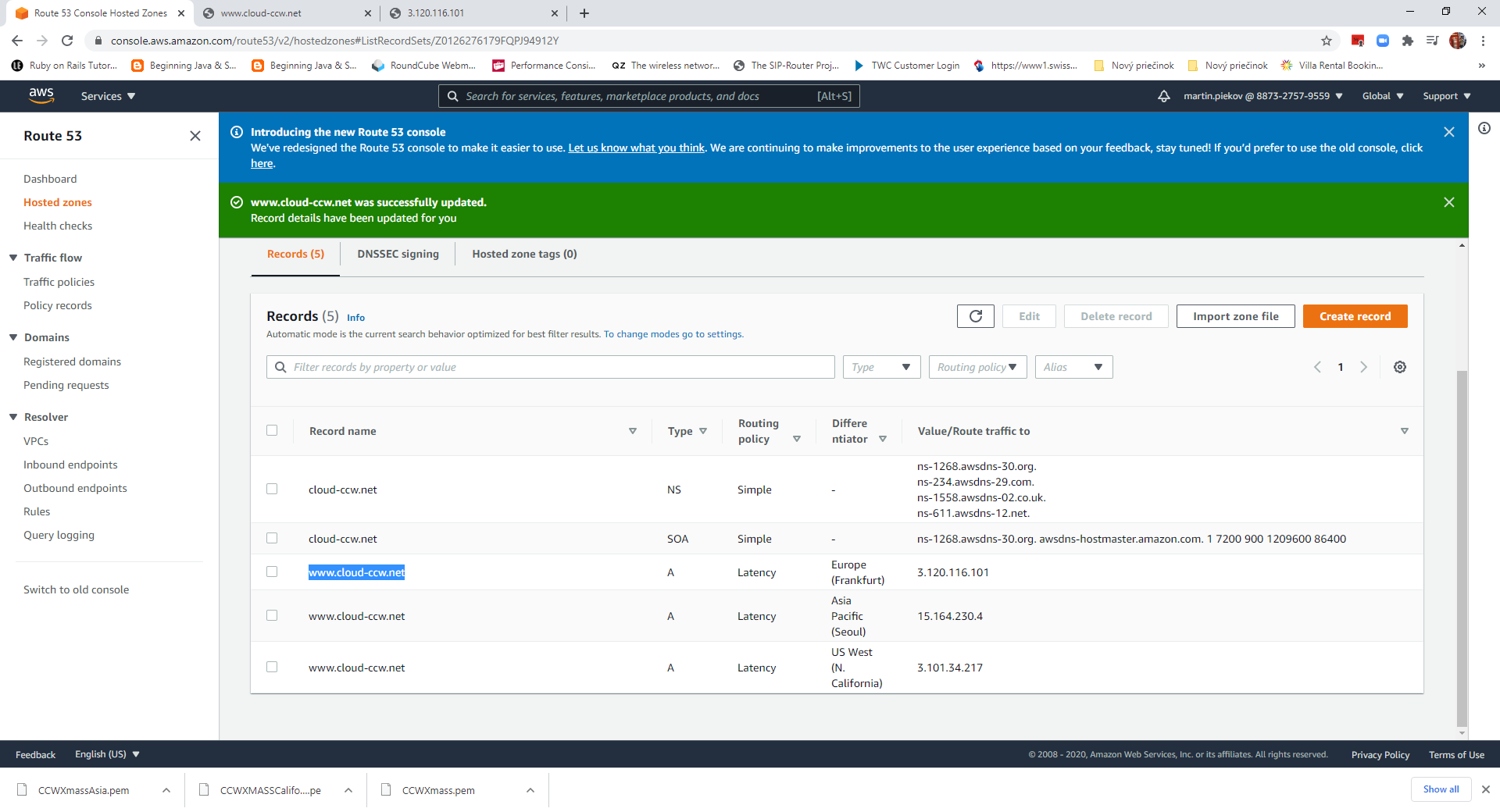 6. Not let us test our world wide global application. It is expected that if I browse it within Europe, I get Xmass greetings from Europe, if I am closer to California, CCW California wishes me Xmass and the same for Asia.
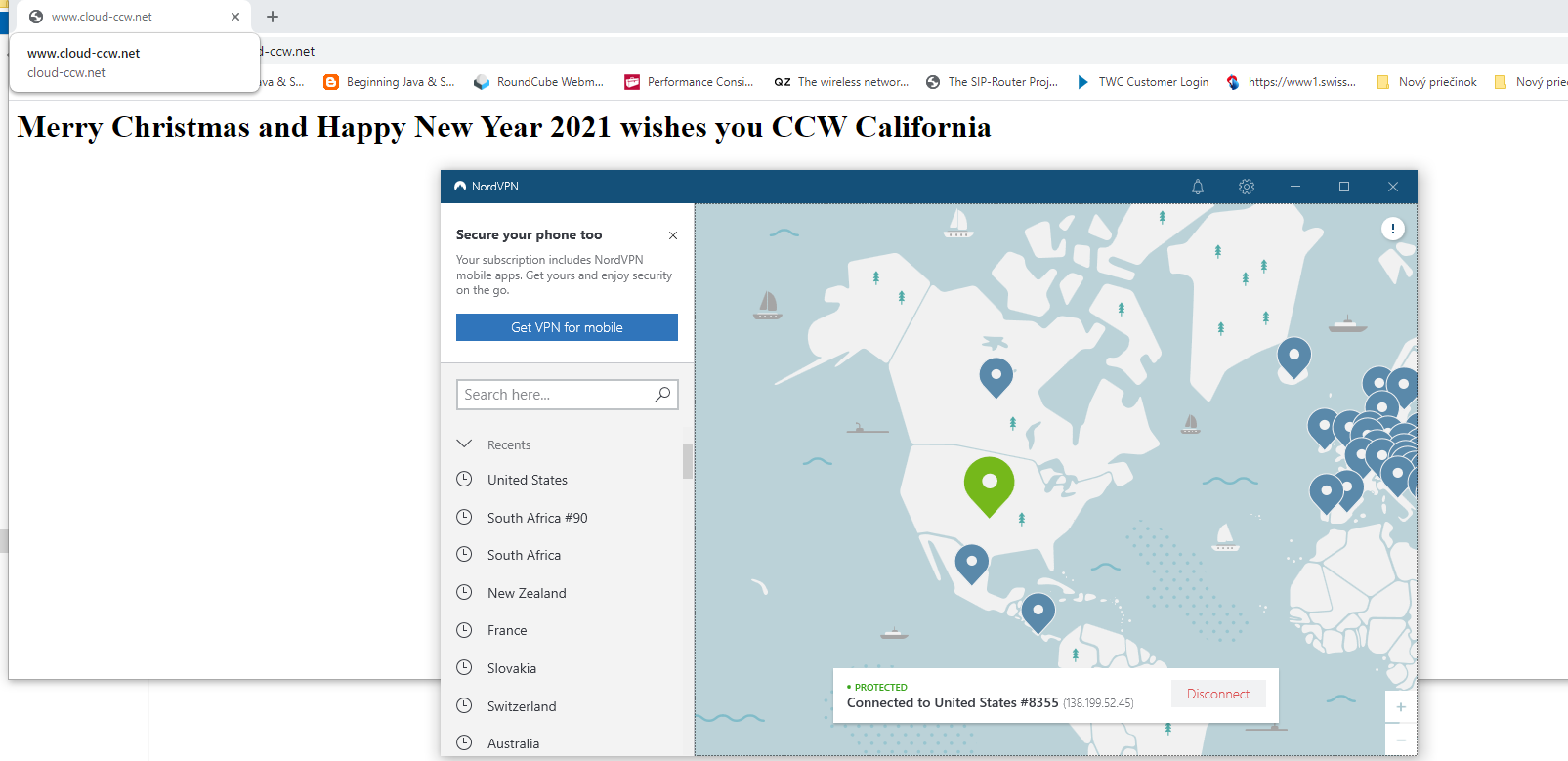
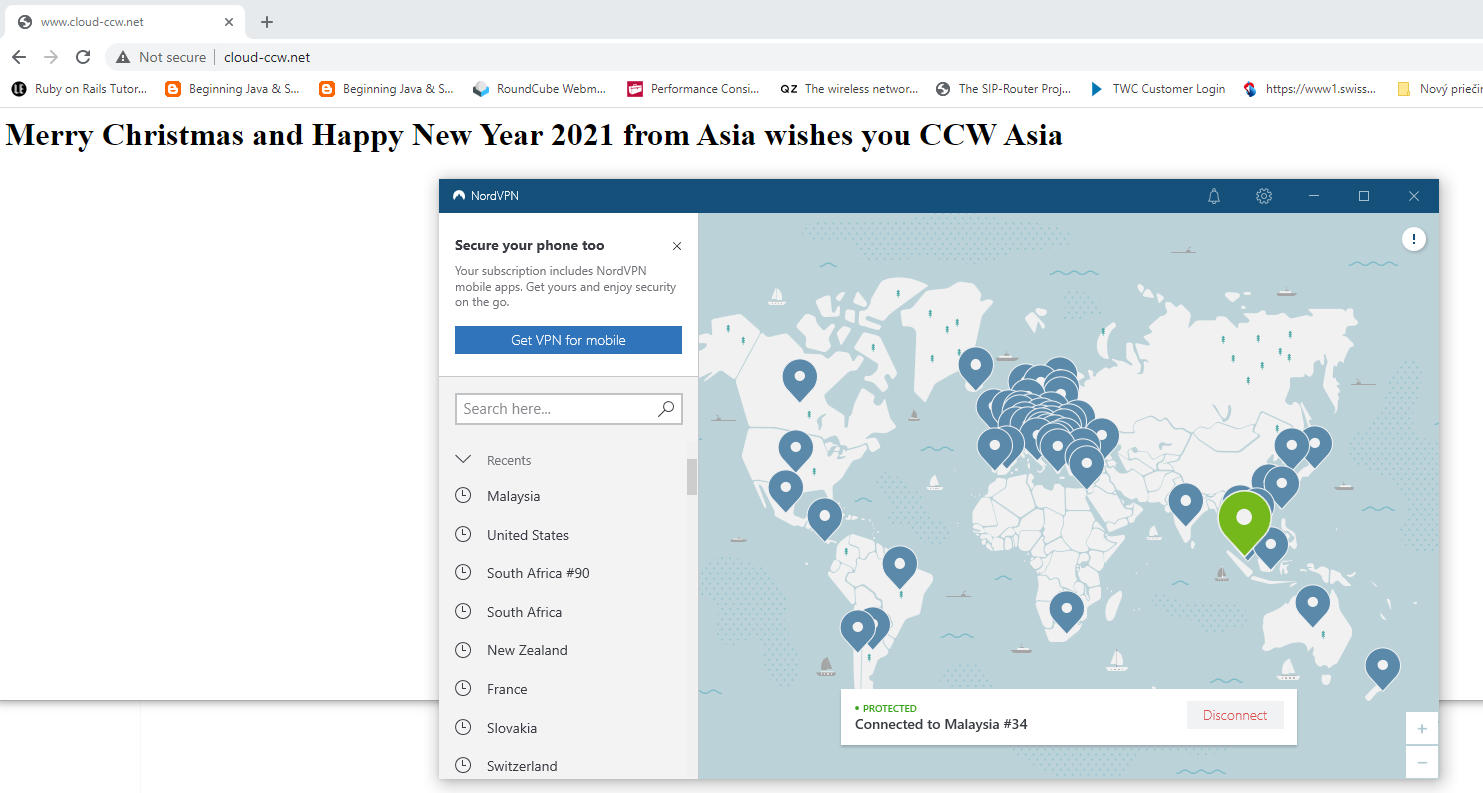
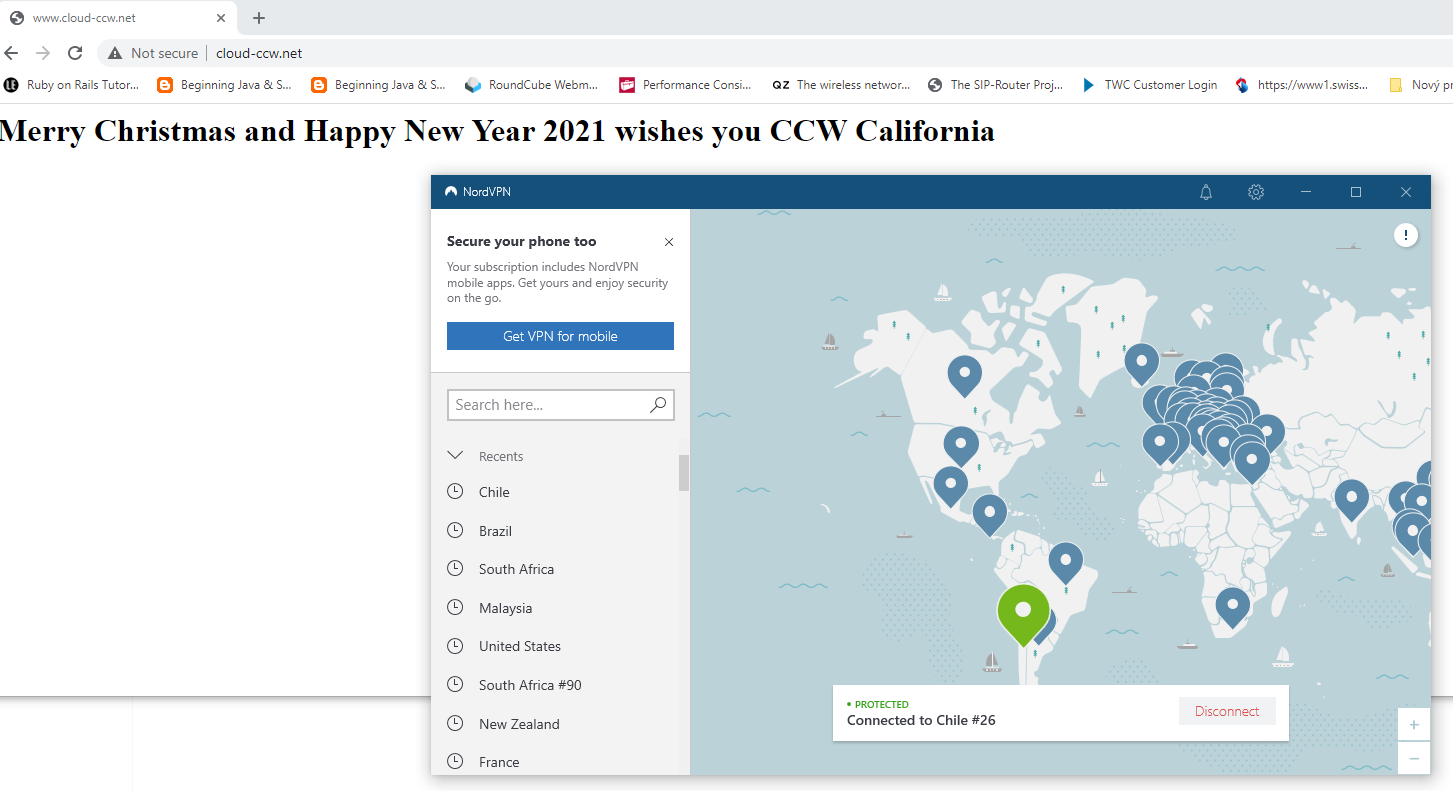
Let us try from Bratislava-Slovakia, USA (N. America), Malaysia (Asia), Chile (S.America) :
Bratislava, Slovakia, Europe
USA , connected with NordVPN
 Malaysia, connected with NordVPN
 Chile, Sout America, connected with NorVPN
 Go and try your self which CCW server created as AWS EC2 instance in these 3 continents has the lowest latency to your internet provider. http://www.cloud-ccw.net.
These is a good example how robust and global a cloud can be. All of these was achieved within 30 Minutes effort. Contact us to get global with your services, infrastructure ! CCW is registered AWS Partner with certified AWS developers and consultants.





