
Configure site-to-site VPN connection in AWS quick as this
In the cloud development projects there is often a demand to interconnect cloud services such as compute instances, serverless instances with the on-premise private network or with the virtual private network. There is an example usecase to interconnect lambda serverless instance with the IoT devices and collect data. We will demonstrate how to achieve this in the Amazon Web Services (AWS) cloud.
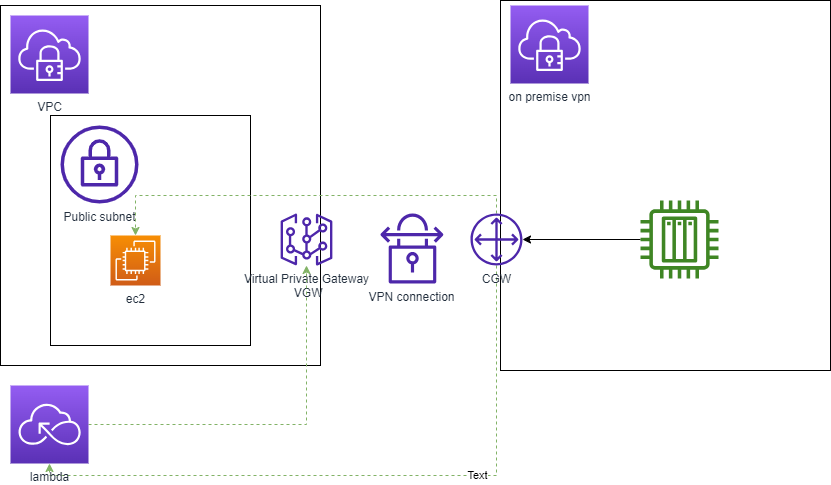
This is an example generic schema for the usecase where in AWS cloud a computing EC2 instance and serverless lambda need to read data from VPN where the collecting sensor are placed.
To achieve this following AWS services are needed :
- VPC with public subnet
- EC2 instance
- lambda serverless
- VPN -> Virtual Private Gateway
- VPN -> Customer Gateway
- VPN -> Site-to-Site VPN connection
Virtual Private Gateway is the VPN endpoint on AWS side of the Site-to-Site VPN connection that can be attached to a single VPC.
Customer Gateway is a resource that we create in AWS which represents the customer gateway device on your on-premise network or VPN. During creation we need to provide information about the device for AWS.
Site-to-Site VPN connection is a fully managed service that creates a secure connection between your data center or vpn and your AWS resources using IPSec tunnels.
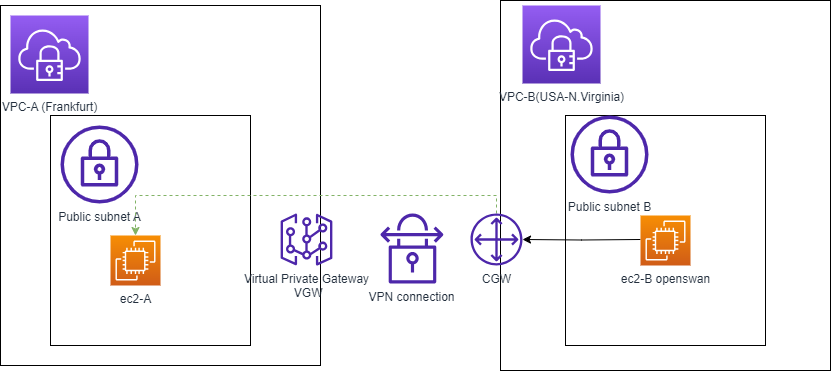
In this blog we will demonstrate this capability with Proof of Concept (PoC) scenario, where we will create one EC2 (ec2A) computing instance in EU Frankfurt region which represents the AWS VPC with services and second EC2 (eC2B) instance in USA-Virgina region which represents the on-premise network . For the the EC2B representing VPN we will install openswan VPN software and configuring it accordingly. At the end we will demonstrate a ping from ec2a to ec2b with the private IP.
Here is the schema :
High level steps for our PoC :
- Create VPC-A for AWS services with public subnet in EU Frankfurt region. We assume for VPC-A IP range 10.0.0.0/16
- Launch EC2 A instance in EU region in this VPC with correct security groups.
- Create VPC-B with public subnet to simulate VPN in USA-N.Virginia region. We assume for VPC-B IP range 10.200.0.0/16
- Launch Instance EC2-B instance in VPC-B.
- Create Customer Gateway CGW to represent onpremise or VPN network.
- Create Virtual Private Gateway VGW to attach endpoint to our VPC-A
- Configure Site-to-site VPN connection between VPC-A and VPC-B
- Download generic VPN configuration for the VPN configuration for the openswan VPN software
- Install and configure openswan in EC2-B
- test Site-to-Site VPN connection with ping from EC2-A to EC2-B
Now the detailed steps :
Create VPC-A
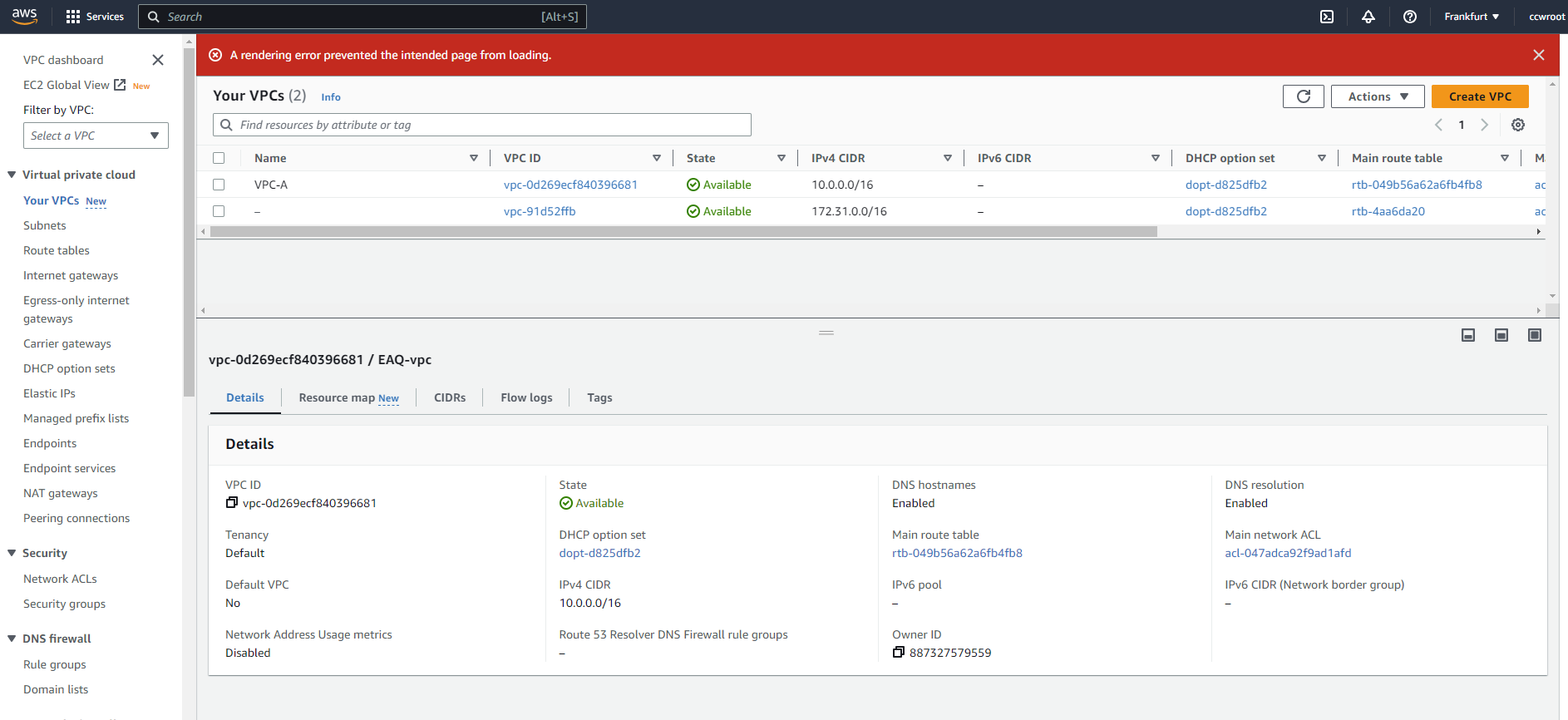
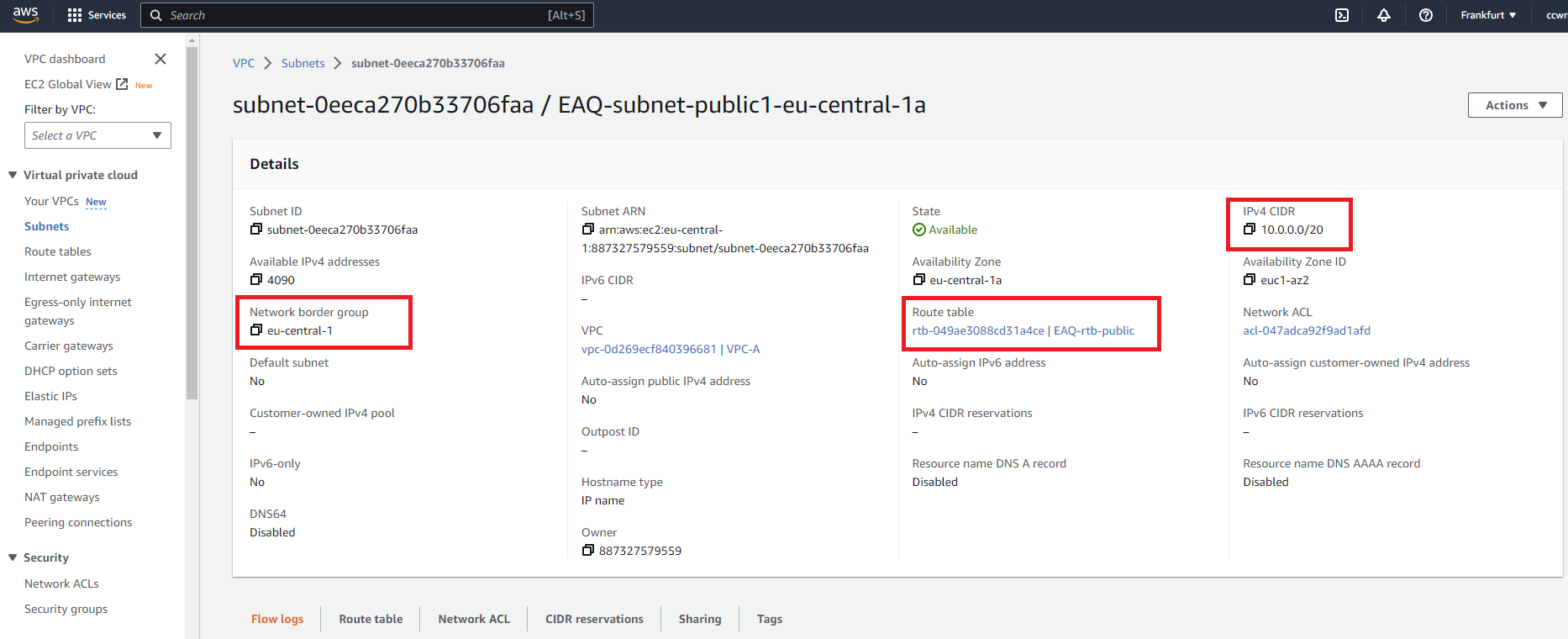
Public subnet for the VPC-A
Launch EC-A instance with the security group. Important enable Auto-assign public IP . Configure appropriate security groups.
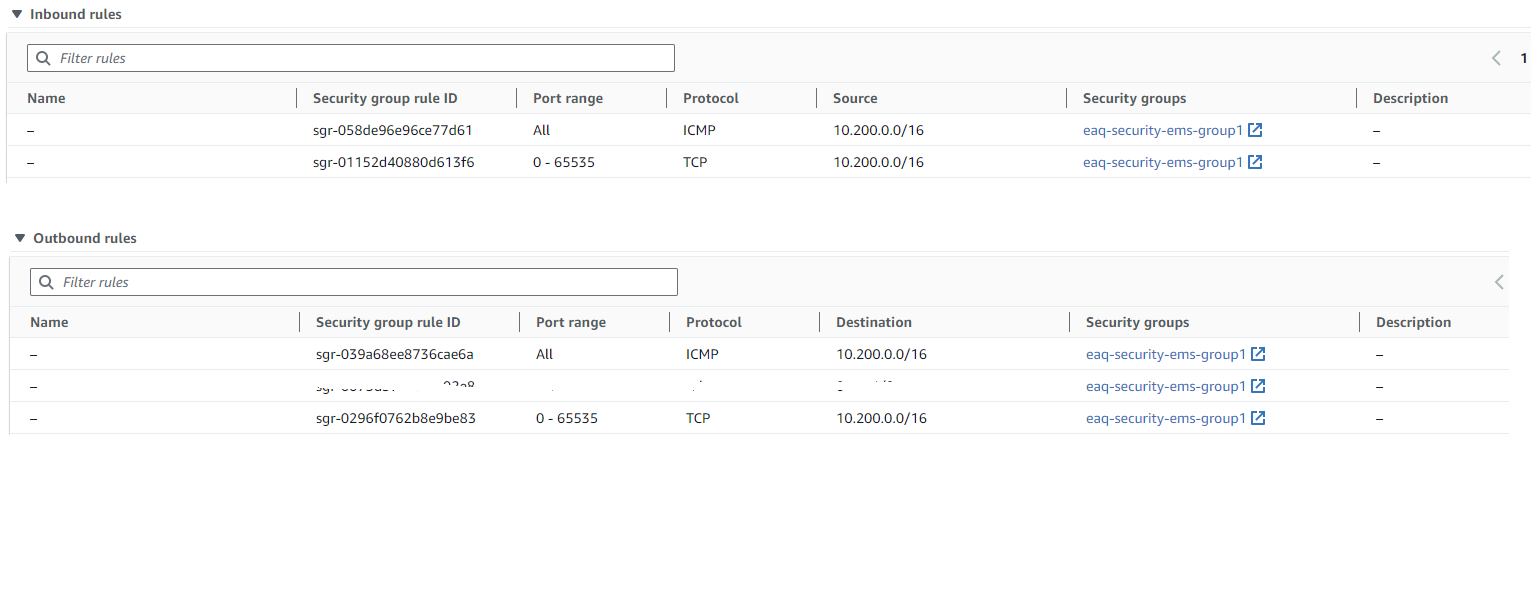
Create VPC-B with public subnet
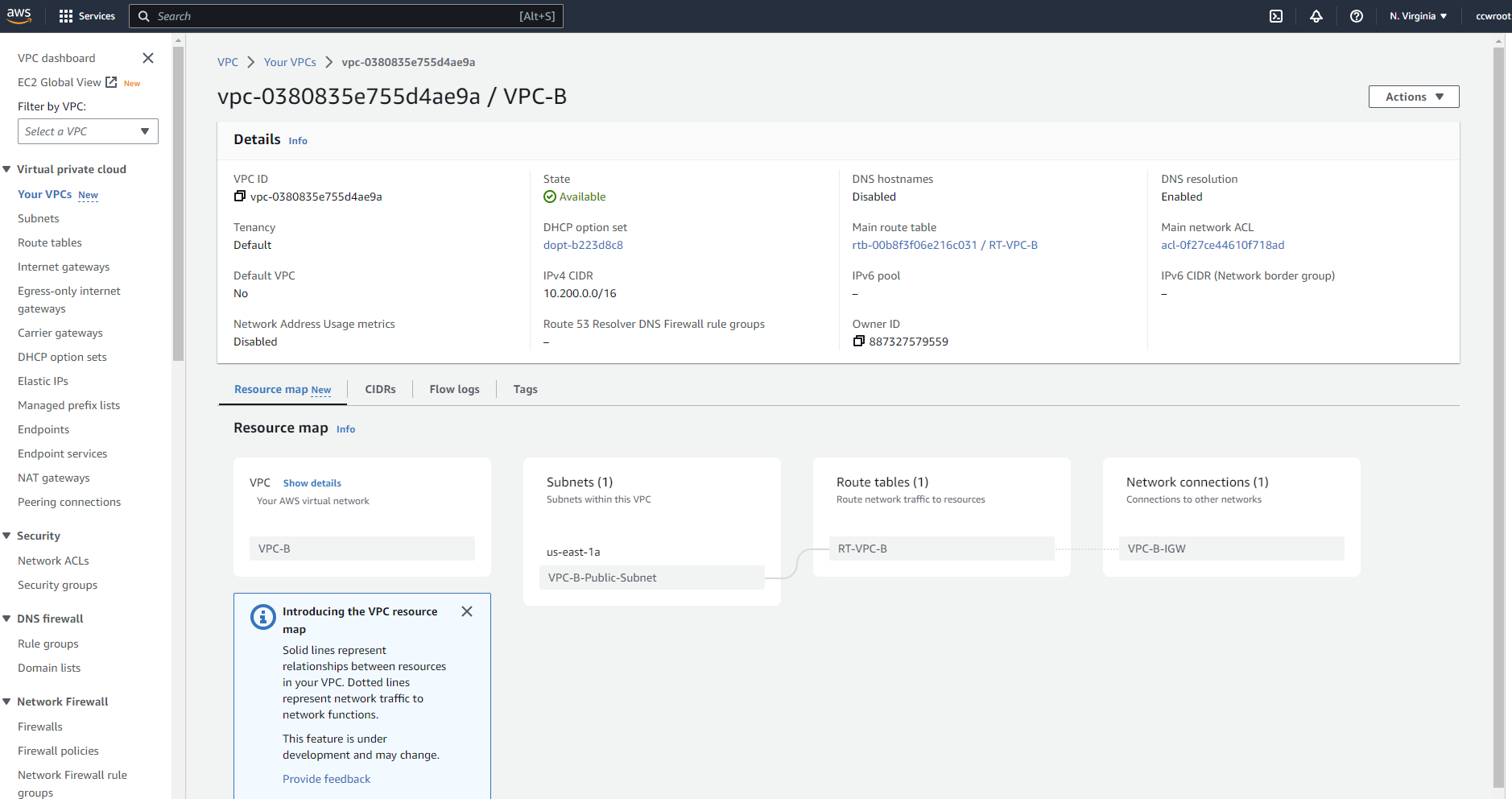
public subnet with 10.200.0.0/16 IP range
create VPC-B EC2 in USA N.Virginia. Importan use Amazon Linux 2 and not Amazon Linux 2023 in order to install openswan vpn software.
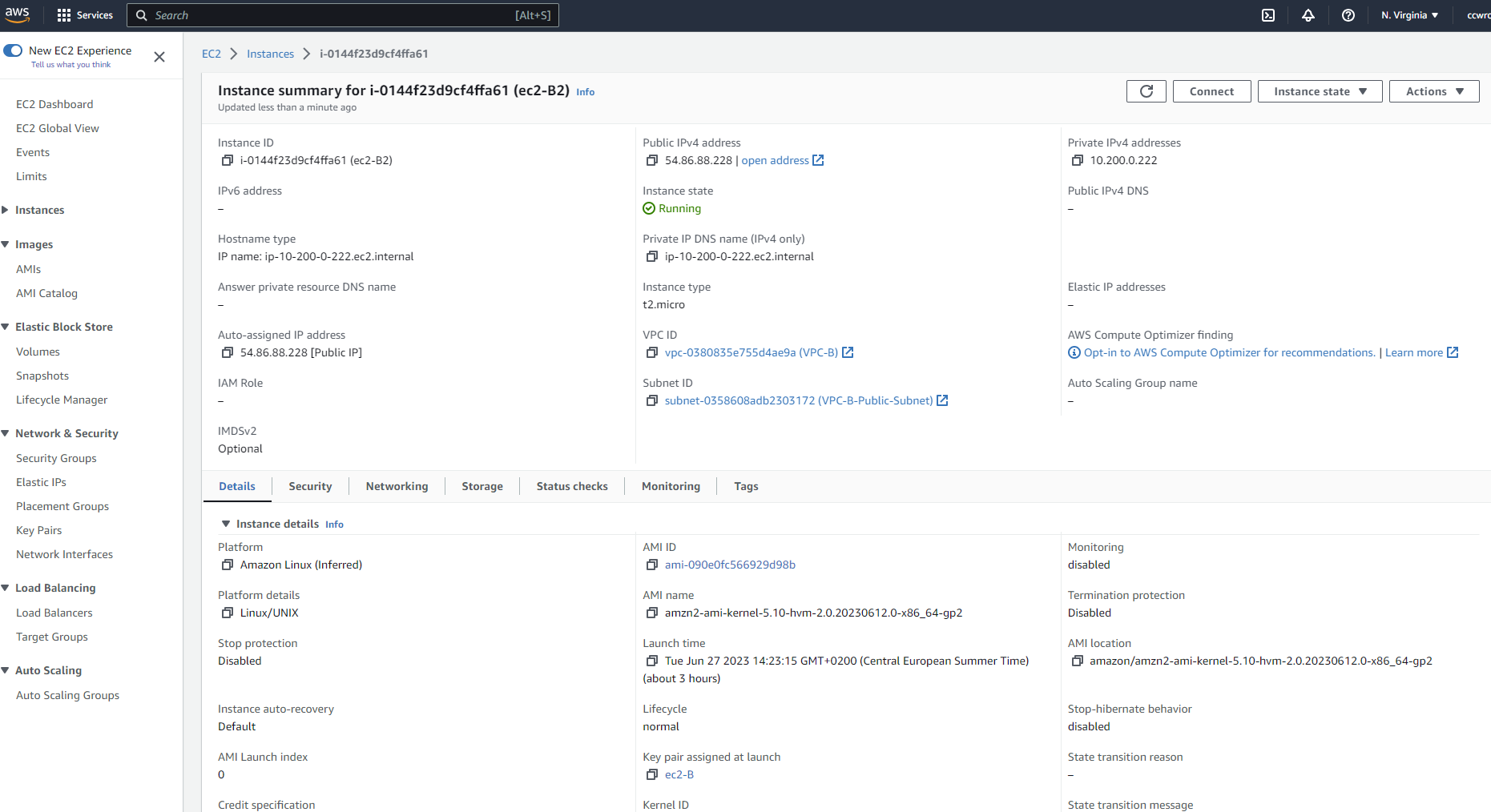
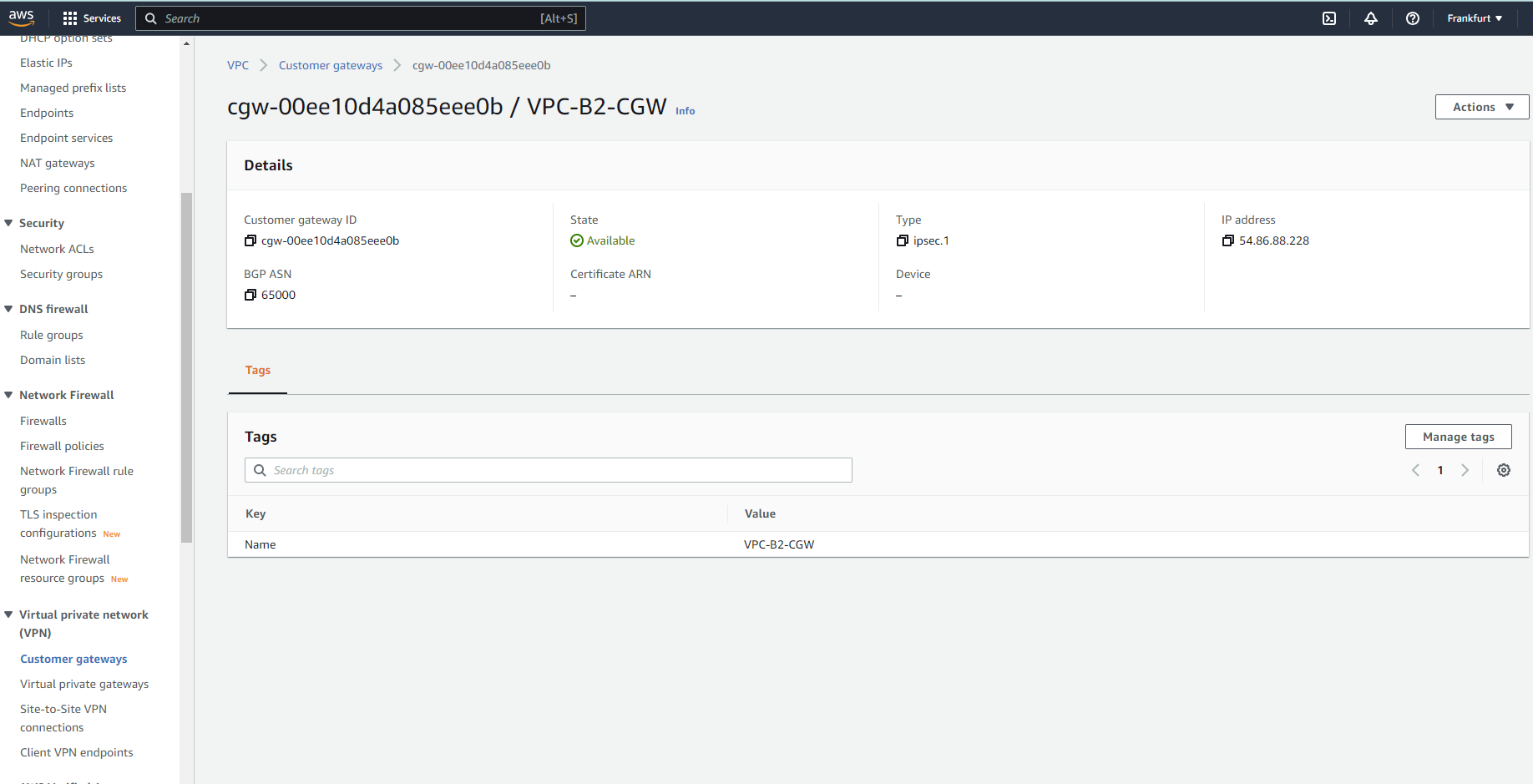
Create customer gateway in EU-Frankfurt regions (VPC-A) CGW which represents onpremise gw device. In the IP Address enter public IP of the EC2-B compute instance .
create virtual private gateway which will be attached to VPC-A
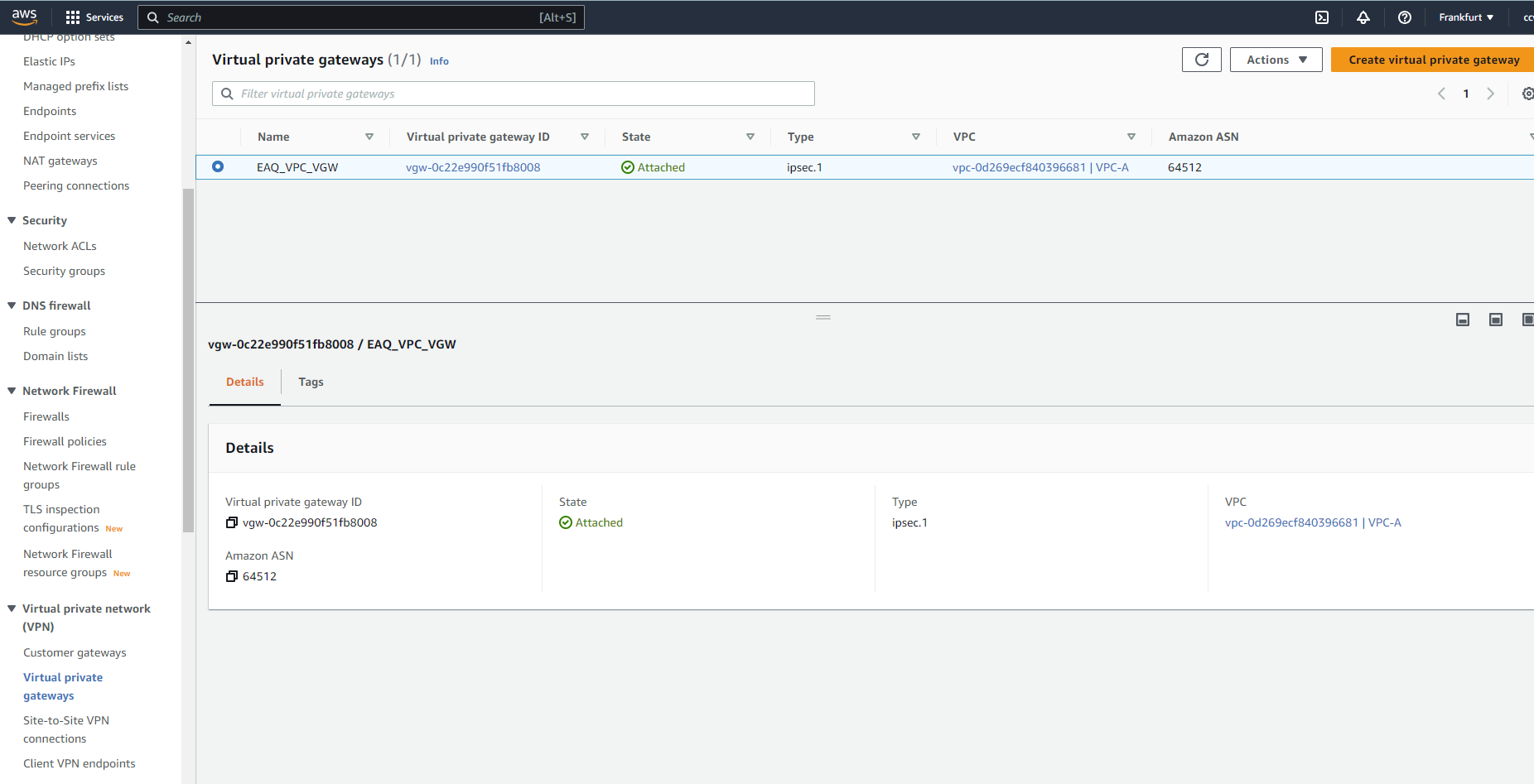
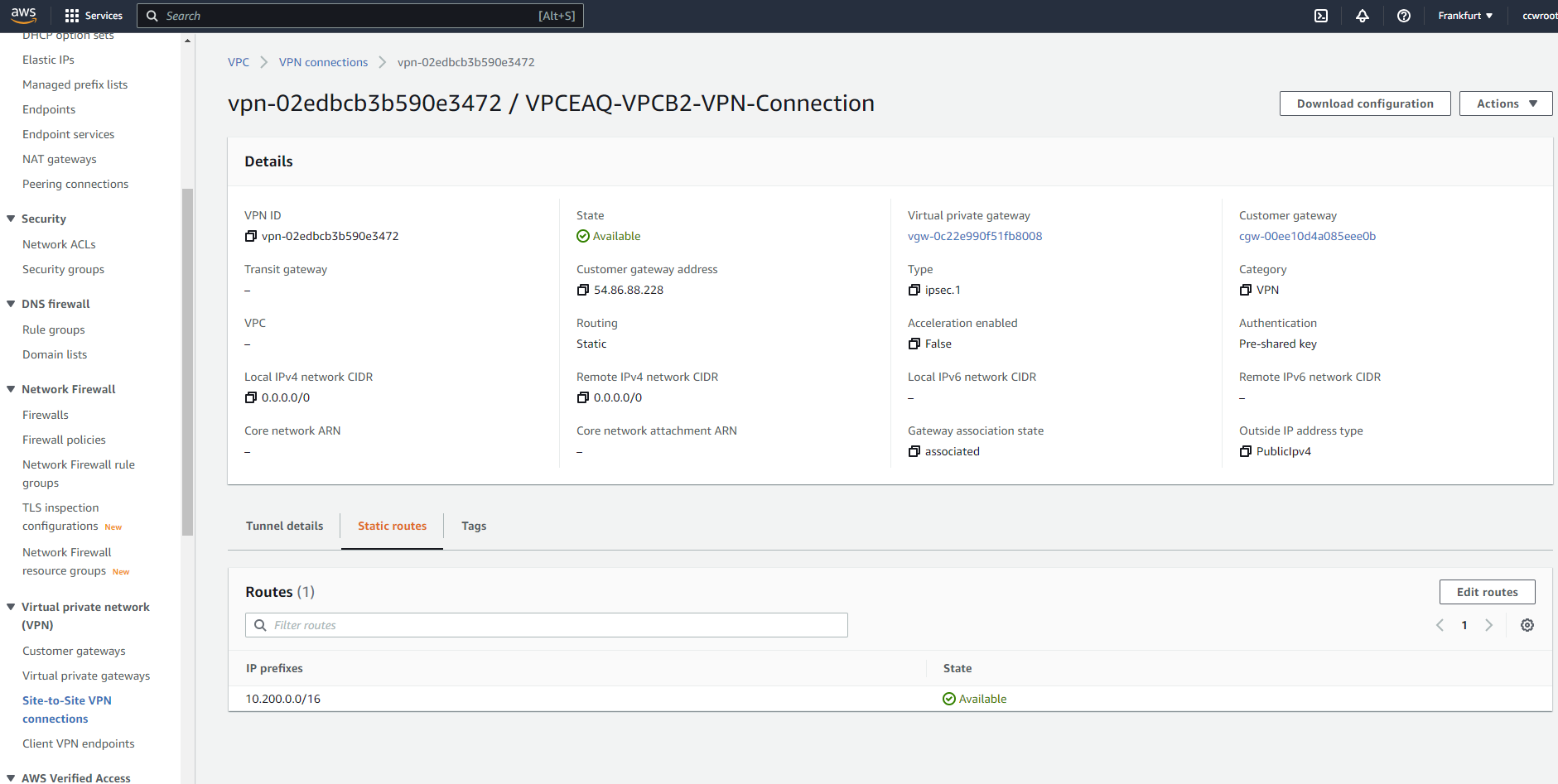
Create Site-to-Site VPN connections. Choose VGW which was created , CGW which was created. Use statis routing option and enter the VPC-B IP range 10.200.0.0/16. You will see 2 newly created tunnels which will be down. After successfull VPN end point installation and configuration one will be Up.
Click Download configuration and choose generic. You get a txt file where are some important informations. Let us focus on tunnel 1 :
The Customer Gateway inside IP address should be configured on your tunnel
interface.
Outside IP Addresses:
  - Customer Gateway 		        : 54.86.88.228
  - Virtual Private Gateway	        : 3.74.235.244
 - IKE version              : IKEv1
  - Authentication Method    : Pre-Shared Key
  - Pre-Shared Key           : CJ7gEi2jRgx1OEfy1HlxZoS892u6YGPO
  - Authentication Algorithm : sha1
  - Encryption Algorithm     : aes-128-cbc
  - Lifetime                 : 28800 seconds
  - Phase 1 Negotiation Mode : main
  - Diffie-Hellman           : Group 2
this will be needed for the openswan configuraiton.
Now we need to install in EC2B openswan VPN software and configure the VPN software.
open the ec2-b terminal and execute
sudo yum install openswanvim /etc/sysctl.conf
net.ipv4.ip_forward = 1 net.ipv4.conf.all.accept_redirects = 0 net.ipv4.conf.all.send_redirects = 0
vim /etc/ipsec.d/aws-vpn.conf
conn Tunnel1
authby=secret auto=start left=%defaultroute leftid=54.86.88.228 right=3.74.235.244 type=tunnel ikelifetime=8h keylife=1h phase2alg=aes128-sha1;modp1024 ike=aes128-sha1;modp1024 keyingtries=%forever keyexchange=ike leftsubnet=10.200.0.0/16 rightsubnet=10.0.0.0/16 dpddelay=10 dpdtimeout=30 dpdaction=restart_by_peer
Left id and right id are from the vpn downloaded config for tunnel1
vim /etc/ipsec.d/aws-vpn.secrets
54.86.88.228 3.74.235.244: PSK "CJ7gEi2jRgx1OEfy1HlxZoS892u6YGPO"
service network restart
service ipsec start
service ipsec status
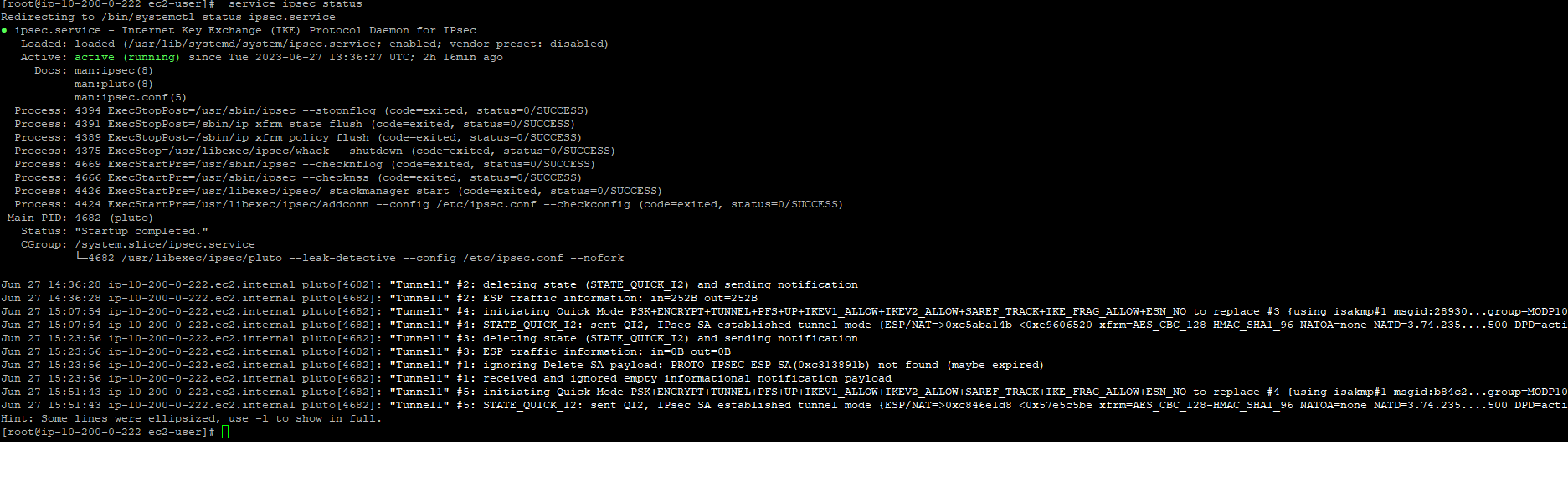
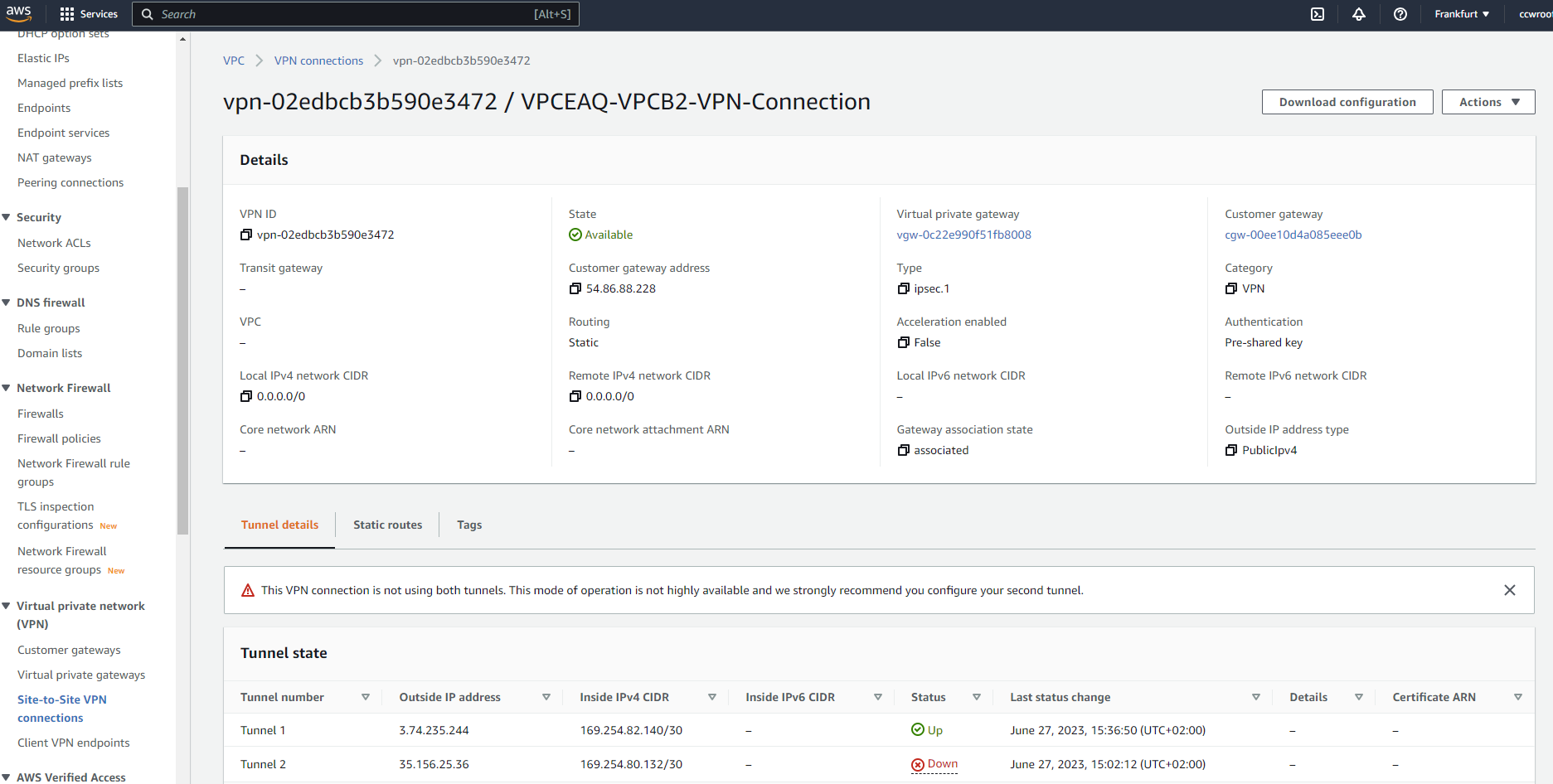
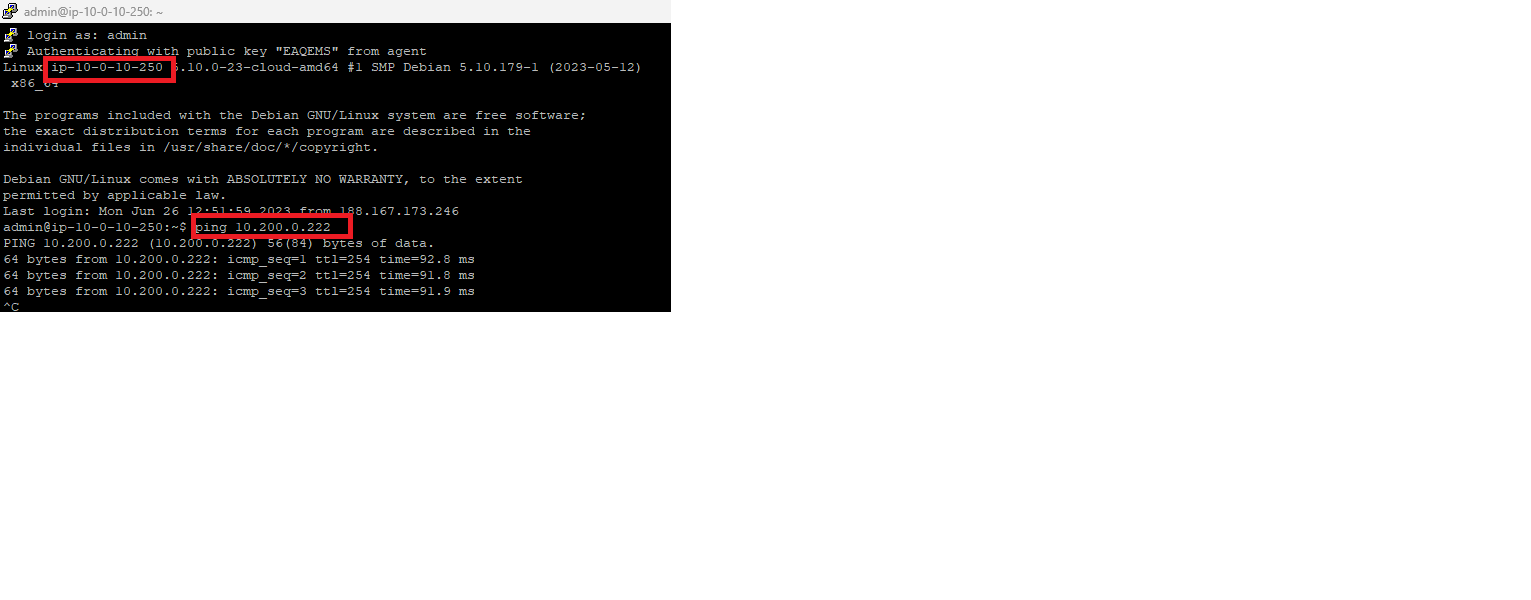
VPN is now running and from EC2-A we can ping EC2-B with its private IP.
CCW is AWS selected partner and we will be happy help you with your AWS cloud journey !





