
Siebel CRM IP2017 or IP2018 Webtools Applet Web Template quick tip for moving a field outside of “allowed” area
Oracle Siebel IP2018 Webtools Applet Web Template quick tip for moving a field outside of “allowed” area
After upgrade to Orace Siebel CRM IP2017 IP2018 you need to use Webtools as a Template editor. One issue with this is, that the areas that you were previously easy able to extend/use in Siebel Tools, you no longer can in Webtools. (At least we did not find a vanilla way)
We found however a Workaround, that might work for you too. (If you do not want to edit vanilla templates). Till Oracle comes up with a fix or a how-to.
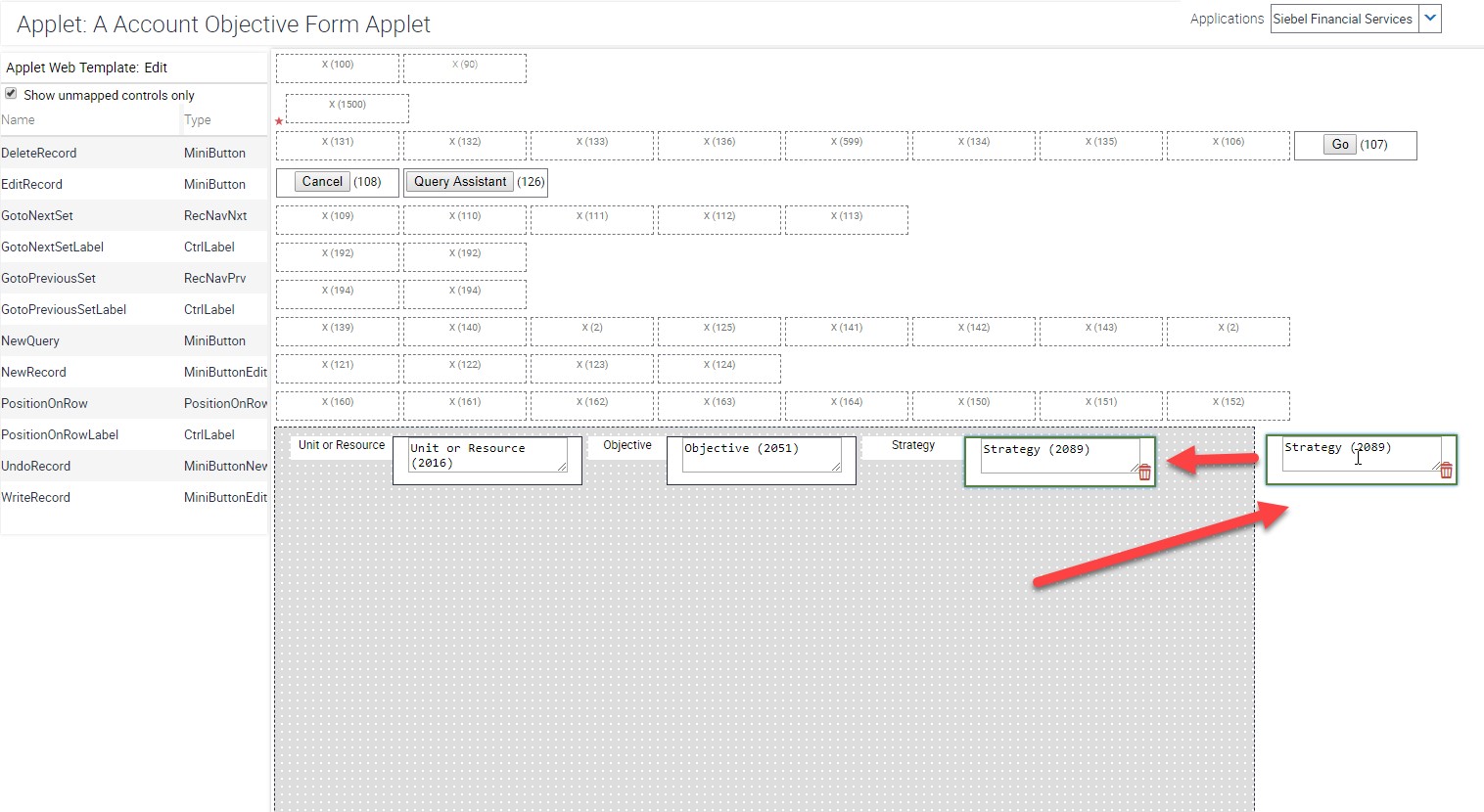
When you try to move the fields outside the grey zone, the field is green lit, seemingly accepting the new position, but it will not stay there.
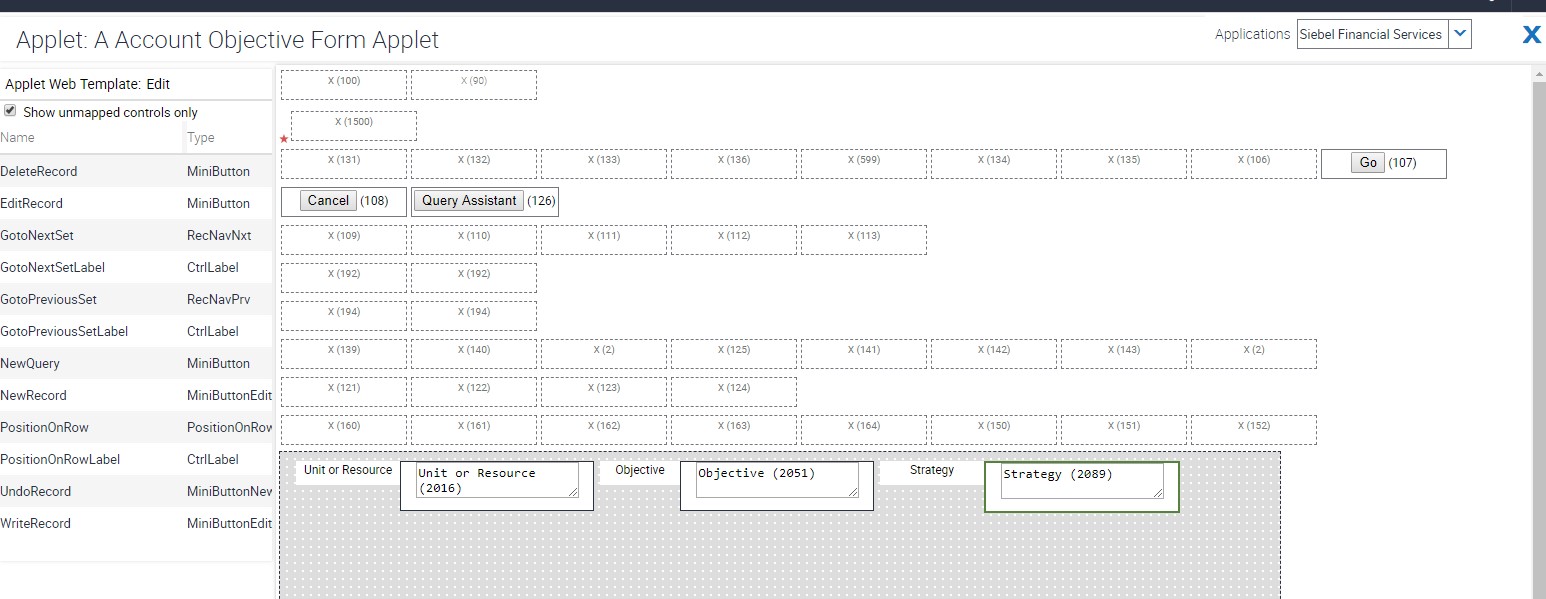 It will move back to its original position.
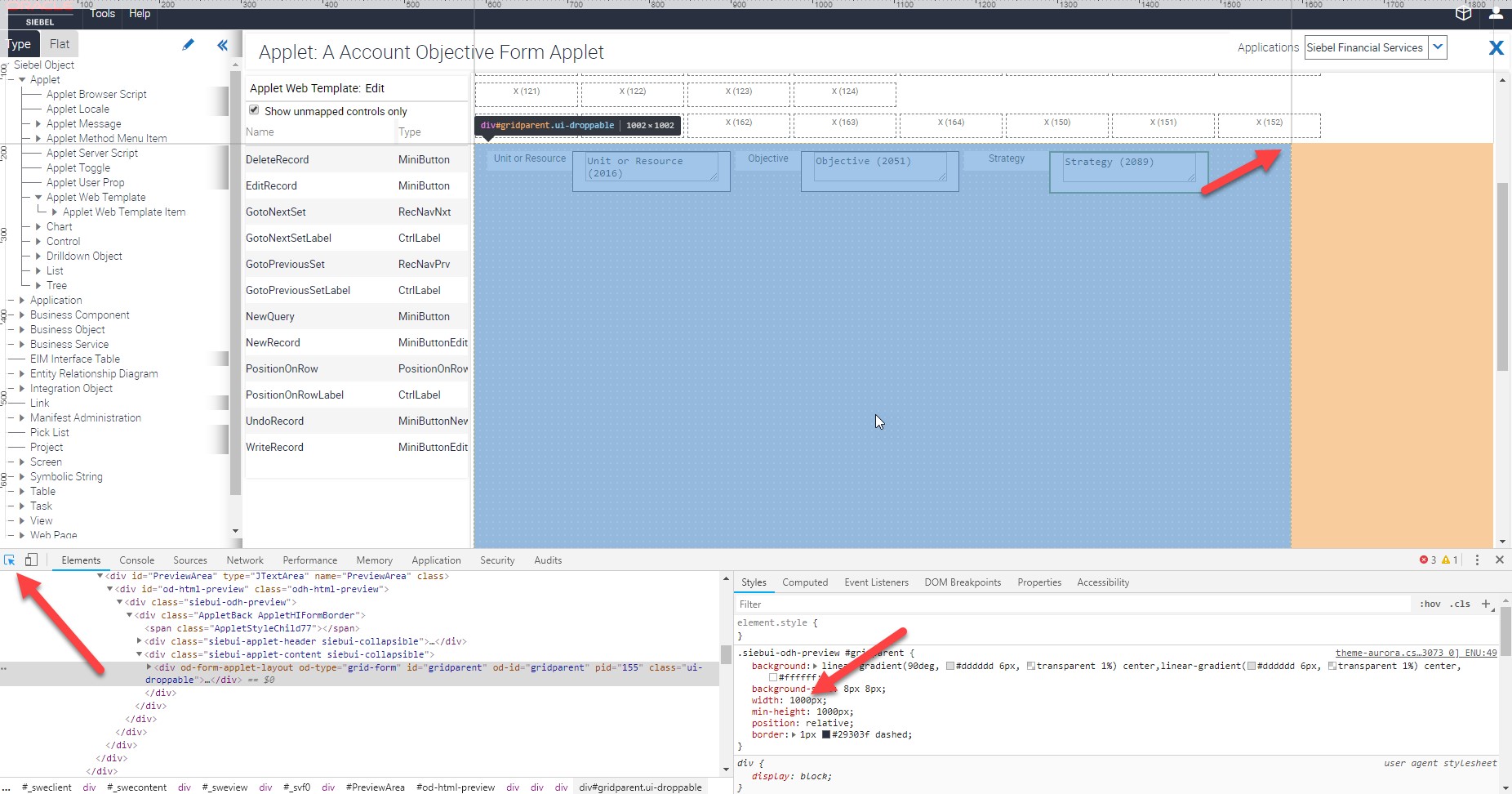
 What we did was open Developer Tools in Chrome and just broaden the grey area.
 Just set the Width to the size you need, for example 1300px and move the field now
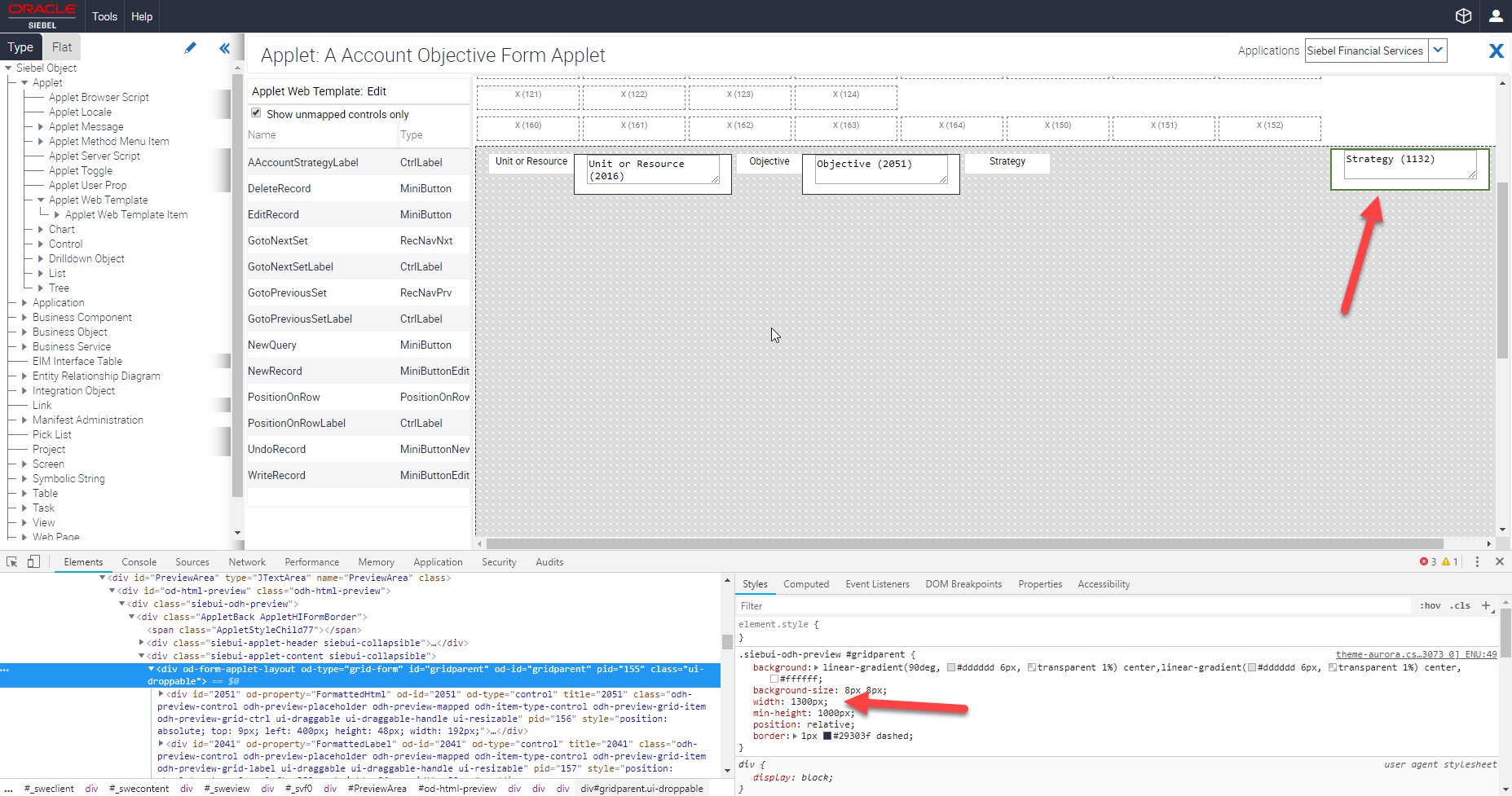 If you reopen the editor, the grey area will be back to normal, but your field will stay in its new position.





