
Siebel CRM 21.8 what is new and what to plan
Early this year we have written about the 5 reasons to upgrade Siebel CRM to 21.x version. Later we shared our experience with installing Siebel CRM 21.5.
The newest version Siebel CRM 21.8 brought some innovations and changes :
- Product configurator Cache Management and session pooling
- SSSE integration with Office365
- Tomcat 9.0.46
- Siebel Commerce REST API DX4C with Siebel CRM as backend (since 21.6+)
- Deployment guide for OCI docker images (since 21.6+)
One of the experience we discovered and we want to share with the community is change in UI framework consisting of javascript and jquery.mework. There are new Ids for the label elements. It is good to consider these corrections if you customized your Open UI with Label reference.
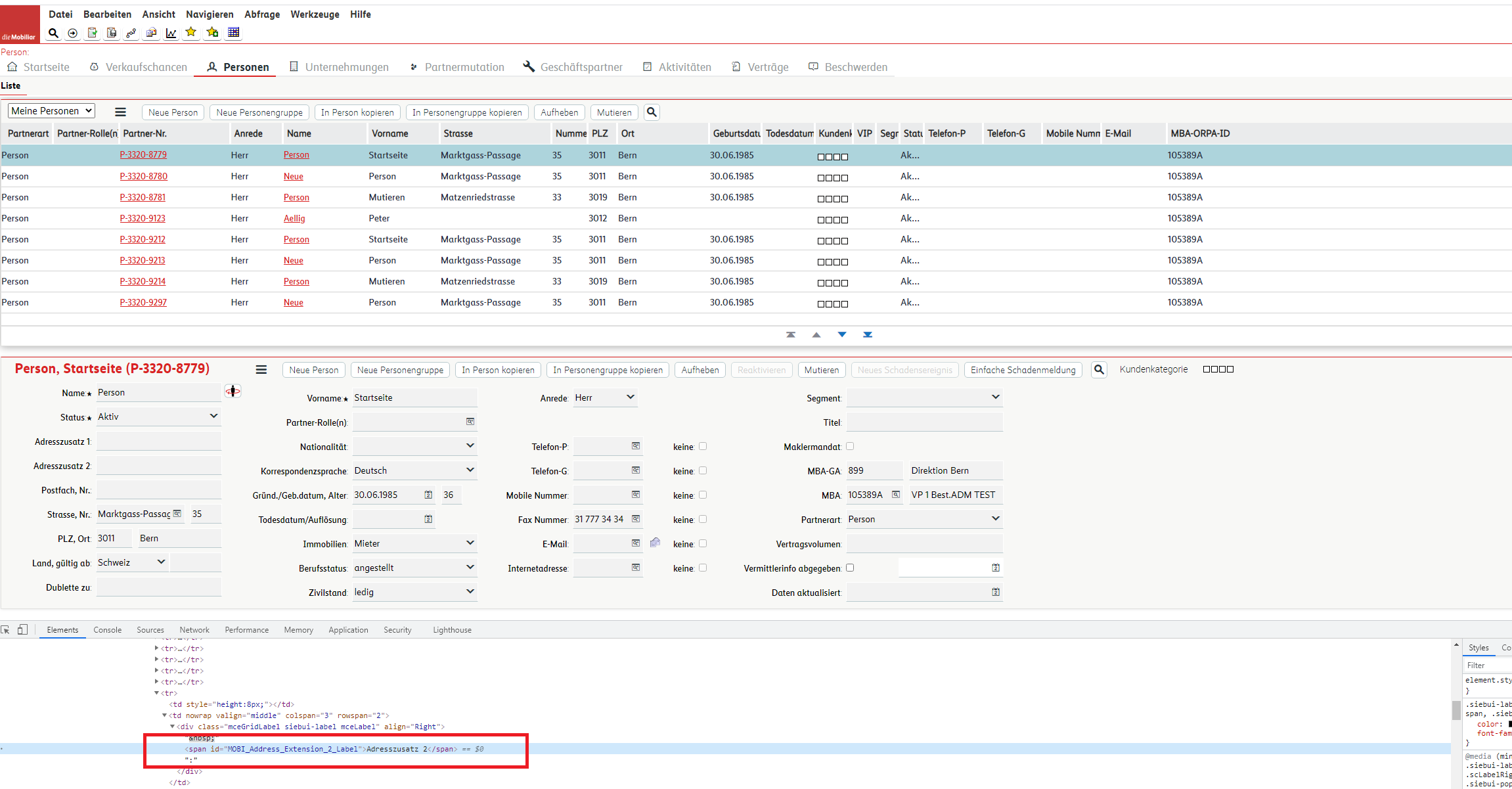
In the previous Siebel CRM versions the Label element id is built
<span id="XXXXX_Label">LabelText</span>
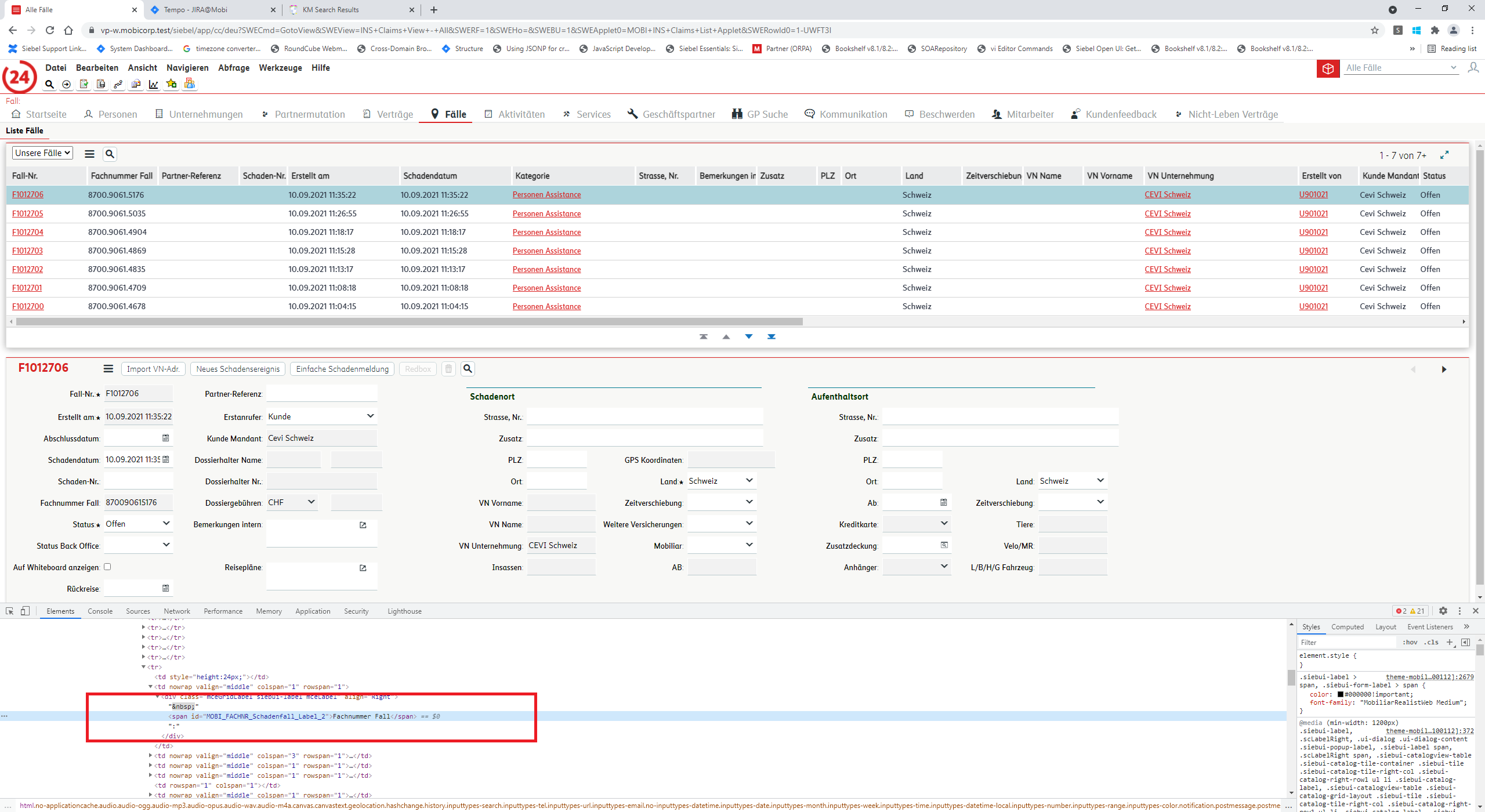
With the newest version the id for labels is generated as follows :
<span id="XXXXX_Label_Y">LabelText</span>
Here are some patterns to correct your customization. We used Label references to manipulate Form Applets if needed. We used them to dyanmically move fields, show, hide them, place some counters etc, change button labels. The main pattern to fix this change is to use wildcards in the jquery selectors.
Here are listed few patterns :
AS IS :
 var xxxMandantLabel = $( "#XXXMandant_Label" );
xxxMandantLabel.parent().after("</br>");
TO BE :
var pm = this.GetPM();
var controls = pm.Get("GetControls");
var xxxMandantCtrl = controls.XXXMandant;
var xxxMandantLabel = $("[id*='" + xxxMandantCtrl.GetName() + "_Label']");
xxxMandantLabel.parent().after("</br>");
AS IS :
var ctfButtonEmailLabel = $("[id='" + ctfButtonEmailCtrl.GetName() + "_Label']");
ctfButtonEmailLabel
.empty()
.text("");
TO BE :
var ctfButtonEmailLabel = $("[id*='" + ctfButtonEmailCtrl.GetName() + "_Label']");
ctfButtonEmailLabel
.empty()
.text("");
AS IS :
$(".FormSection #" + childLossDateName + "_Label").remove();
$(".FormSection #" + childRemarksName + "_Label").remove();
To BE :
$(".FormSection [id^='" + childLossDateName + "_Label']").remove();
$(".FormSection [id^='" + childRemarksName + "_Label']").remove();
AS IS :
$("#" + childLossDateName + "_Label").parent().after($('input[name=' + parLossDate.GetInputName() + ']'));
$("#" + childRemarksName + "_Label").parent().after($('textarea[name=' + parRemarks.GetInputName() + ']'));
TO BE :
$("[id^='" +  childLossDateName + "_Label']").parent().after($('input[name=' + parLossDate.GetInputName() + ']'));
$("[id^='" +  childRemarksName + "_Label']").parent().after($('textarea[name=' + parRemarks.GetInputName() + ']'));
Conclusion :
It is recommended from Oracle to constantly install yearly innovations pack for your Siebel CRM in order to keep pace with the innovations, latest technologies and in order to fast and easy gain from the latest functionalities benefits. It is needed to study each Innovation pack and carefully plan its installation and also adaptation. There is a difference between patch and innovation pack. Innovation pack delivers also new functionalities and changes so involve in discovery phase architects, devops, development and testers in order to capture all needed adaptations and implementation of innovations from the latest Siebel CRM IP. For consultations contact us !





