
Java Class FileUpload to work properly in OpenAPI/Swagger UI in Quarkus
When implementing microservices, especially in the cloud environment interacting with the both cloud and on-premise world it is crucial to be able quick verify the functionality which microservice/component is providing. Components are responsible for specific isolated functions , so until it can be tested end-to-end with UI it can take a time. For this purpose a OpenAPI/Swagger UI is very useful feature, which is also available in the quarkus java framework.
Almost every IT applocation is dealing with documents.We were developing microservice which was receiving documents and uploading them to the document mgmt system. During testing we found out, that both java class File and FileUpload were not working as expected and we could not test effective with swagger UI.
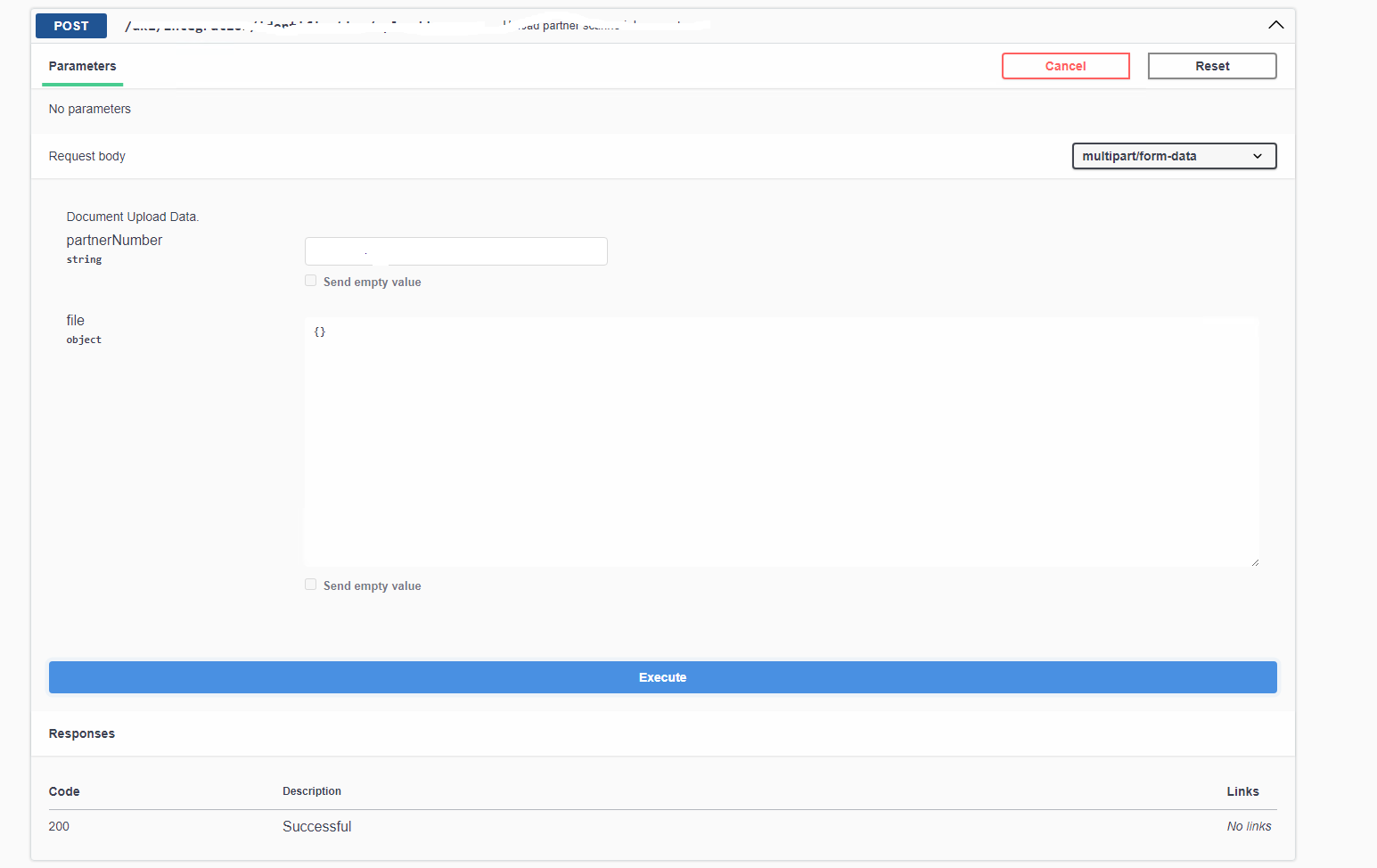
When we used java class FileUpload, we could retrieve all needed property such as uploaded File Name, encoding, content type , but the Swagger UI was not of much use, see
When we used java class File from java.io.File control was rendered correctly , but the functionality was limited and was not serving our needs to retrieve all we needed.
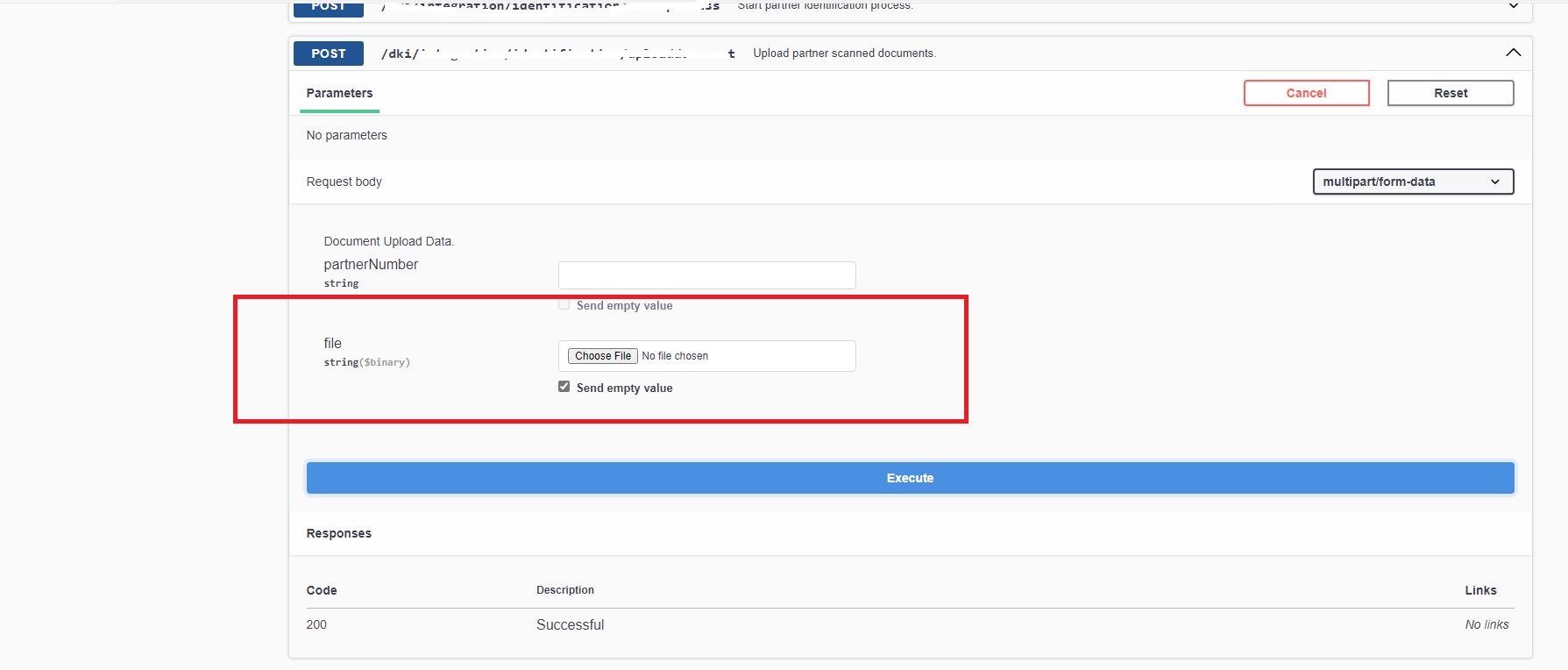
This is a documented bug in java quarkus framework and the workaround can be for the definition of the DTO :
- Create empty dto entity MultiPartBody
- reference it with the annotation @Schema(implementation = MultipartBody.class)
- enjoy the swagger control for the file upload
package ch.mobi.dki.integration.entity;
import org.eclipse.microprofile.openapi.annotations.enums.SchemaType;
import org.eclipse.microprofile.openapi.annotations.media.Schema;
@Schema(type = SchemaType.STRING, format = "binary")
public class MultipartBody {}
package ch.mobi.dki.integration.entity;
import jakarta.ws.rs.core.MediaType;
import org.eclipse.microprofile.openapi.annotations.media.Schema;
import org.jboss.resteasy.reactive.PartType;
import org.jboss.resteasy.reactive.RestForm;
import org.jboss.resteasy.reactive.multipart.FileUpload;
public class MCMDto {
@RestForm("partnerNumber")
@PartType(MediaType.APPLICATION_JSON)
@Schema(example = "P26173857")
public String partnerNumber;
@RestForm("file")
@PartType(MediaType.APPLICATION_JSON)
@Schema(implementation = MultipartBody.class)
public FileUpload file;
}
Contact us for the development of components and microservices and for the cloud native development !





