
Integration of Oracle Siebel CRM and Genesys Workspace Desktop Edition
Genesys Workspace is a smart-client application that provides agents and knowledge workers with non-intrusive access to the information, processes, and applications they need to perform their jobs more efficiently and to ensure increased customer satisfaction.
The highly intuitive and easy-to-use interface allows contact center agents and knowledge workers to focus on conducting business, rather than managing the application. The omnichannel-Active Workspace helps business leaders effectively handle multimedia interactions, including social media, from a single desktop.
Before Workspace Desktop has been developed and also now in parallel Genesys provides Gplus Adapter to integrate with Siebel CRM. In the times of voice communication, Gplus Adapter was the powerful tool to provide CTI integration. As new channels have been introduced like Chat, Co-Browsing, Social Media, Open Media (any interaction that can be routed) integration using Gplus is difficult or not supported.
We have developed Siebel Genesys WDE Integration using Essential Object WebBrowser Control, see https://www.essentialobjects.com/Products/WebBrowser/Default.aspx.
Since Genesys WDE is .NET application and EO.WebBrowser is a web browser engine based on Google's Chrome project with native .NET programming interface, it is the right choice.
In general, 2 types of Siebel – WDE integrations are possible.
Within the first one, WebBrowser Window with Siebel is open in ToolbarWorkplaceRegion of WDE, accessible via Hamburger Menu. Using this approach, there will be always only one Siebel Session for any type of multimedia interaction, Siebel Session will be common for all interactions. 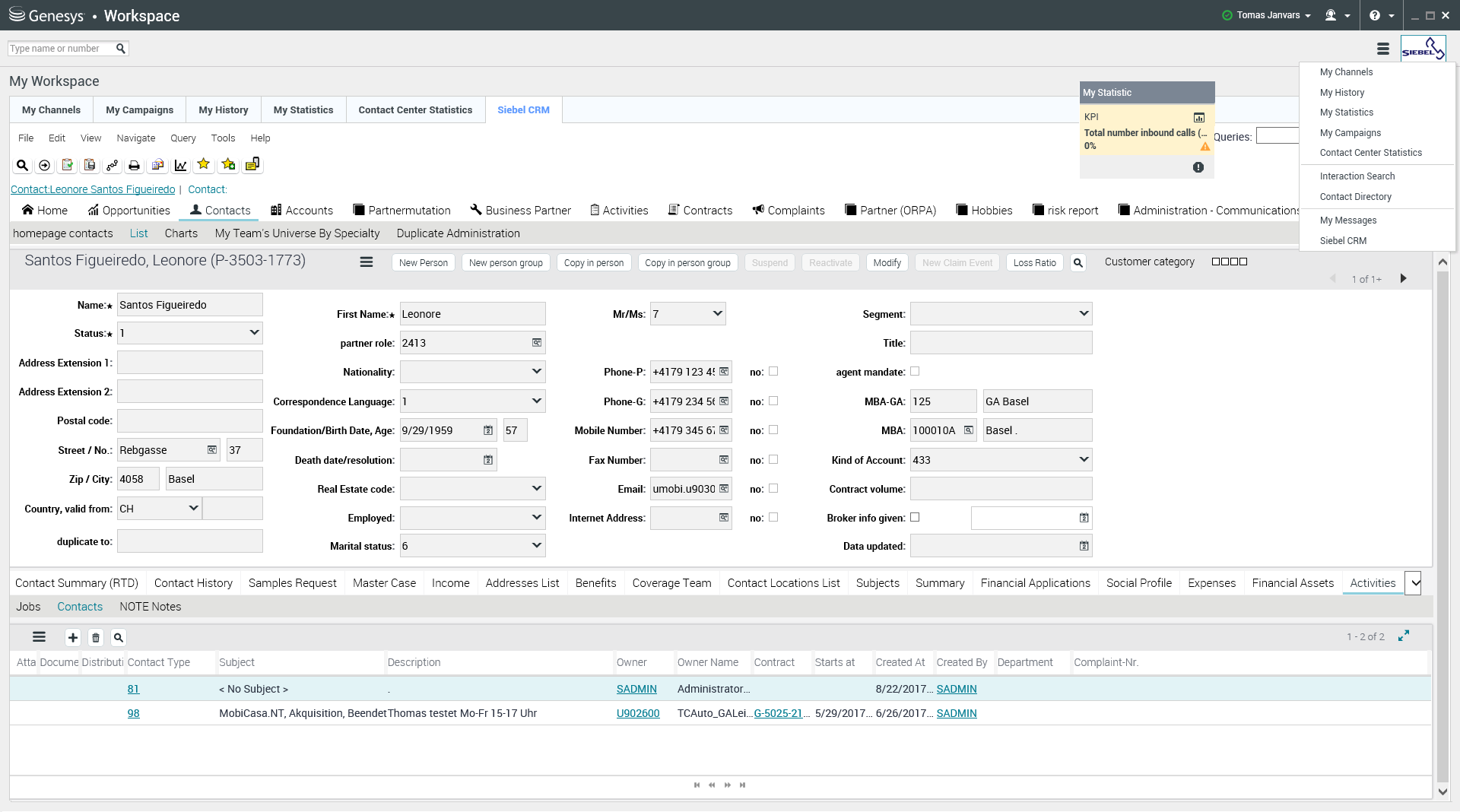
The second possibility is to incorporate WebBrowser control with Siebel web session in InteractionWorksheetRegion, see next picture. This mode opens new Siebel session for each interaction (of coarse Siebel single sign on is assumed).
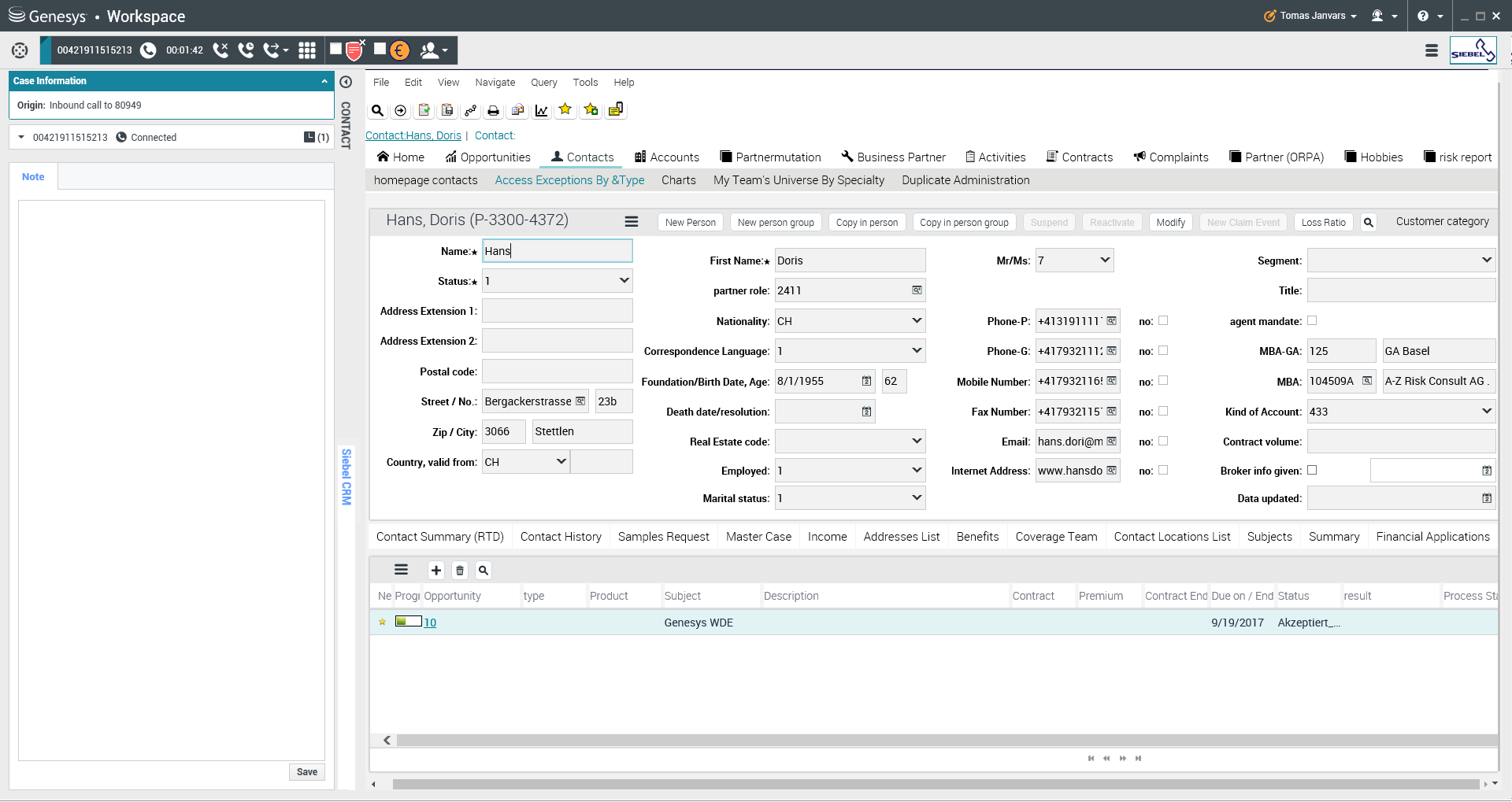
In both cases, the Siebel integration calling Javascript, indeed Siebel Browser Script from WebBrowser Control, for details, see: https://www.essentialobjects.com/doc/webbrowser/advanced/js.aspx
here is sample code
string scriptText = "var retVal = ""; if (typeof svcWDE=="undefined") { var svcWDE = theApplication().GetService("CTI Service WDE"); } var psIn = theApplication().NewPropertySet(); psIn.SetProperty("UserData", "" + sUserData + ""); svcWDE.InvokeMethod("SetContextFromTransferConf", psIn); psIn.Reset(); psIn = null;";
string retVal = (string)WebBrowser.WebView.EvalScript(scriptText);
We suggest to develop one Client Business Service in Siebel (in our Example CTI Service WDE), which will implement all CTI Functionality, like create activities for calls, screen popup, screen transfer, etc.
Using this type of integration, we have developed functionalities like,
• click-to-dial, see button in right top corner on previous picture
• screen popup
• screen transfer for consultation calls
• activity creation for inbound and outbound
• disable set ready for ACD unless Siebel call activity is closed
• processing of Genesys outbound predictive Campaign calls





