
Install Oracle Siebel CRM in Oracle cloud infrastructure within few clicks
Install Oracle Siebel CRM IP19.X in Oracle Cloud Infrastructure just in few clicks
Larry Ellison announced the generation 2 cloud in the Oracle Open World 2019 which is autonomous and secure by design separating the controller from the tenant cloud machine. https://www.oracle.com/openworld/on-demand.html
We as Oracle Silver Partner decided to have a look to the Oracle Cloud Infrastructure (OCI) and look for usage with Oracle Siebel CRM. We have always had requirement o have a Oracle Siebel CRM vanilla sandbox to test features and issues on the uncustomized server. Preiously we bought a server on premise and our consultants spend weeks to install Oracle DB, Siebel CRM in order have a sand box outside customer infrastructure.
We were really surprised how in few clicks we could get in OCI GEN2 running Siebel CRM instance. We want to inspire you and share with you our journey.
Currently everybody who wants to try out OCI can get for 30 days trial period credit 300$ and try everything for free. Even after this period limited instances remain avalaible for ever.
Just register at : https://www.oracle.com/cloud/free/
After registering to OCI read this usefull article to setup Virtual Cloud Network (VCN), Compartment, Subnet and firewall rules : https://www.oracle.com/webfolder/technetwork/tutorials/obe/cloud/compute-iaas/deploy_siebel_instance_OCI_VM/deploy_siebel_instance_OCI_VM.html#section4
Now comes the exciting part with few clicks until you can login into brand new Oracle Siebel CRM 19.5
Go to OCI Marketplace.
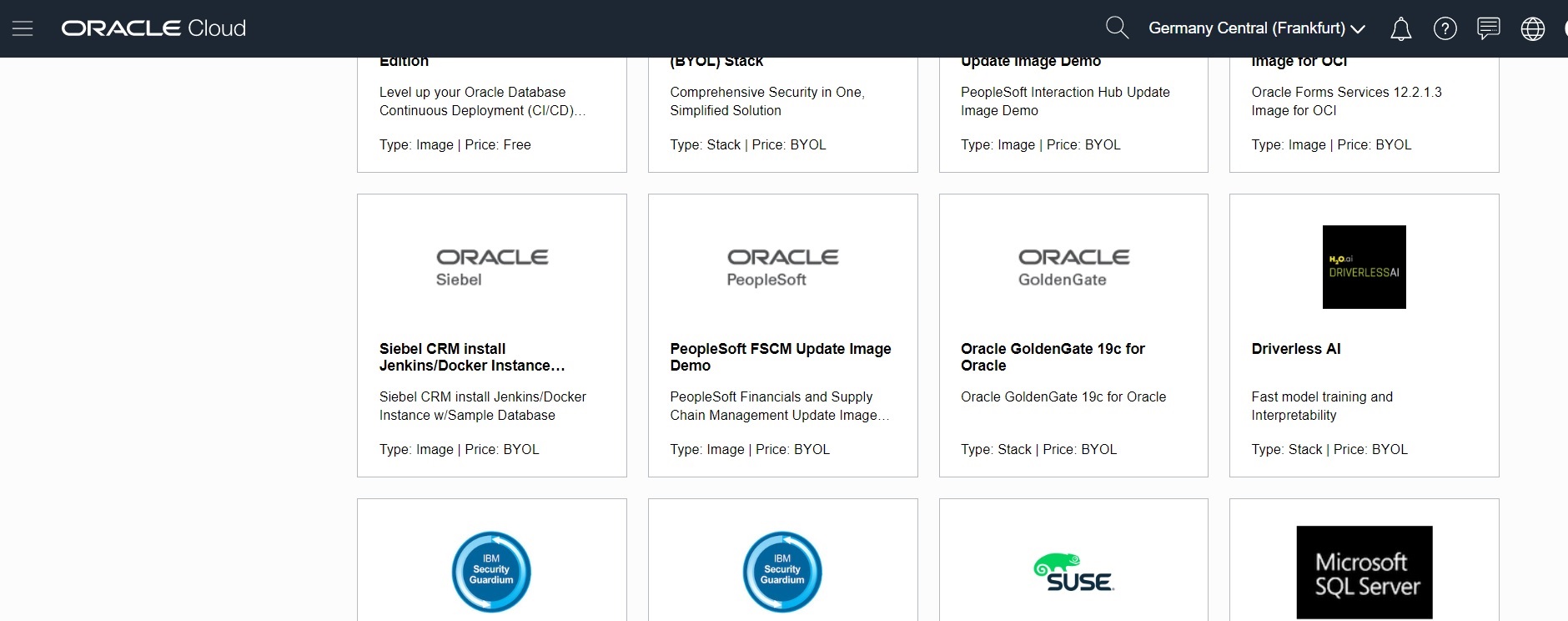
Find Oracle Siebel CRM instance.
Click Launch Instance
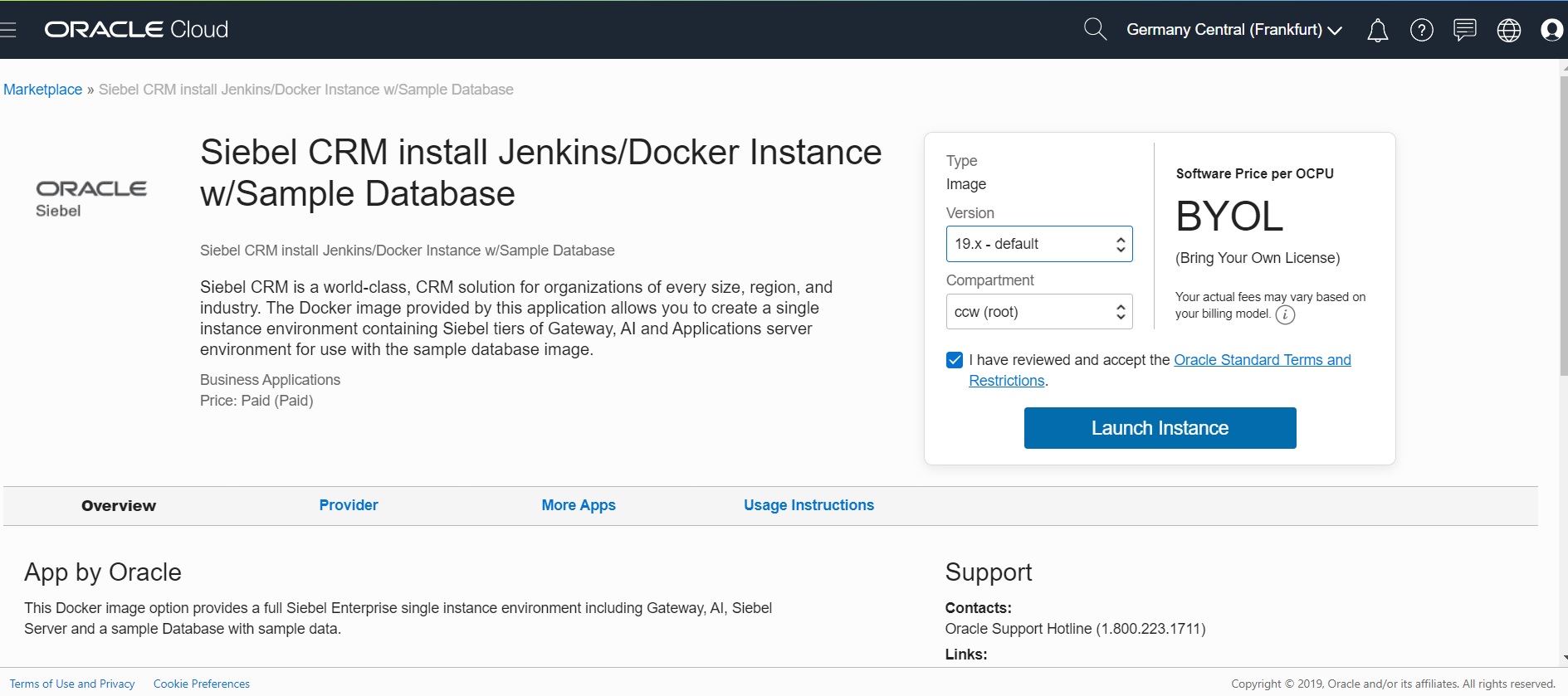
Configure Network , select public IP.
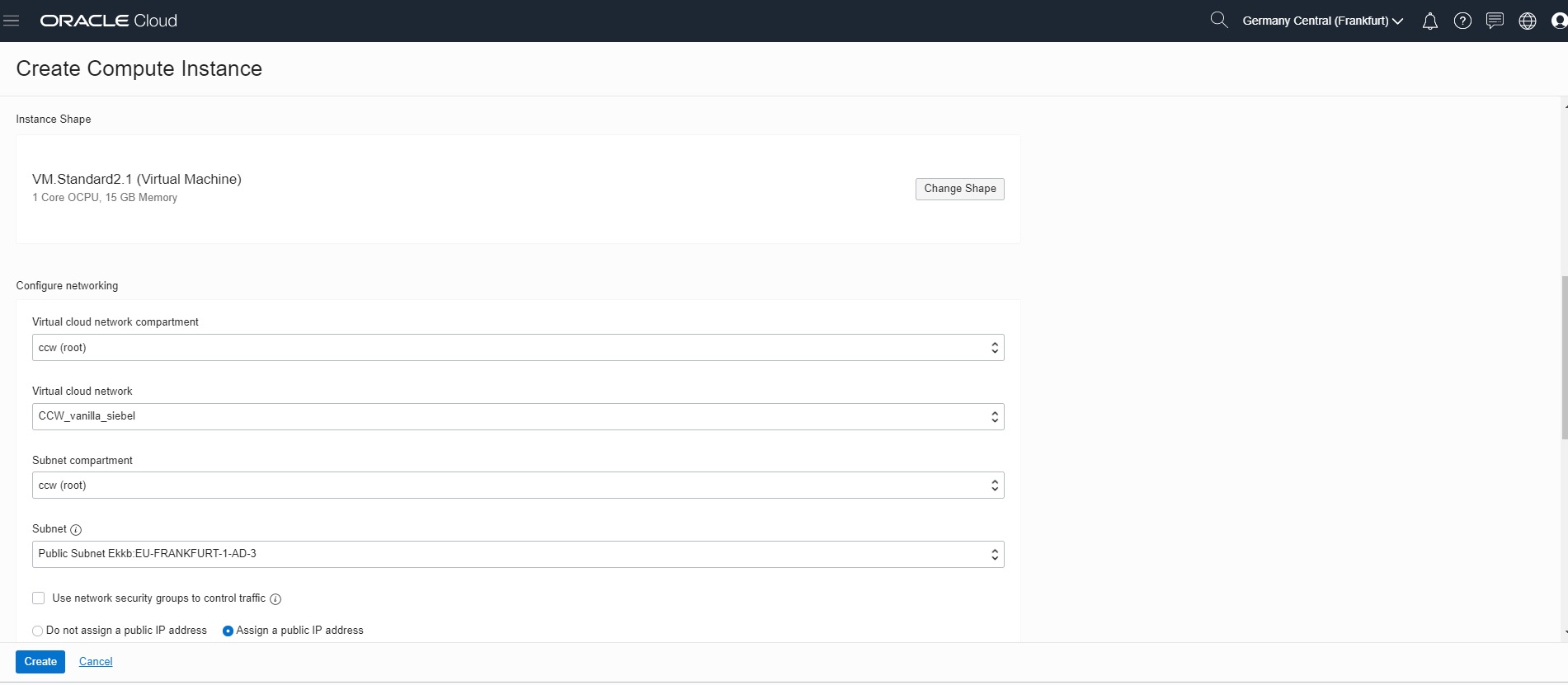
Click Create
Later you see provisioning of the new Instance
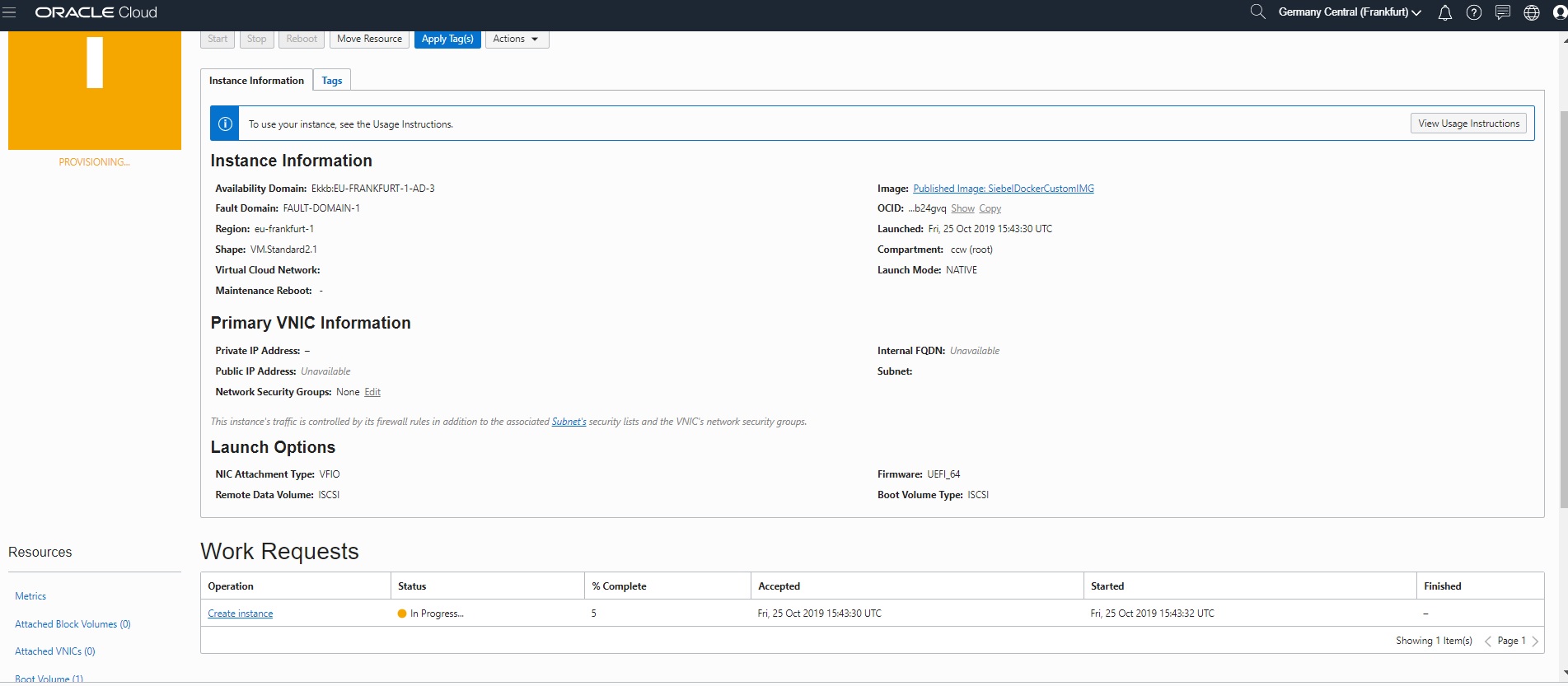
After the instance is provisioned, click Reboot
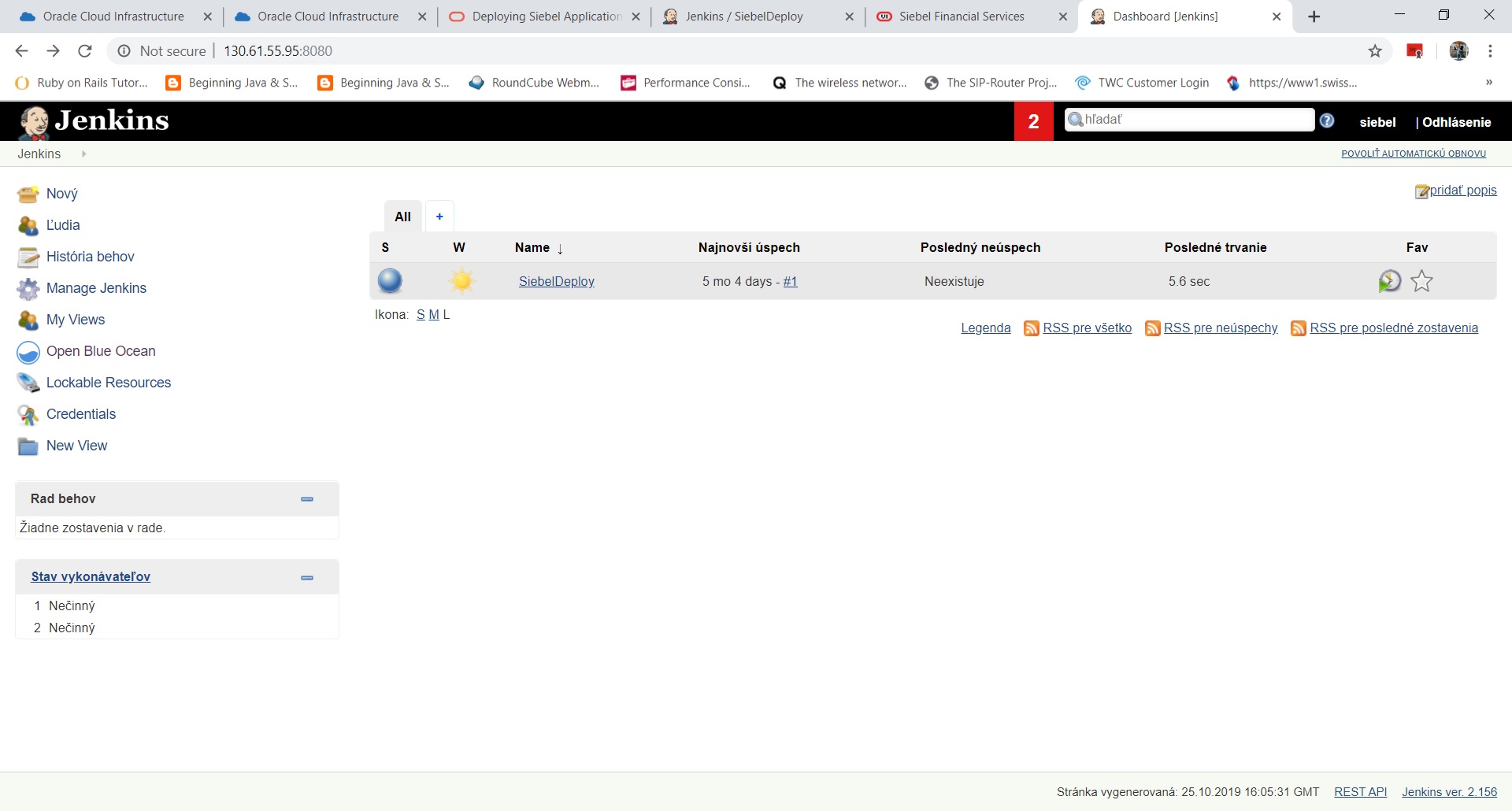
According to the manual provided in the beginning of this article build your url : http://yourip:8080 to login into Jenkins and use Doc ID 2533573.1 to obtain the passwords.

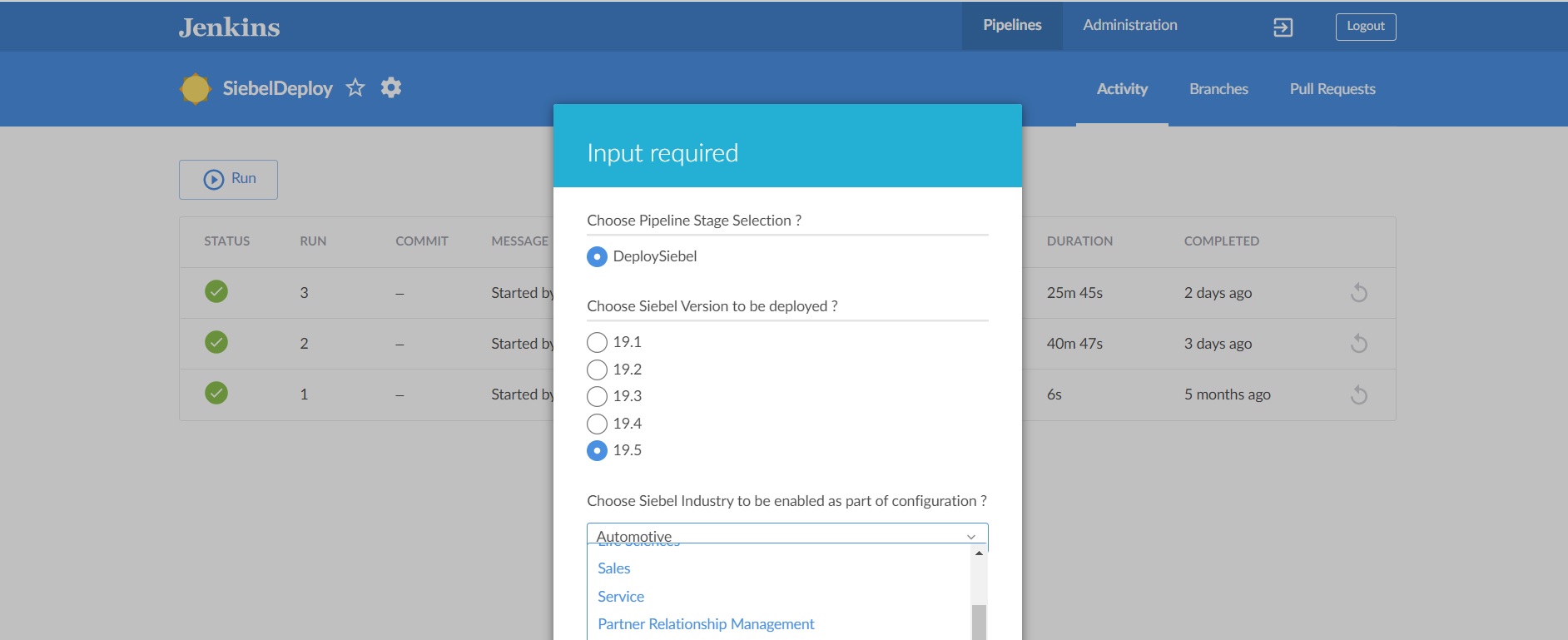
After click Open Blue Ocean, select Siebel Deploy and click Run. Int about 30 Minutes you have running Oracle Siebel CRM instance.
Use https://<yourpubicip:4430>/siebel/app/<your vertical>/enu and use provided login and password.
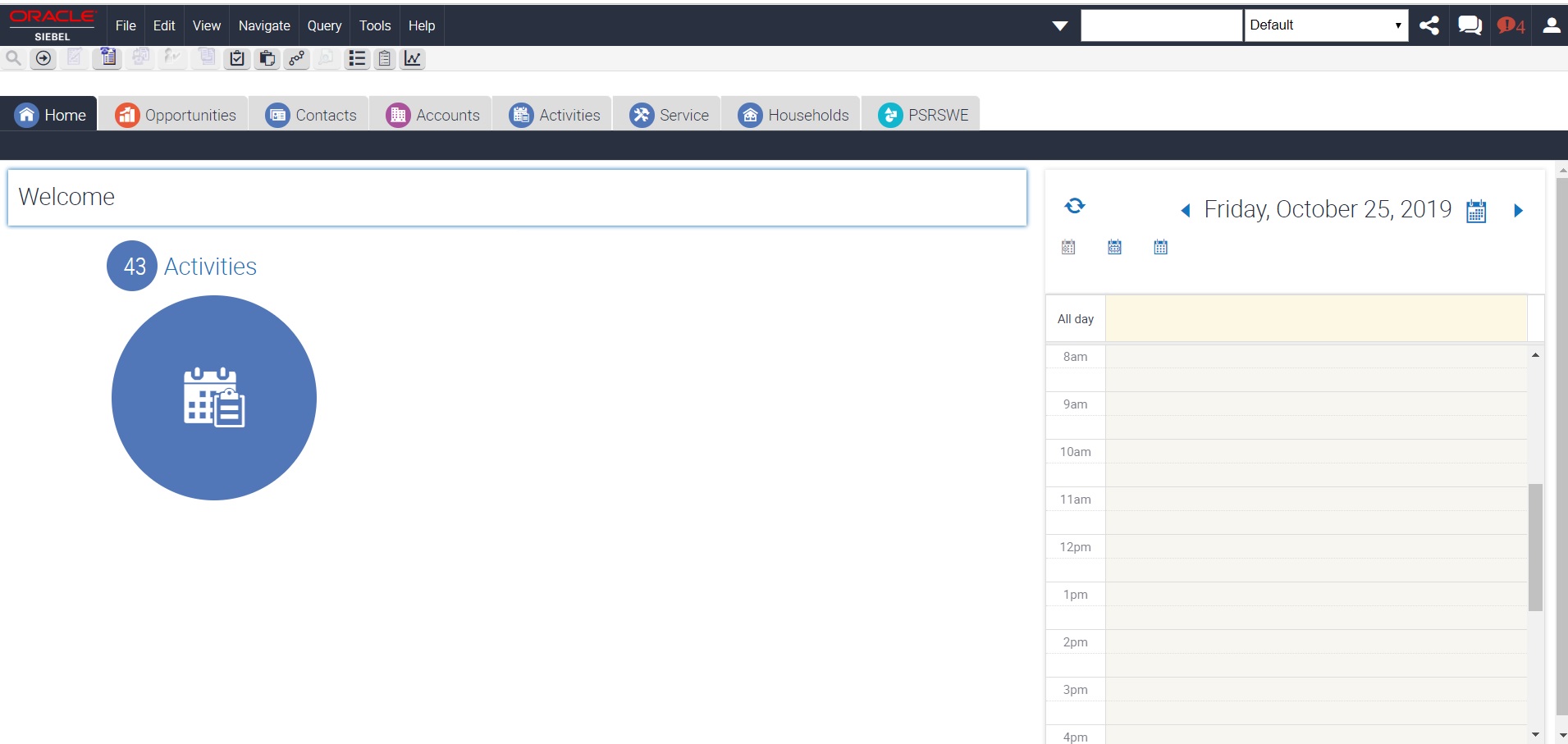
This instance is running in docker. Siebel is with innovations heading to be cloud ready, with the new webtools and migration app you can develop and deploy the siebel into cloud. OCI proves to be very
powerfull and performance boosting infrastructure and it is worth to consider as a cloud infrastructure for oracle siebel crm application.
For more information contact us.





