
How to test angular mobile web app in android os from dev pc mockapi
To develop mobile web app was and is always challenging to make it work correctly with all browsers, platforms, os. With the spread of mobile devices the challenge gained complexity not only to browsers but also to device specific behavior based on os , version and hw. Many frameworks such as angular try to wrap up this complexity. We were extending mobile app with some validation functionality and had big challenge to cover all OS platforms such a Windows 10, iOS, android. The issue occured with android for the keypress, keyup, keydown events which are not fully supported.
In order to detect it and find a workaround we needed in the dev enviroments android emulator or device, which can for every itteration consume compiled changes in the dev mockapi.
I will descibe 2 approaches, which we believe are suitable :
1. Android studio
By installing android studio there is a device emulator. You can choose device platform, android version. Count with high cpu and ram usage. If you are testing local mockapi dev , use proxy 10.0.2.2:8080 to reach your computer localhost. Works fine once you have a powerfull dev machine.
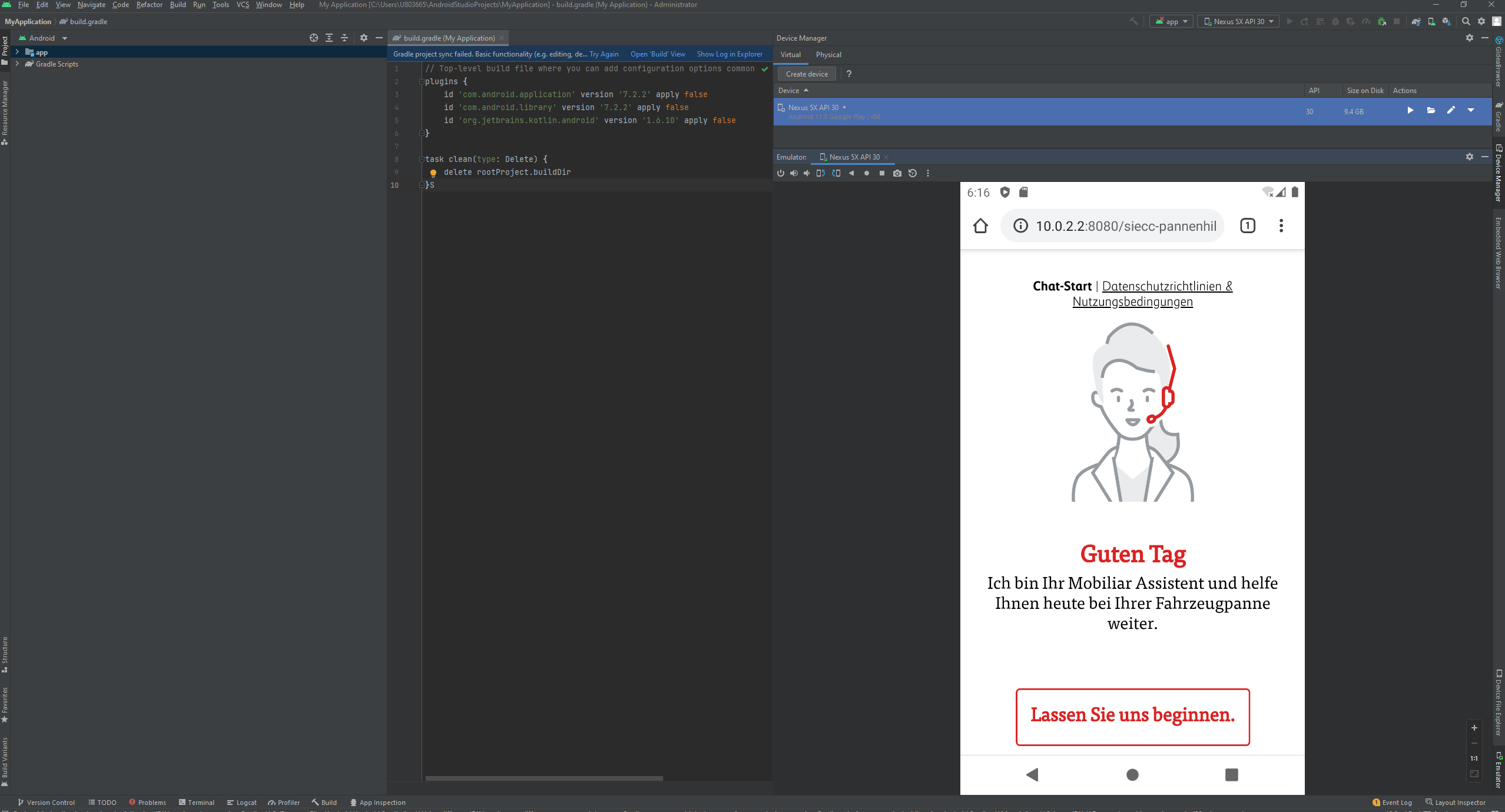
2. Testing from you mobile device via USB on chrome browser
This approach allows you access your dev machine content with your mobile device connected to usb via chrome browser. The steps include activate developer options on your android device and configure usb proxy in chrome.
This allows you test on real physical device. After finishing your development make sure after deployment to test enviroment do proper testing with all targeted devices for your mobile web app.
P.S.
We have described the field validation in angular for specific license plate format in the switzerland. This did not work on android devices, only in iOs and Windows. The events keypress , keyup, keydown, preventDefaults for event are not supported for reasons in android. Here is the version which works with all platforms thanks to described dev unit testing with android studio. The principle is to use input event and instead of predefault store the previous value in the variable and in case the input is not accepted replace it with previous value.
import {Component, ElementRef, EventEmitter, Input, OnInit, Output, ViewChild} from '@angular/core';
import {ChatService} from '../chat.service';
import {ChatItemDef, InputPattern} from '../../../core/session.service';
import { fromEvent, Subscription } from 'rxjs';

@Component({
    selector: 'ph-chat-entry-text',
    templateUrl: 'chat-entry-text.component.html',
    styleUrls: ['./chat-entry-text.component.scss']
})
export class ChatEntryTextComponent implements OnInit {
    @ViewChild('entryText', {static: true}) entryInput: ElementRef;
    @Input() chatItemDef: ChatItemDef;
    @Output() focusChanged = new EventEmitter<string>();
    public showSubmit=true;
    public placeholder='';
    public isPlate=false;
    private regexPlateInput = '^[a-zA-Z]$|^[a-zA-Z]{2}[0-9]{0,6}$';
    private regexPlateSubmit = '^[a-zA-Z]{2}[0-9]+$';
    private platePrevValue='';
    private subscriptions: Subscription[] = [];

    constructor(private chatSvc: ChatService) {

    }
    onEnter(event) {
        if (this.isPlate) {
            if (this.onSubmitPlateValidation (event.target.value)) {
                this.onSubmit();
            }
            else {
                event.preventDefault();
                return false;
            }

        } else this.onSubmit();

    }
    onSubmitPlateValidation(str) {
        let regexSubmit = new RegExp(this.regexPlateSubmit);
        return regexSubmit.test(str);

    }
    onSubmit() {
        if (this.chatItemDef.value) {    // value must exist
            let value: string = this.chatItemDef.value;
            if (this.chatItemDef.pattern === InputPattern.NUMBERPLATE) {
                value = value.toUpperCase().replace(/\s/g, '');
            }
            value = value.trim();
            this.chatSvc.processAnswer(value, value);
            this.chatItemDef.value = '';
            this.chatSvc.currentInputType = null;
        }
    }

    onFocusChanged(type: string) {
        this.focusChanged.emit(type);
    }

    ngOnInit(): void {
        if (!this.chatSvc.isApple()) {
            const endPos = this.chatItemDef.value ? this.chatItemDef.value.length : 0;
            this.entryInput.nativeElement.setSelectionRange(endPos, endPos);    // set caret
            this.entryInput.nativeElement.focus();
        }
        //based on bug from Daniel , after remove this
        //this.chatItemDef.value = '';
        if (this.chatItemDef.pattern === InputPattern.NUMBERPLATE) {
            this.showSubmit=false;
            if (this.chatItemDef.value) {
                this.platePrevValue=this.chatItemDef.value;
                this.showSubmit = this.validateMaskPlate(this.chatItemDef.value);
            }
            this.isPlate=true;
            this.placeholder='BE12345';
            //subscriptions for events
            let subInput = new Subscription();
            let subPaste = new Subscription()
            const el = this.entryInput.nativeElement;
            subInput = fromEvent(el.parentNode, 'input', {capture: true})
                .subscribe((ev: any) => {
                    if (ev.target === el) {
                        this.validateKeyPress(ev);
                    }
                });
            //prevent paste for License plate field
            subPaste = fromEvent(el.parentNode, 'paste', {capture: true})
                .subscribe((ev: any) => {
                    if (ev.target === el) {
                        this.onPaste(ev);
                    }
                });
            this.subscriptions.push(subInput);
            this.subscriptions.push(subPaste);
        }
    }
    ngOnDestroy() {
            this.subscriptions.forEach((subscription) => subscription.unsubscribe());
    }

       validateKeyPress(event) {
        if (this.isPlate) {
             if (event.inputType === 'insertText' || event.inputType === 'insertCompositionText' || event.inputType === 'deleteContentBackward' || event.inputType === 'deleteContentForward') {
                if (this.validateMaskPlate(event.target.value)) {
                    this.platePrevValue = event.target.value;
                    return true;
                } else {
                    event.target.value = this.platePrevValue;
                    return false;
                }
            }
        }
        return true;

    }
    validateMaskPlate (str) {
            let regex = new RegExp(this.regexPlateInput);
            let regexSubmit = new RegExp(this.regexPlateSubmit);

            if (regex.test(str)||str.length ===0) {
                if (str.length>0)
                    this.showSubmit = regexSubmit.test(str);
                return true;
            } else {
                 return false;
            }
    }
    onPaste(e) {
        if (this.isPlate) {
            e.preventDefault();
            e.target.value = this.platePrevValue;
            return false;
        }
    }
    }





