
How to create response from marketing campaign from business service
Siebel Marketing modul is essential function empower sales in the enterprise organization. Siebel Marketing is monolithically tighten to all Siebel CRM entities and processes, what can be also seen as an advantage.
In the marketing every contact, every response has potential of revenue. It needs to be ensured that no contact, no response is lost.
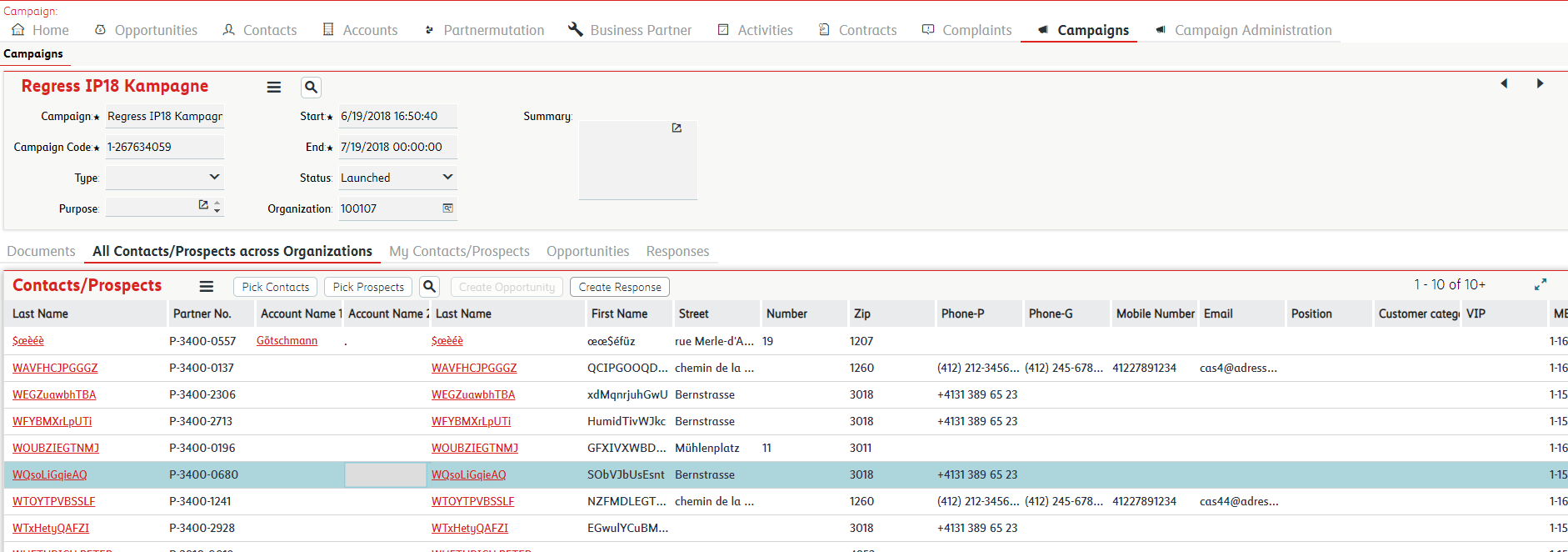
Current functionality in the Siebel Marketing module allows to create within campaign response for leads/prospects/contacts in the campaign via button.
In the Campaign Contact/Prospect Applet is button Create Response. This button call "blackbox" function OnCreateResponseClicked. The challenge of these day is digitalization and automation. Once organization decides digitalized customer responses for campaign it is helpful be able create response based on request from interface or incoming event. This creates the need to create response of customer for marketing campaign automatically from business service. We were searching the possibilities how to achieve the same what is achieve by clicking this button. There is almost zero information. After analysis we found the solution which we want to share with the community:
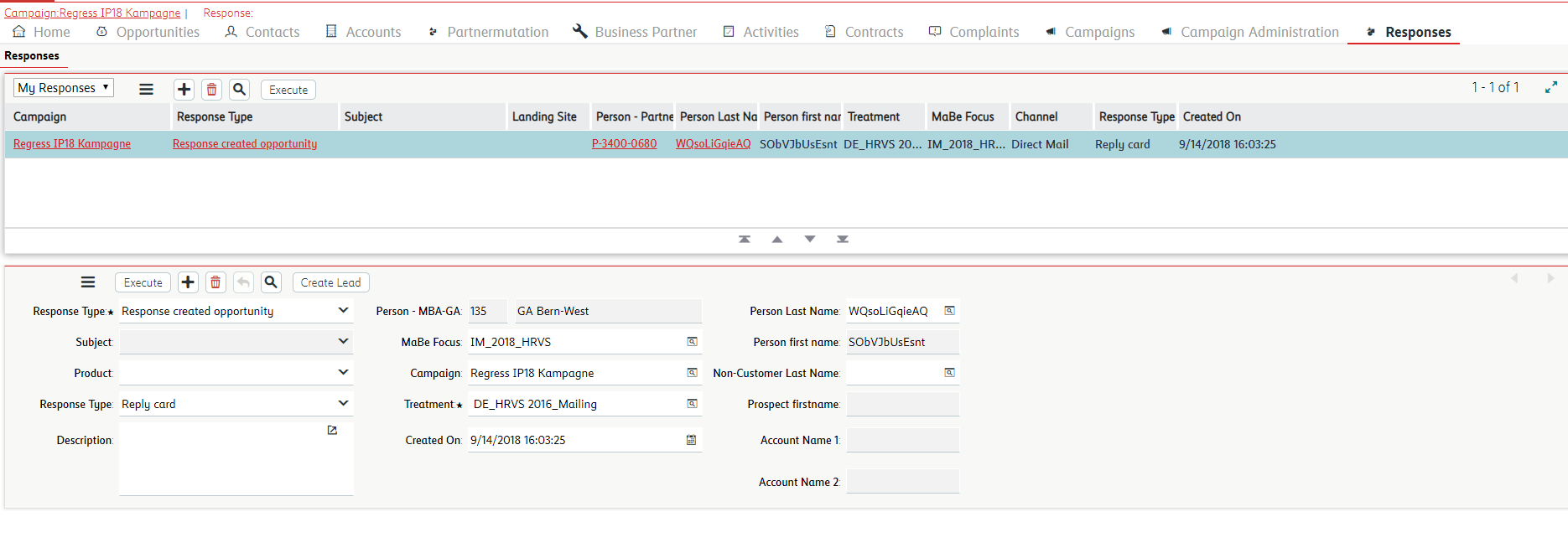
To create marketing campaign response for contact Siebel implements OOTB business service : Create Auto Response with methods CreateAutoResponse and CreateDownloadResponse. We integrated this BS in our interface with following script :
 function CreateResponse (Inputs,Outputs)
 {
 var sCampaignId:chars;
 var sPartnerNumber:chars;
 var boCampaign:BusObject;
 var bcCampaign:BusComp;
 var bcCampaign_List_Contact:BusComp;
 var bsAutoResponse:Service;
 var psInput:PropertySet;
 var psOutput:PropertySet;
 try {
 sCampaignId = Inputs.GetProperty("Campaign Id");
 sPartnerNumber = Inputs.GetProperty("Partner Number");
 boCampaign = TheApplication().GetBusObject("Campaign");
 bcCampaign = boCampaign.GetBusComp("Campaign");
 bcCampaign_List_Contact = boCampaign.GetBusComp("Campaign List Contact");
 with (bcCampaign) {
 SetViewMode(AllView);
 ClearToQuery();
 SetSearchSpec("Id",sCampaignId);
 ExecuteQuery(ForwardOnly);
 }
 if (bcCampaign.FirstRecord()){
 with (bcCampaign_List_Contact) {
 SetViewMode(AllView);
 ActivateField("MOBI Customer Number");
 ActivateField("Contact Id");
 ActivateField("Treatment Id");
 ClearToQuery();
 SetSearchSpec("Customer Number",sPartnerNumber);
 ExecuteQuery(ForwardOnly);
 if (FirstRecord()) {
 psInput = TheApplication().NewPropertySet();
 psOutput = TheApplication().NewPropertySet();
 psInput.SetProperty("Contact Id", GetFieldValue("Contact Id"));
 psInput.SetProperty("Contact Type","Contact");
 psInput.SetProperty("Response Type","Unclassified response");
 psInput.SetProperty("Treatment Id",GetFieldValue("Treatment Id"));
 psInput.SetProperty("Campaign Id",sCampaignId);
 psInput.SetProperty("Communication Method","Reply card");
 bsAutoResponse= TheApplication().GetService("Create Auto Response");
 bsAutoResponse.InvokeMethod("CreateAutoResponse",psInput,psOutput);
 Outputs.SetProperty("Response Id",psOutput.GetProperty("Response Id"));
 }
 }
 }
 return(CancelOperation);
 }
 catch(e) {
 //TheApplication().RaiseErrorText(e.toString());
 TheApplication().WriteError( this.Name(), "Business Service","Response creating issue",e.toString()," ","Response Handling","Payload:" + "nCampaign Id:" + sCampaignId + "n" + "Partner Number: "+ sPartnerNumber,TheApplication().LoginName());
 }
 finally {
 bcCampaign_List_Contact = null;
 bcCampaign = null;
 boCampaign = null;
 bsAutoResponse = null;
 }
} 




