
Email Delivery Service in Oracle Cloud Infrastructure for microservice components
Building microservice components in the cloud requires for business processes reliable guaranteed email delivery services.
It can be used to
- notify customers, users ,
- verify user for security purposes
- asynchronously integrate microservice with other components outside cloud
- provide email communication functionality
We provide you with architecture where microservice component is implemented in the oracle cloud infrastructure, in the compute container instance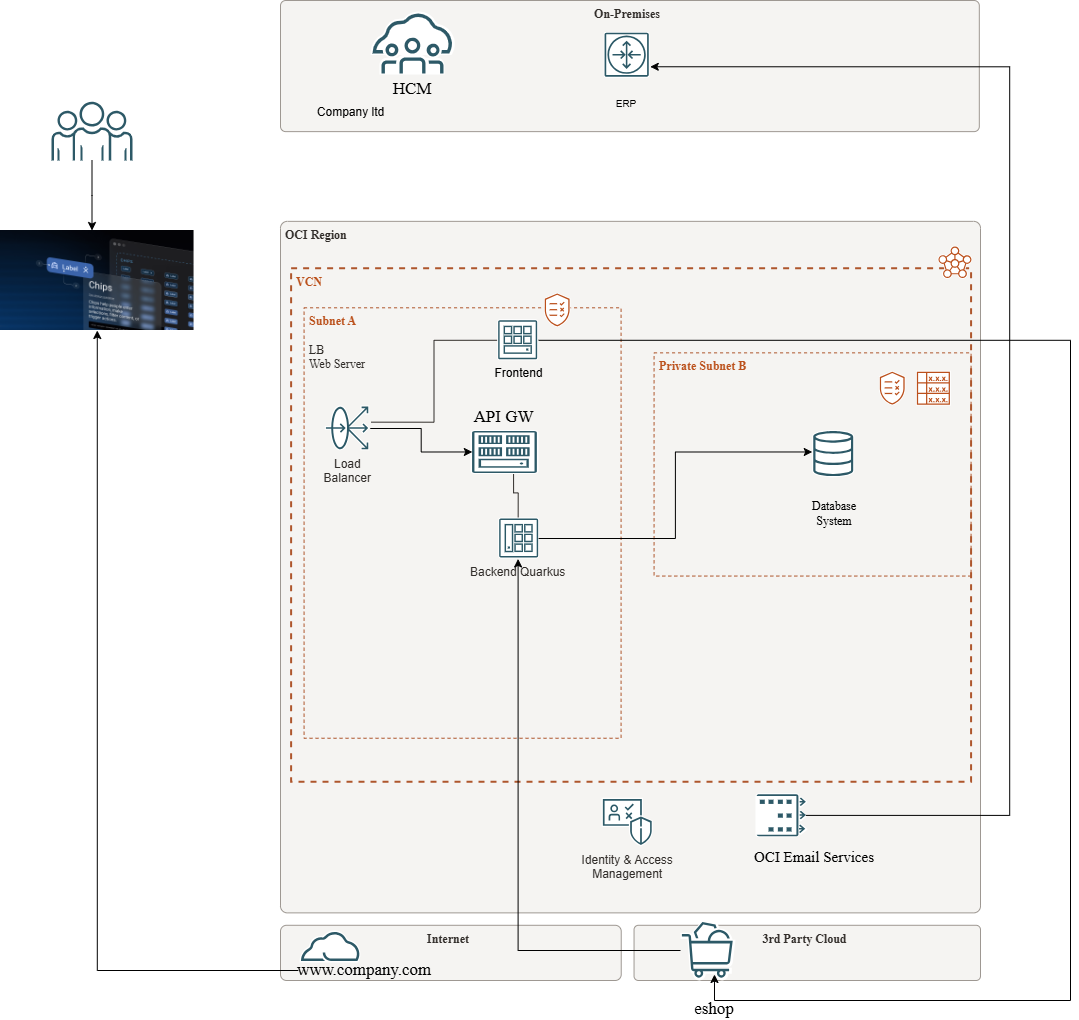
In this architecture the OCI Email Service provides notification to the both users and customers and offline asynchronous synchronization between cloud component and customer on premise ERP application.
So there are many advantages to use OCI Email Delivery Service when deploying microservice to the OCI.
- full control of features
- reliable and guaranteed
- scalable
- worlwide and distributable and deployabl ein the region where you using it
Steps to deploy OCI Email delivery :
1. Generate SMTP credentials
Navigate to : Identity -> Domains -> OracleIdentityCloudService domain -> Users
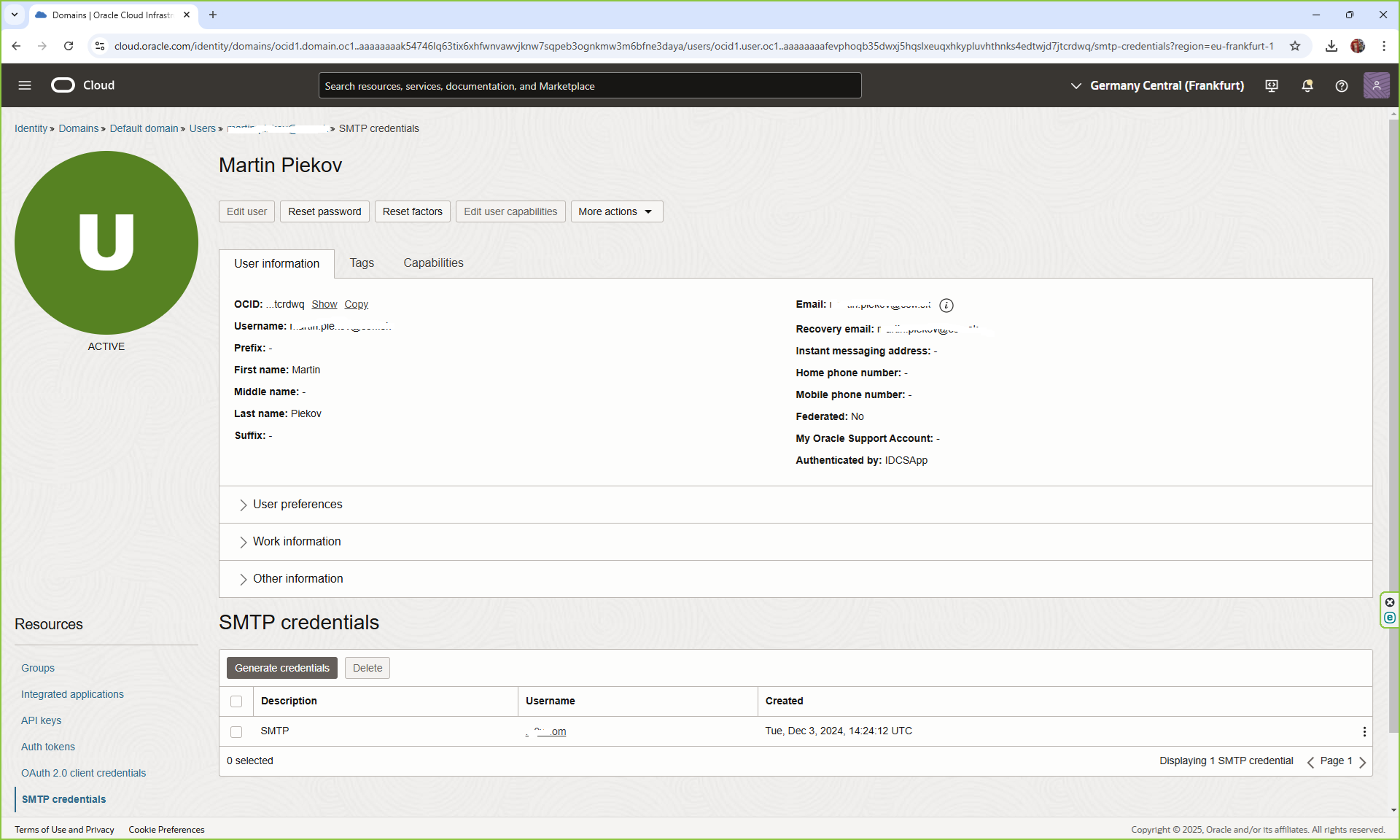
Click on SMTP credentials and click Generate credentials
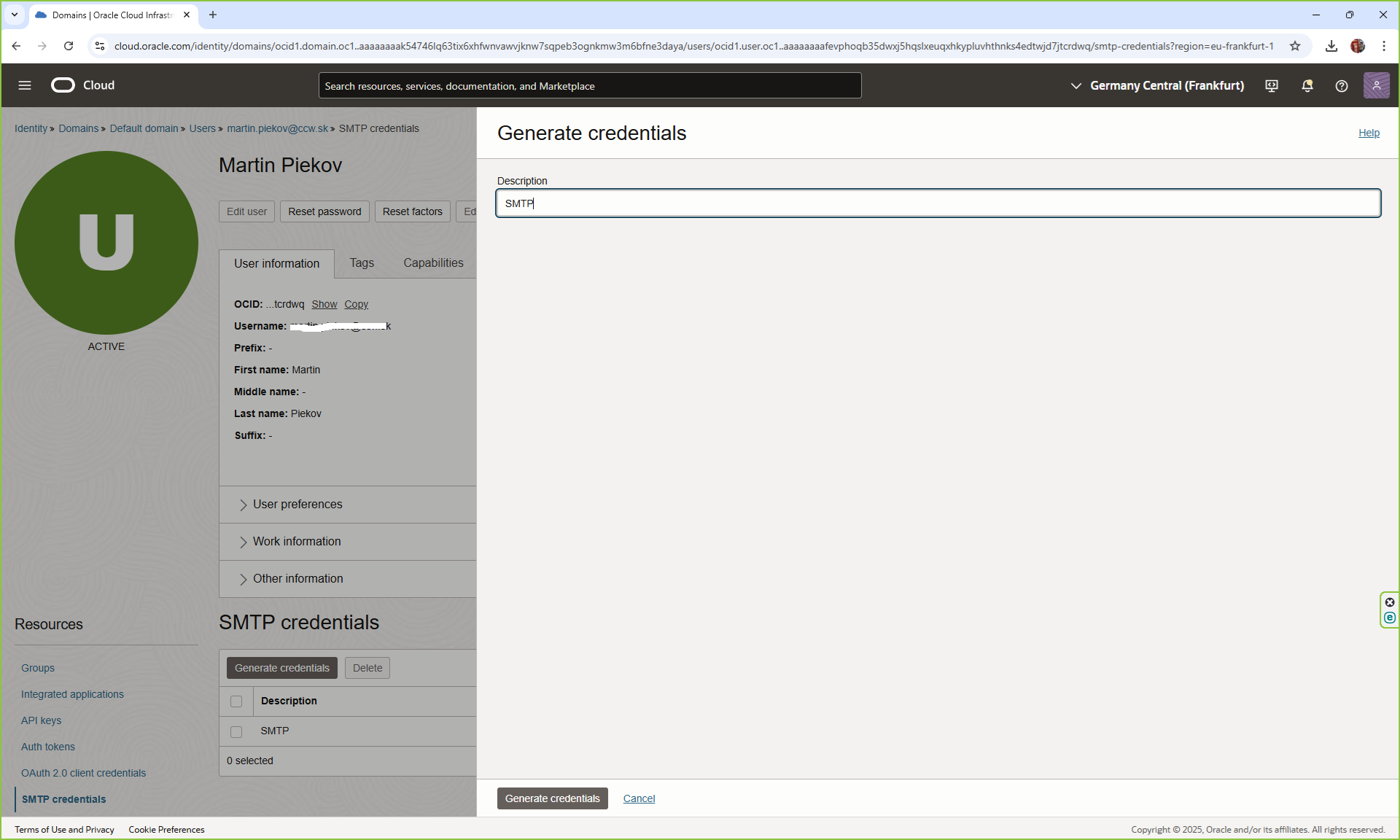
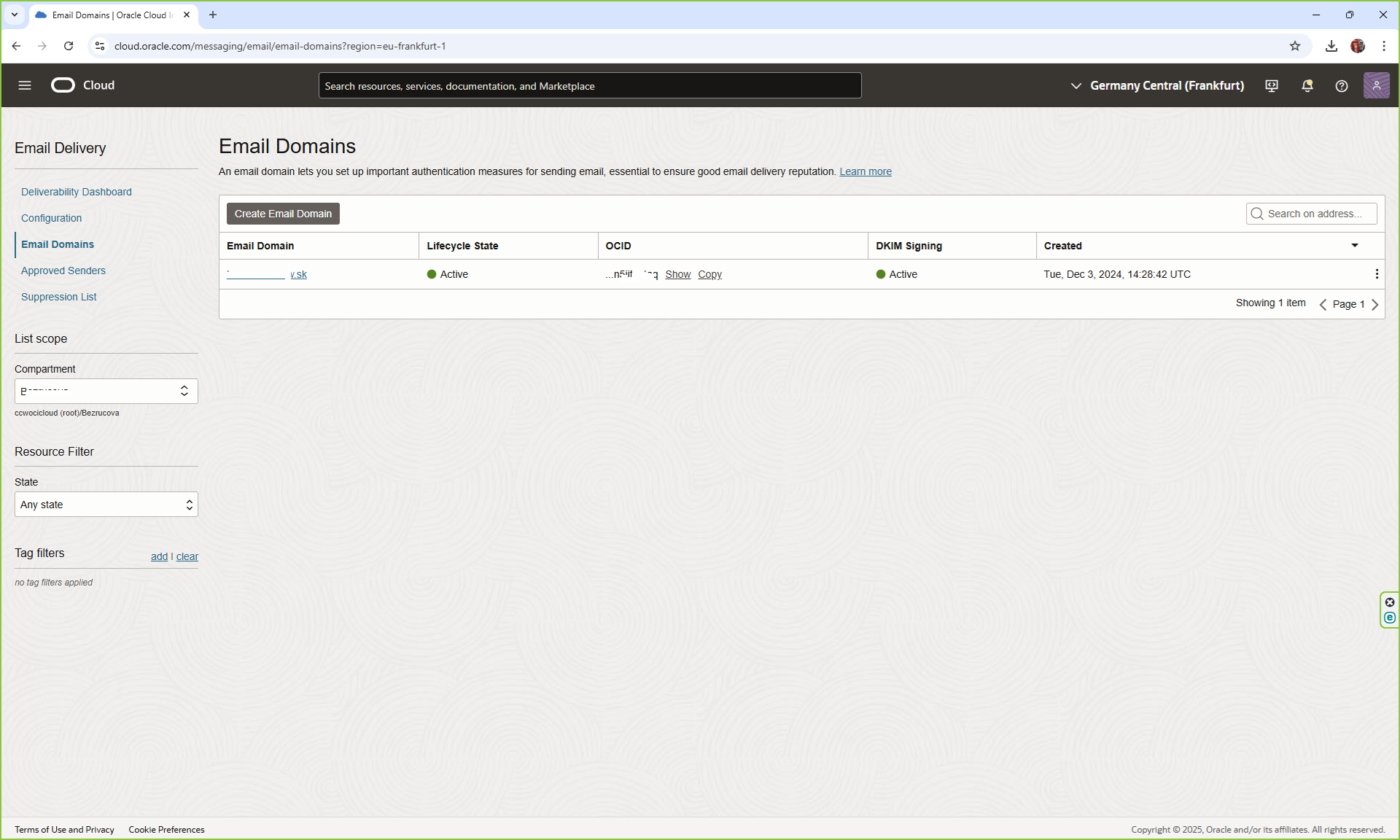
2. Create Email Domain
Navigate to : Develipers Services -> Email Delivery -> Email Domains and create email domain.
3. Set up DKIM
DomainKeys Identified Mail (DKIM) lets the receiving email provider verify that an email was sent and authorized by the owner of the sender's domain. DKIM is set up within DNS records to facilitate digital signing of emails. You can configure up to two DKIMs for rotation purposes, and only one DKIM can be active for your domain at a time
Click add DKIM. Provide the DKIM Selector and after click Generate DKIM Record and click Create DKIM. Now we need to configure our DNS domain.
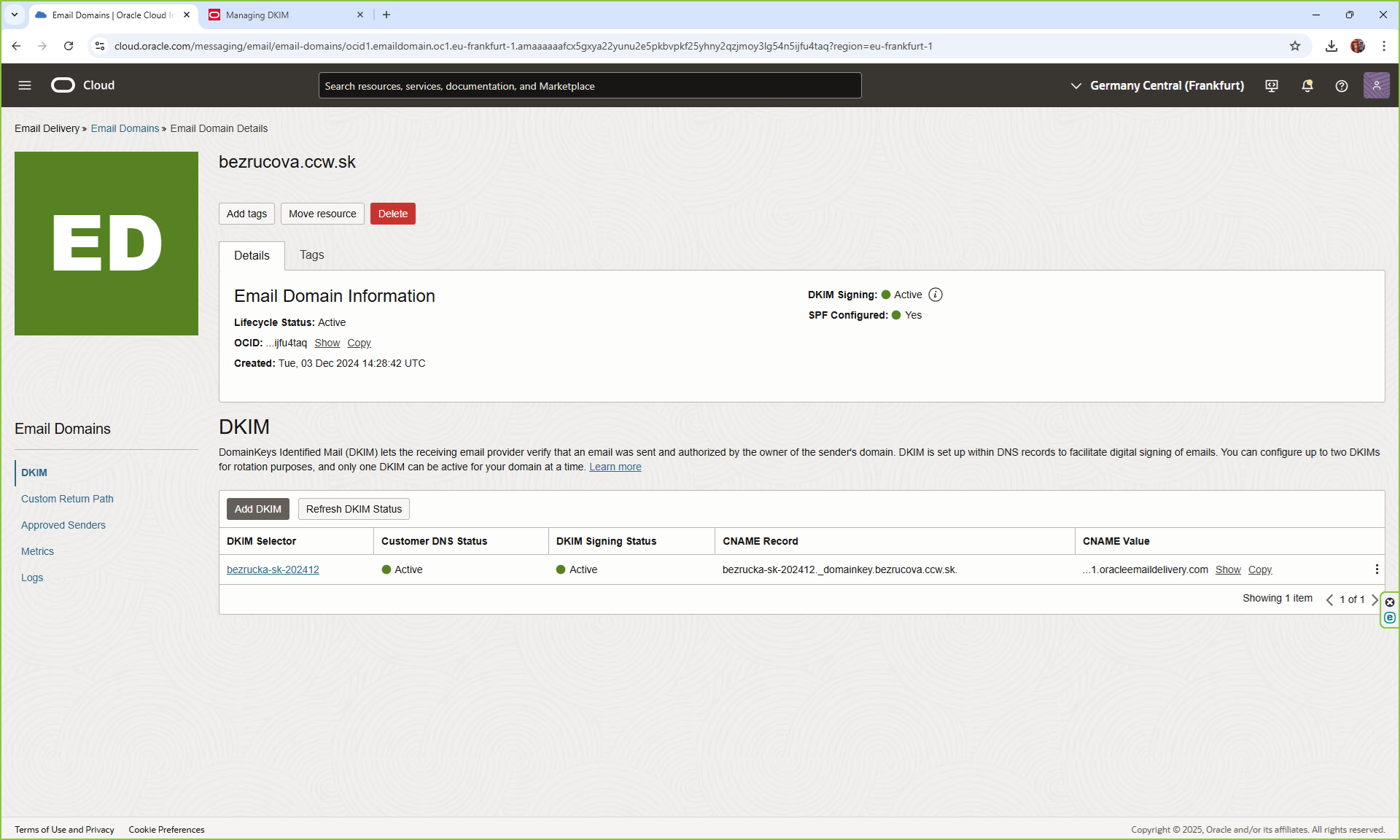
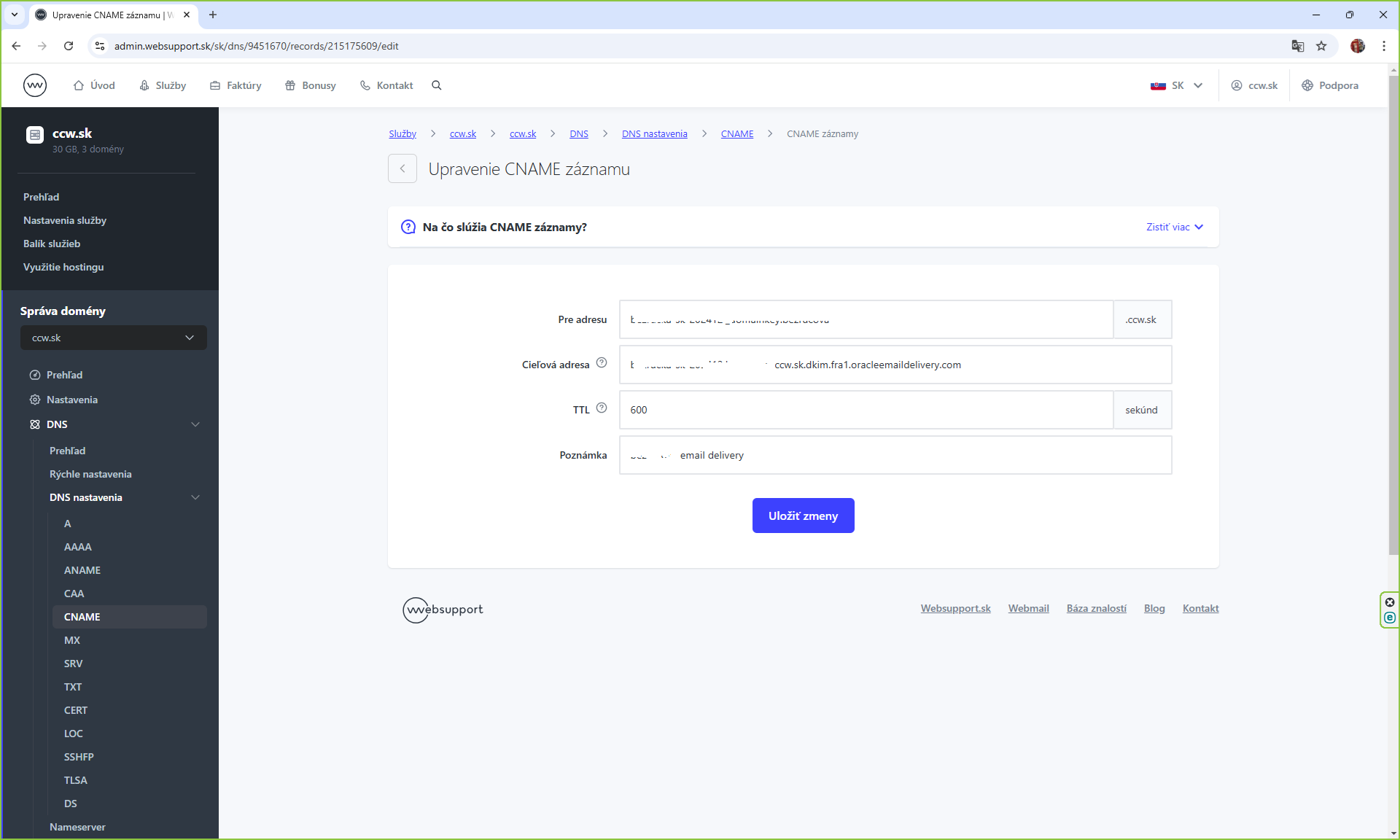
Go to your domain admin page and create CNAME record with the value it gives you. It can take up to 1 day until the status changes to Active, for us it took 30 minutes.
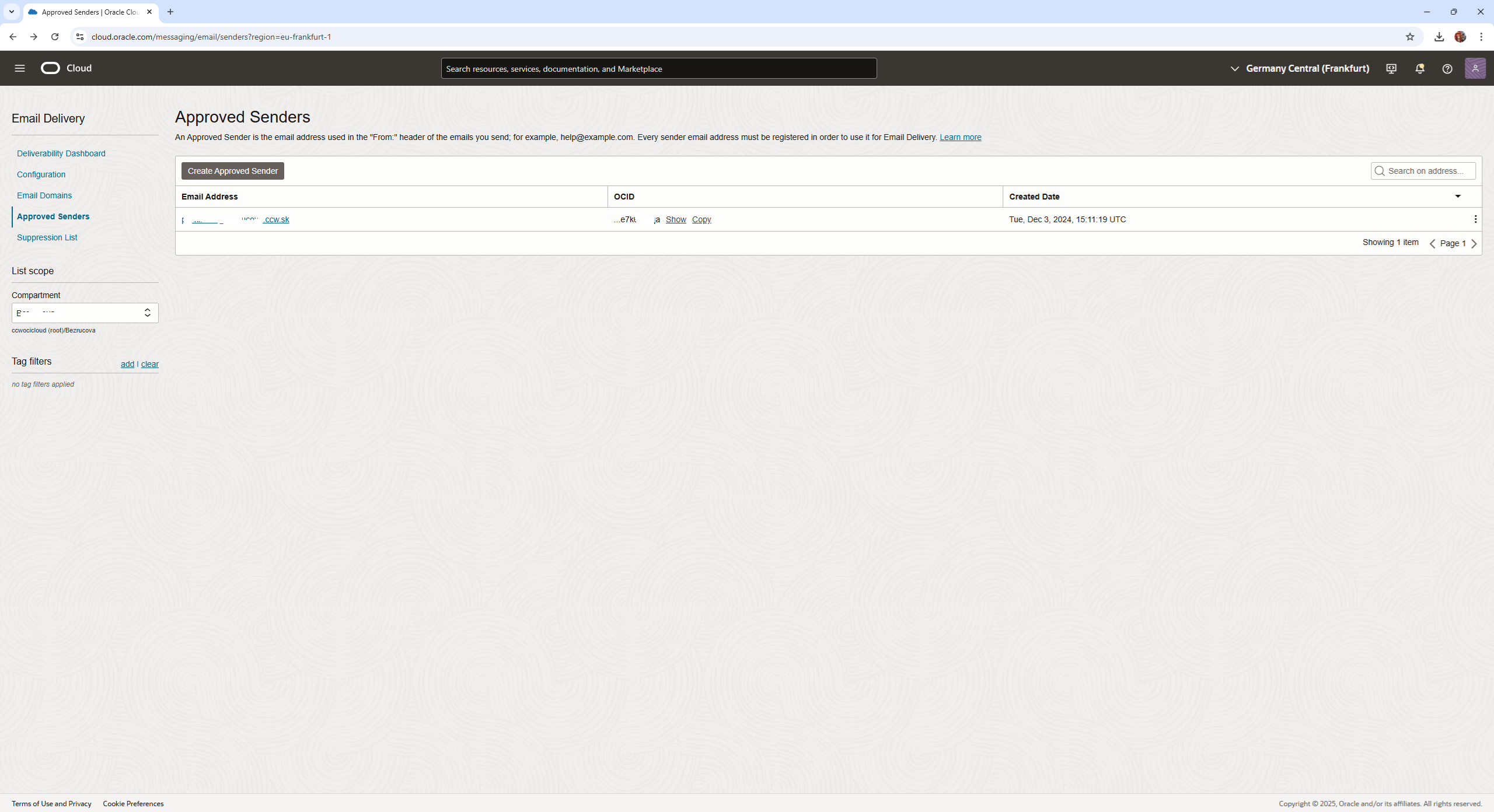
4. Create the approved sender
5. Configure TXT in domain for SPF
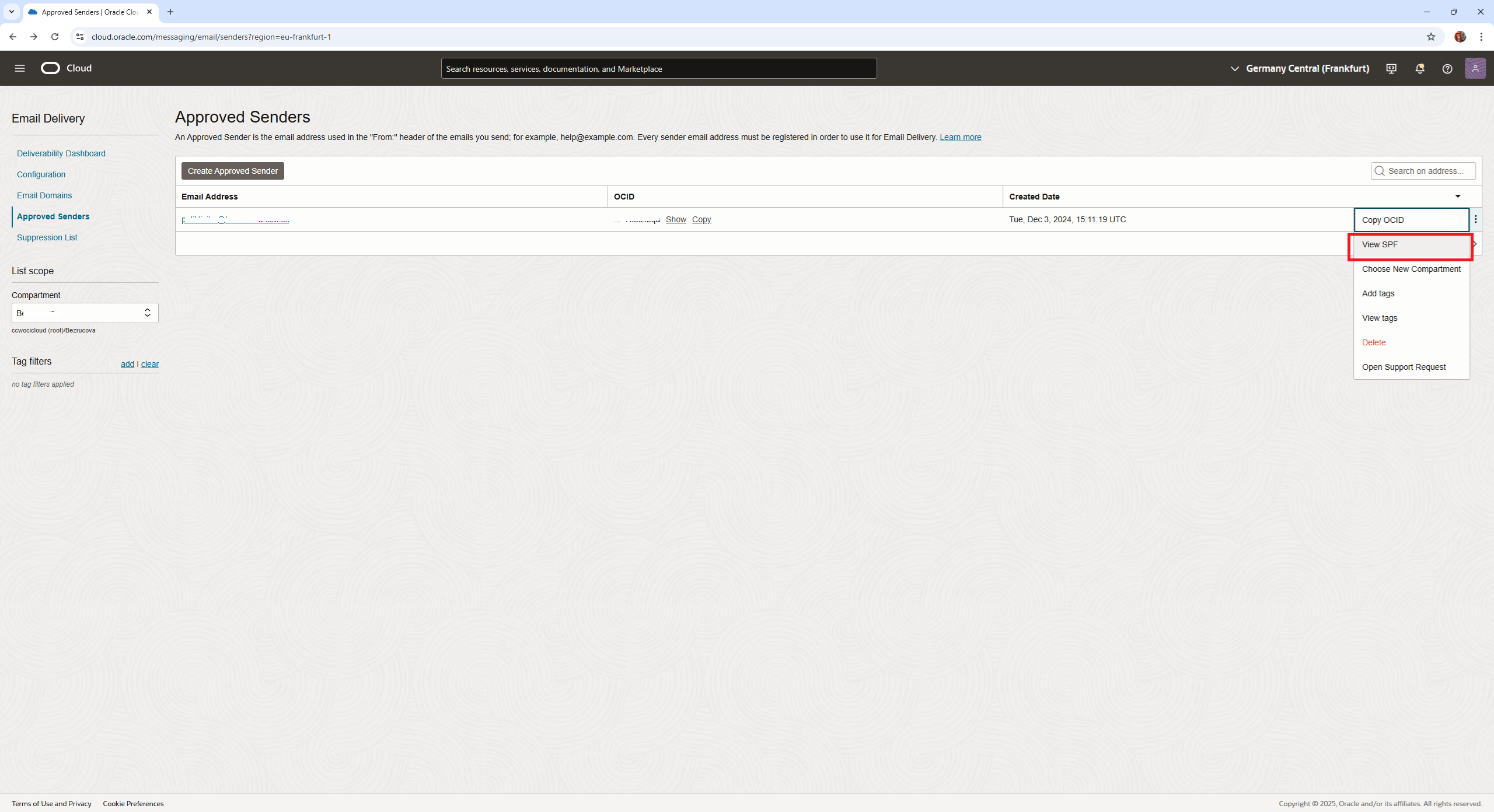
The SPF allows you to state which email servers are permitted to send email on behalf of your domain. Email receivers use SPF to detect email spoofing. Without SPF, a spam or phishing email can be spoofed to appear to be from a legitimate domain.
Navigate to your approved sender. Under the three-dot menu, select View SPF.
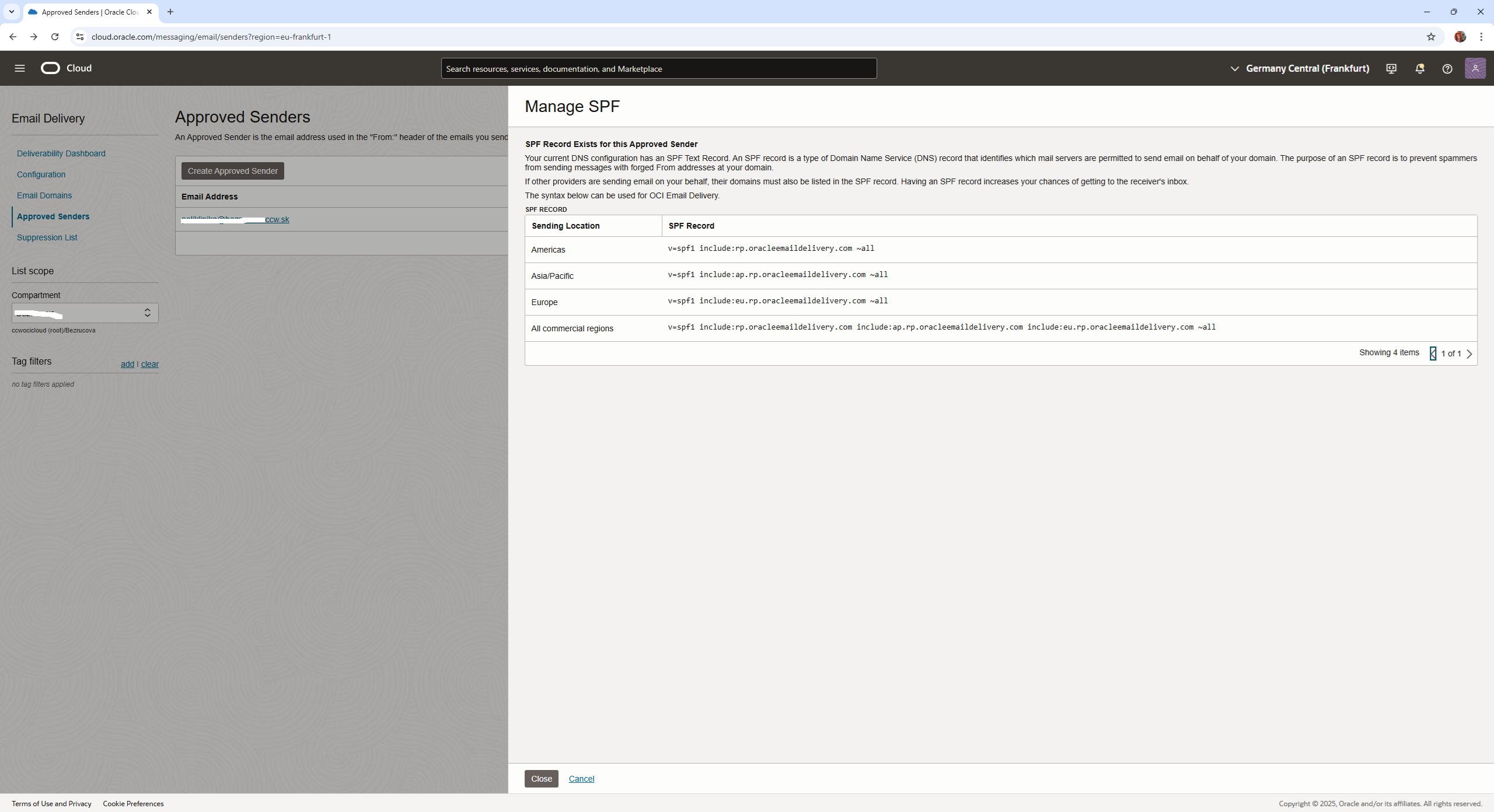
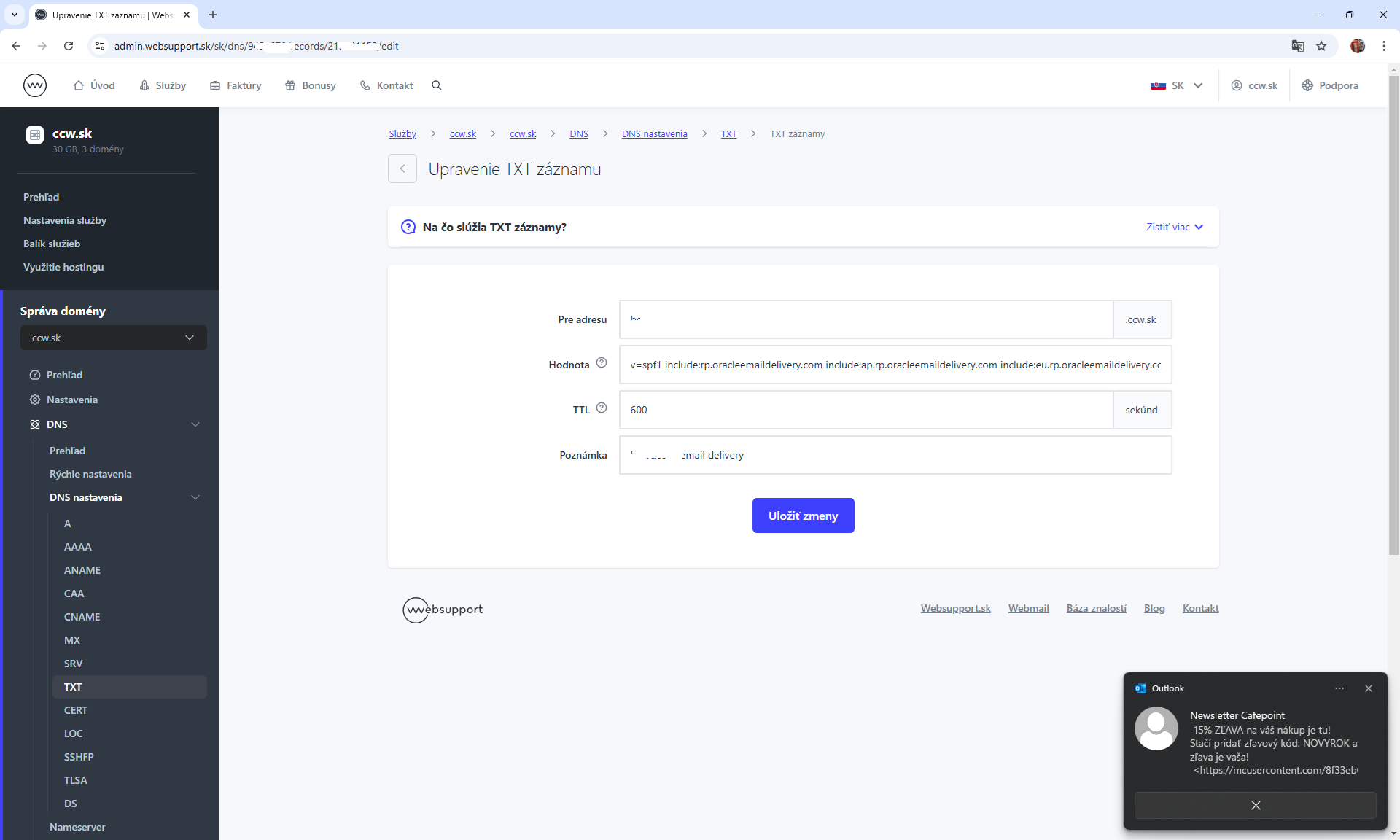
6. The last but not least Configure SMTP connection
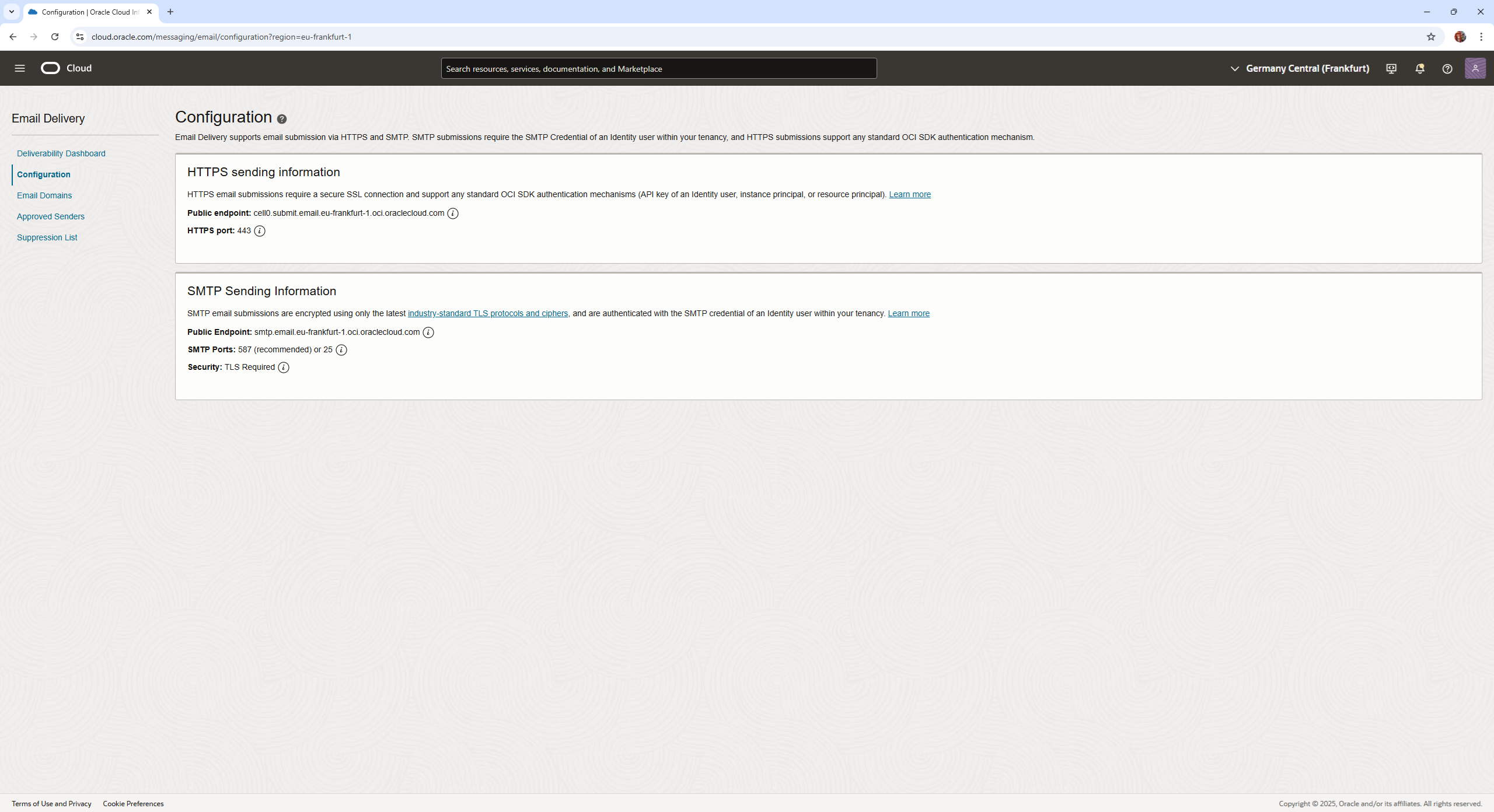
7. Some quarkus java code for the microservice component
application.properties
 # SMTP Server Configuration
quarkus.mailer.from=xxxxxxxxxccw.sk
quarkus.mailer.username=ocid1.user.oc1..xxxxxx.com
quarkus.mailer.password=xxxxxxxxx
quarkus.mailer.host=smtp.xxxxxoci.oraclecloud.com
quarkus.mailer.port=587
quarkus.mailer.ssl=false
quarkus.mailer.start-tls=REQUIRED
   Uni<Void> sendMailUni = mailer.send(Mail.withHtml(dto.getEmail(), "Rezervovaný termín", body)
                .addBcc("xxxxxx.com")
                .addHeader("Reply-To", emailConfig.getNotificationEmailAddress()) //
                .addHeader("Auto-Submitted", "auto-generated"))
                .onFailure()
                .retry()
                .withBackOff(Duration.ofSeconds(this.timeBetweenResents))
                .atMost(this.numOfAttempts);

        sendMailUni
                .subscribe()
                .with(success -> {
                    Log.info("> Email sent successfully ! id: " + appointmentId);
                },
                        failure -> {
                            Log.error("> Failed to send email to customer! id: "
                                    + appointmentId + " - "
                                    + failure.getMessage());
                        });

    }
We have in CCW competency for OCI cloud development of microservices, which can be developed in time, quality and with the cutting edge technology stack. Contact us !





